Salary
Overview
Staying competitive in today’s market means making pay decisions with clearer, more consistent data. CompAnalyst®, Salary.com’s Total Compensation Management Platform, connects BambooHR employee data with external market data and AI-powered insights to help HR and compensation teams market price jobs, support internal equity, and stay competitive externally. Use guided tools to set up salary structures and pay grades with more confidence.
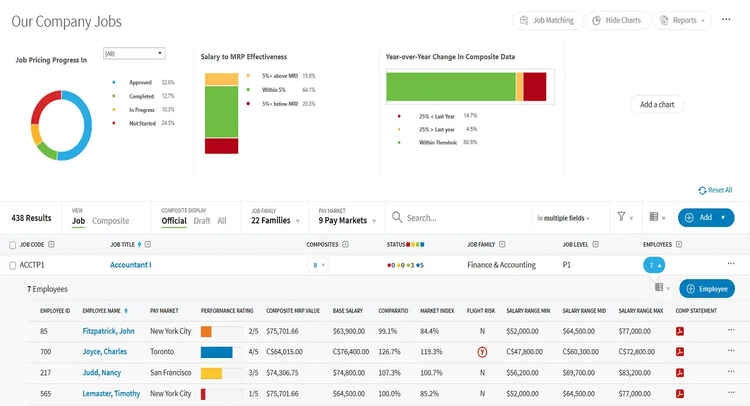
Our robust compensation platform helps teams manage pay practices across levels, job families, departments, and divisions. Global family mapping supports large-scale job pricing, while built-in analytics help teams review fair pay practices and communicate compensation decisions more transparently.
Market price for external competitiveness
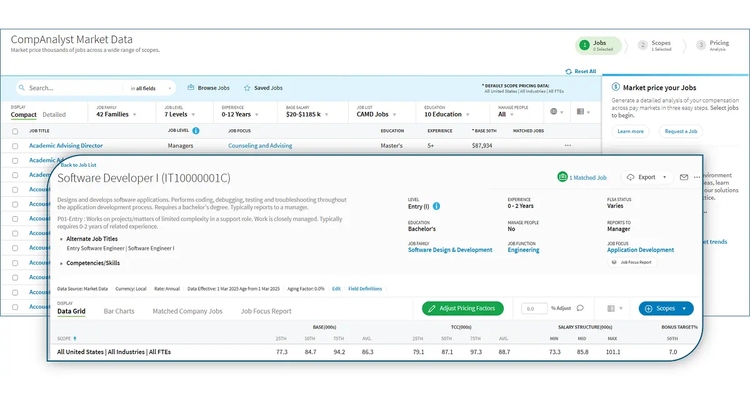
Use CompAnalyst Market Data to price roles with 800M+ HR-reported data points across 16,000+ roles and 225 industries. Build market pricing reports by industry, company size, and location, and centralize company jobs in one place to support faster, more consistent pricing.
Comprehensive reporting and analytics
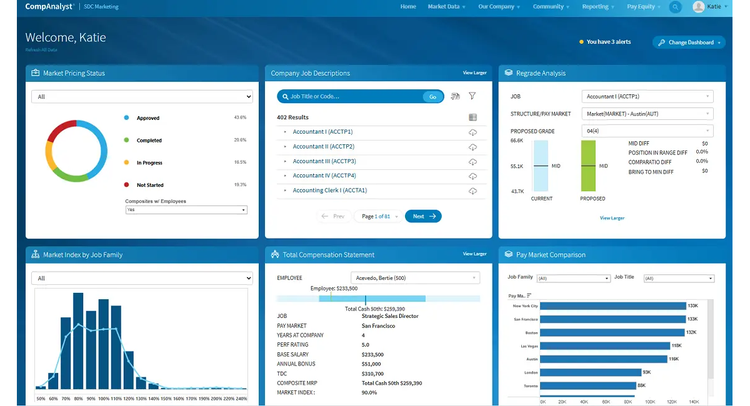
Analyze compensation data alongside workforce management data for a more complete view of human capital. Use advanced analytics and reporting tools in CompAnalyst to evaluate compensation strategies and make data-driven decisions.
Optimize internal pay practices with streamlined analysis
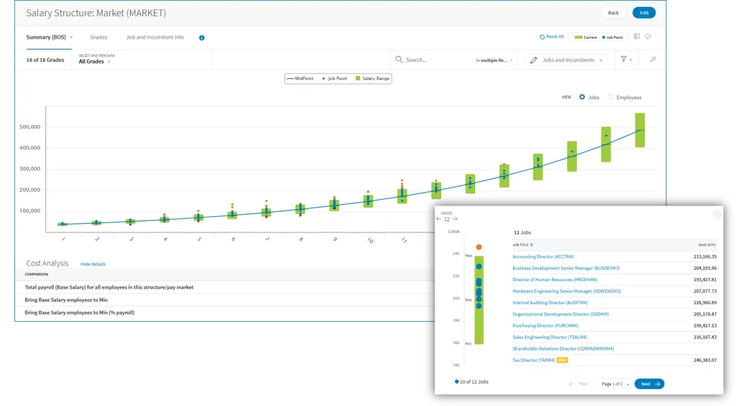
Easily establish a new salary structure in just three clicks, based on market data and your company's grades, jobs and employees. View your salary structures in a simple format to quickly view outliers and the cost to correct your employee salaries across the board.
Address pay equity issues simply and confidently
Empower your organization with the Pay Equity Reporting Toolkit, which is equipped with the tools to evaluate internal pay disparities among employee groups. Seamlessly promote equity and fairness within your organization’s compensation practices.
Key Differentiators
AI-powered compensation insights, external market data, 16,000+ job titles, 225 industries, centralized job management, global family mapping, salary structure tools, built-in analytics, pay transparency support, and Pay Equity Reporting Toolkit.
Better Together Story
Together, BambooHR and CompAnalyst help HR teams connect employee data with market data for more consistent compensation decisions. The integration reduces manual entry, keeps key employee and job information in sync, and supports benchmarking, salary structures, and pay equity analysis.
Integration
How it Works
The CompAnalyst integration with BambooHR syncs employee, person, compensation, demographic, and job information at a regularly scheduled frequency. The integration is designed to streamline the implementation of CompAnalyst as well as reduce the need for manual data entry and upload by regularly keeping employee data in sync.
How to Install
To install the integration, log in to CompAnalyst as an administrator. Open settings, select Integrations under System Admin, and click Connect on the BambooHR tile. Enter the BambooHR subdomain, then click Login with BambooHR to authenticate using a BambooHR administrator account. After authentication, confirm field mappings between BambooHR and CompAnalyst. Optionally map Pay Markets, Salary Structures, and Salary Plans. Review the imported BambooHR data, configure sync settings, choose notification preferences, set the sync frequency, and enable the integration. The integration requires BambooHR read access to all employees and mapped fields. It is recommended to use an Administrator Role in BambooHR to ensure the integration can authenticate and sync successfully.
What data syncs?
Publisher
Salary.com
Updated: 1/1/2026
Support:
Phone Support:
844-725-2792
Email Support:
partnersupport@salary.com
Support Hours:
8AM-5PM ET