Overview
Emissary provides advanced 2-way texting, calling and AI automation tools for candidate and employee communications. The platform reduces friction in the communication process, improves response rates and eliminates repetitive tasks for recruiting and HR teams.
Direct integration with your BambooHR data makes operating efficiently at scale easy. Advanced features like AI language translation, integrated calendar connectivity, and much more let your team achieve more.
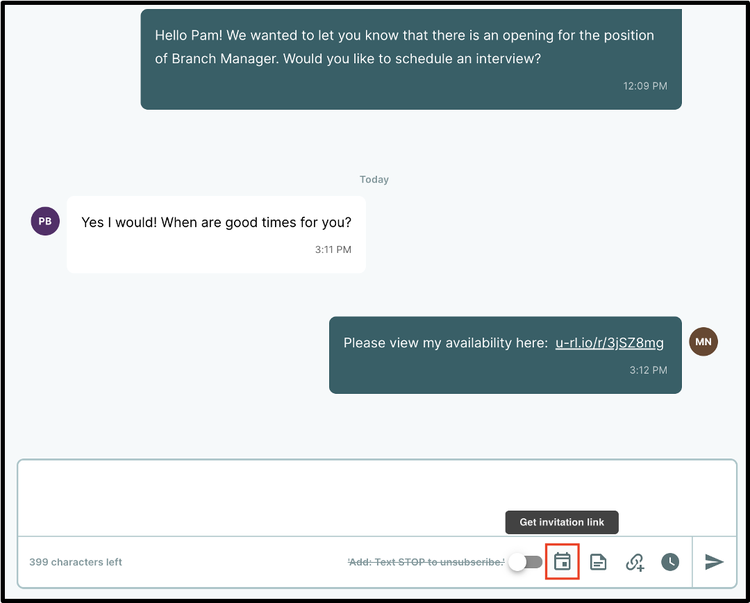
Two-way Texting
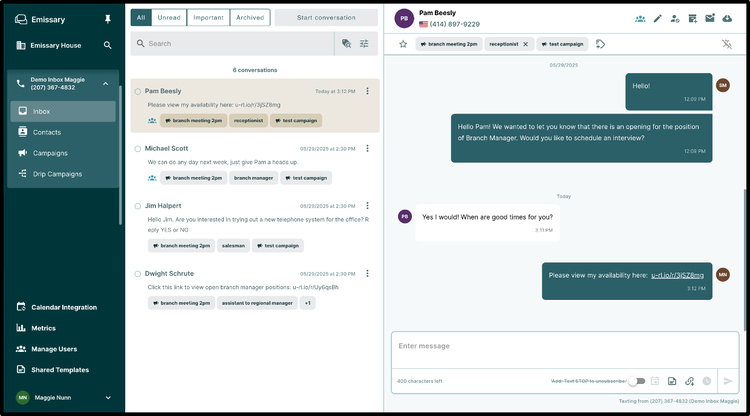
Send and receive SMS and MMS from a dedicated number in any area code you choose, from any device.
Campaigns & Triggered Texts
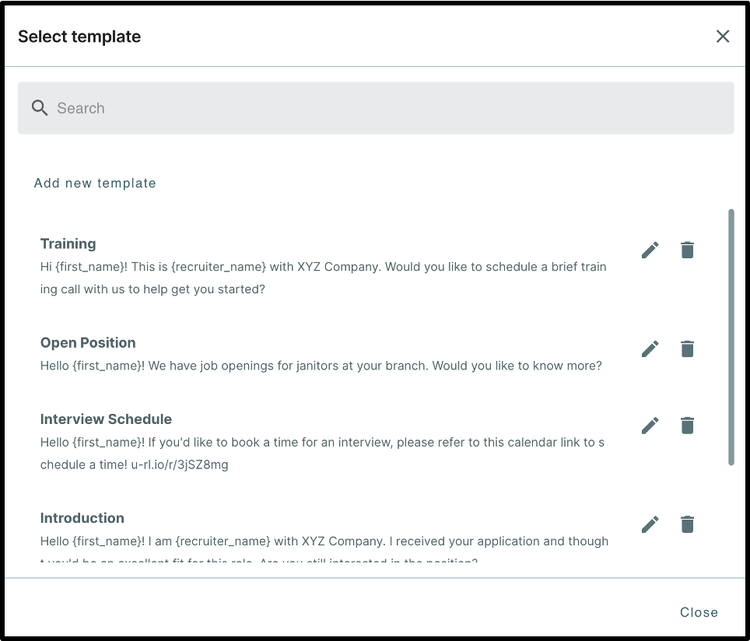
One-off and multi-step sequences with delays, dynamic fields, and messaging triggered by events in Bambo HR.
AI-Enhanced Calling (Coming Soon)
Make and receive calls from your texting number, with AI recording and transcription
Advanced Collaboration
Share numbers/inboxes among team members, collaborate, and track every reply efficiently.
Key Differentiators
Emissary is built for HR and talent acquisition teams with smart features and integrations that allow you to communicate with your candidates and employees much more effectively via their preferred methods. Tight integration with BambooHR data gives you maximum leverage while portability across other tools in your stack offers maximum flexibility.
Better Together Story
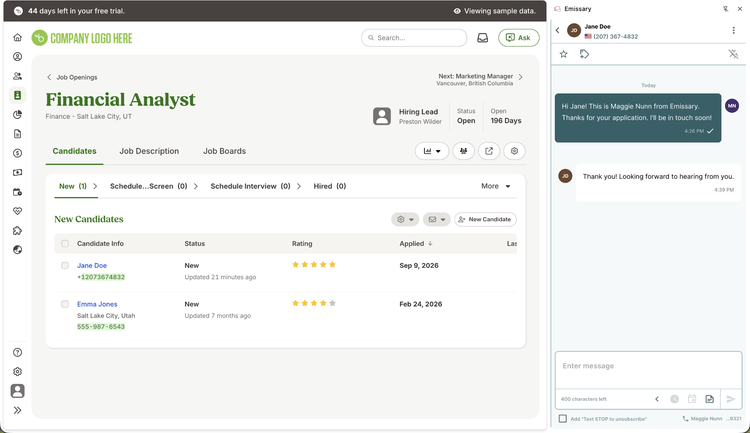
Emissary's advanced communication suite allows you to maximize your ROI from BambooHR by giving you the right tools to operate efficiently at scale. Combining Emissary and Bamboo gives you everything you need to reach your employees and candidates with their preferred method of communication, texting. No more lobbing emails into a void and chasing people for follow-ups. Just fast, efficient communication that gets responses.
Integration
How it works.
Emissary connects to Bamboo through OAuth 2.0, once the customer's admin goes through the connection flow Emissary polls the BambooHR API on a recurring schedule and pulls employee's, organization lists and applicant data.
This data populates the customer's contact directory in Emissary is used for texting campaign recipients. Data flows back into Bamboo when a conversation transcript is synced back to the notes associated with a particular contact.
What data syncs?
BambooHR Field
Sync Direction
Emissary Field
Field Logic or Notes
Is this turned on by default or is it configurable?
id
remote_id (Employee ID)
The BambooHR employee ID is stored verbatim on the Emissary employee record and is the key used to match records across syncs.
Default
status
(filter only, not stored)
Employees with status 'Inactive' are skipped and never created in Emissary. Combined with onlyCurrent=true, only currently employed people are synced.
Default
firstName
first_name
Direct mapping.
Default
lastName
last_name
Direct mapping.
Default
workEmail
email
Direct mapping. Only the work email is read; personal email is never requested.
Default
workPhone
phone_number
First priority in the phone fallback chain.
Default
mobilePhone
phone_number
Second priority in the phone fallback chain. Used only when workPhone is empty.
Default
homePhone
phone_number
Third priority in the phone fallback chain. Used only when workPhone and mobilePhone are both empty.
Default
city
city
Direct mapping.
Default
state
location
Emissary location maps to state
Default
country
country
Direct mapping.
Default
zipcode
postal_code
Direct mapping.
Default
JobTitle
job_title
Direct mapping.
Default
department
Membership (type = Department)
Creates an employee-to-organization membership of type Department. The department name is resolved against the Department list pulled from /v1/meta/lists/ so the membership carries the BambooHR list option ID.
Default
division
Membership (type = Division)
Creates an employee-to-organization membership of type Division, resolved against the Division list from /v1/meta/lists/.
Default
location
work_location + Membership (type = Location)
Stored on the employee record as work_location and also creates a Location membership, resolved against the Location list from /v1/meta/lists/.
Default
employmentHistoryStatus
time_type
Employment type (e.g. Full-Time, Part-Time). Stored as-is.
Default
Organizations & Locations GET /v1/meta/lists/ (scope: field)
Department list option.id
Organization.remote_id (org_type = Department)
Stored prefixed as 'department:{id}'.
Default
Department list option.name
Organization.name (org_type = Department)
Direct mapping. Used to resolve employee Department memberships.
Default
Division list option.id
Organization.remote_id (org_type = Division)
Stored prefixed as 'division:{id}'.
Default
Division list option.name
Organization.name (org_type = Division)
Direct mapping. Used to resolve employee Division memberships.
Default
Location list option.id
WorkLocation.remote_id
Direct mapping.
Default
Location list option.name
WorkLocation.name
Direct mapping. BambooHR exposes locations as a flat list, so no parent/child hierarchy is built.
Default
Applicants GET /v1/applicant_tracking/applications (scope: hiring:applications)
application.id
remote_application_id
Required so comment write-back has an application ID to target
Default
applicant.id
remote_id (Candidate ID)
Identifying field for candidate records. An applicant appearing on more than one application is de-duplicated and stored once per sync.
Default
applicant.firstName
first_name
Direct mapping.
Default
applicant.lastName
last_name
Direct mapping.
Default
applicant.email
email
Direct mapping.
Default
applicant.phoneNumber
phone_number
Direct mapping.
Default
applicant.address.city
city
Direct mapping.
Default
applicant.address.state
location
Direct mapping.
Default
applicant.address.country
country
Direct mapping.
Default
applicant.address.zipcode
postal_code
Direct mapping.
Default
Application Comments POST /v1/applicant_tracking/applications/{applicationId}/comments (scope: hiring:applications)
type
(constant, not stored)
Always sent as the literal value "comment", as required by the endpoint.
Default
comment
Conversation thread messages
The candidate conversation thread link from Emissary, written as a comment in the Comments section of the applicant detail page in BambooHR.
Default
How to Install
Installation is self-service and takes under a minute.
1. In Emissary, an administrator opens Integrations and selects BambooHR.
2. They enter their BambooHR company subdomain.
3. Emissary redirects them to BambooHR's authorization page, where they sign in and review the requested permissions.
4. On approval, BambooHR redirects back to Emissary, which completes the OAuth token exchange.
5. The first full sync begins immediately; recurring syncs run automatically from then on. And administrator can disconnect the integration at any time from the same integration screen, which deletes the stored tokens.