Express Evaluations
Discount Packaging
Free onboarding, free set up, and free best practices consulting for all BambooHR clients.
Overview
If you’re here, chances are you’re ready to move beyond the headache of manual performance evaluations. You need something that fits your budget, is simple to use, and doesn’t take weeks to get up and running.
That’s exactly what we deliver.
Explore our features below and see how we can make performance management easier, faster, and more effective for your team.
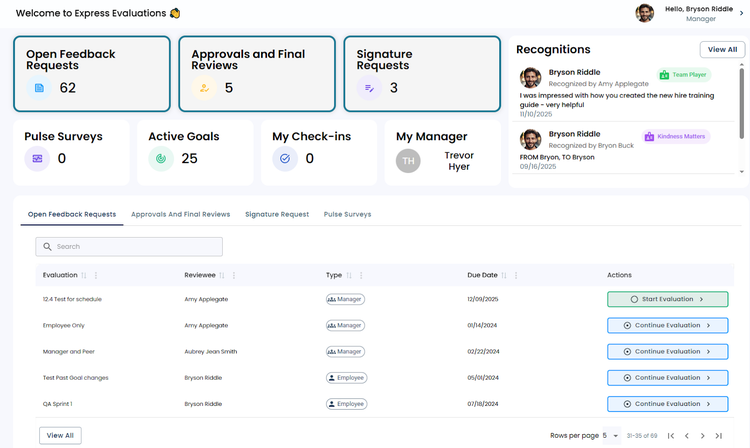
Express Setup
Skip the long onboarding train. Get your performance review process up and running in minutes so you can focus on people, not paperwork.
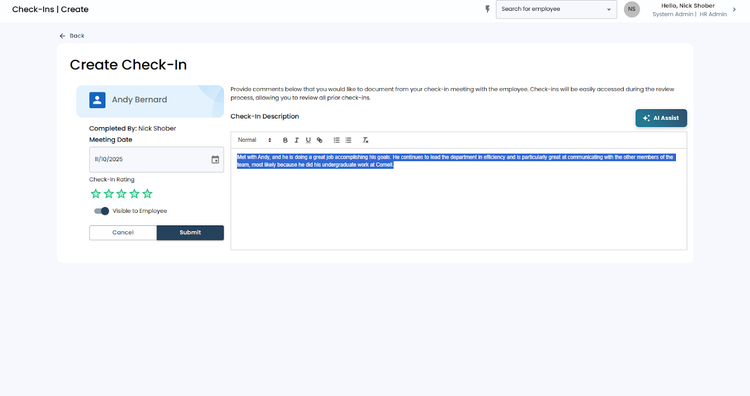
Express Feedback
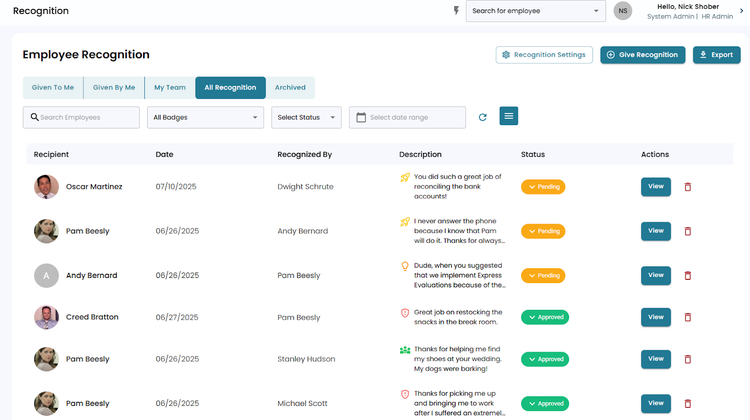
Make it easy for employees and managers to “express” praise, recognition, and constructive feedback all year long — not just during review season.
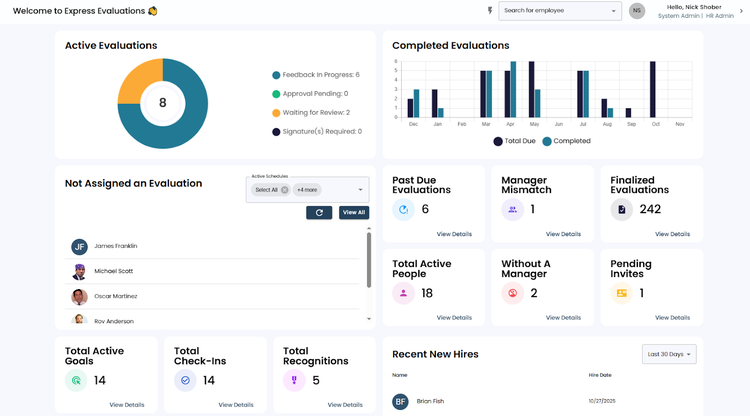
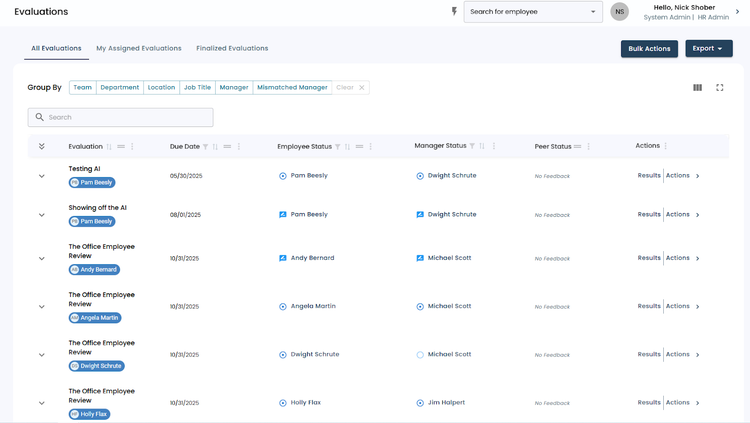
Express Tracking
Stay on track without the chase. Goals, evaluations, and progress live in one place, giving HR a smooth ride and employees a clear path forward.
Express Insights
Turn reviews into results with simple, powerful reports. Spot trends, celebrate wins, and identify growth opportunities — all at express speed.
Integration
How it works
The Express Evaluations + BambooHR integration keeps your employee data in sync automatically and securely - eliminating manual updates or duplicate entry.
Once connected, Express Evaluations will stay up to date with BambooHR in real time. Any changes to employee details in BambooHR (like new hires, terminations, or manager changes) automatically update in Express Evaluations.
Here’s what happens after setup:
✅ Automatic employee sync: New hires, rehires, terminations, and demographic updates sync in real time.
✅ Accurate manager assignments: Manager (“Reporting To”) fields stay aligned with BambooHR.
✅ Secure OAuth connection: You’ll grant Express Evaluations access directly through BambooHR - no API key or manual permission setup required.
✅ Field protection: Once the integration is active, synced fields become view-only in Express Evaluations. Edits must be made in BambooHR to maintain data accuracy.
If you decide to remove the integration later, your employee data in Express Evaluations will remain intact - it will simply stop updating automatically.
How to Install:
Connecting BambooHR to Express Evaluations takes just a few minutes and does not require IT assistance.
Step 1: Request activation
Email your Express Evaluations Account Manager or contact support@expressevaluations.com to request BambooHR integration activation. We’ll confirm when your account is ready to connect.
Step 2: Enter your BambooHR domain
In Express Evaluations, go to the Settings menu → BambooHR tab.
Enter your BambooHR company domain and click Save.
Then choose which optional fields you’d like to sync and click Save again.
Step 3: Run the initial manual sync
Click Start Manual Sync.
You’ll be redirected to BambooHR to log in and Allow Access for Express Evaluations to read your Employee and Reports data.
Once access is granted, the sync will begin automatically - you’ll receive an email when it completes.
Step 4: Enable automatic syncing
Back on the BambooHR settings page in Express Evaluations, click Enable Auto Sync.
If prompted, log in to BambooHR again and allow access for Employee, Miscellaneous, and Reports data.
After this, the integration will continue syncing automatically in real time.
That’s it!
Employee information will now flow seamlessly from BambooHR into Express Evaluations.
For detailed setup instructions with screenshots, visit:
👉 Integrate Express Evaluations with BambooHR
What data syncs?
Publisher
Express Evaluations
Published: 9/22/2025
Phone Support:
385-501-6200
Email Support:
support@expressevaluations.com
Support Hours:
8am-5pm MST