FaceUp
Discount Packaging
All BambooHR users get an exclusive 20% discount on their first year with FaceUp — the whistleblowing and compliance platform built to help organizations detect risks early and run defensible investigations. To redeem, use code BambooWelcome20 at checkout, or mention the discount during a demo call or in an email to the FaceUp team. Your BambooHR data will be synced and ready from day one.
Overview
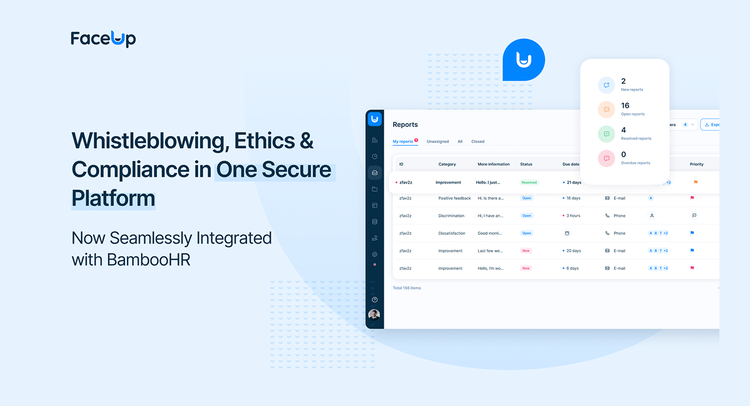
FaceUp is a powerful whistleblowing, ethics & compliance platform that brings anonymous reporting and case management into one secure system. It empowers employees to report sensitive issues while providing HR teams with clear visibility, consistent processes, and reliable records across teams. With the integration between FaceUp and BambooHR, these capabilities are further enhanced, offering seamless workflows and deeper insights into employee data and reporting.
Assigning Employees to Reports
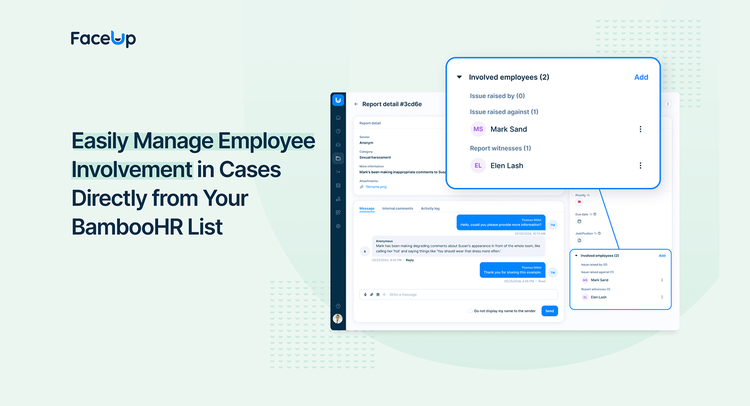
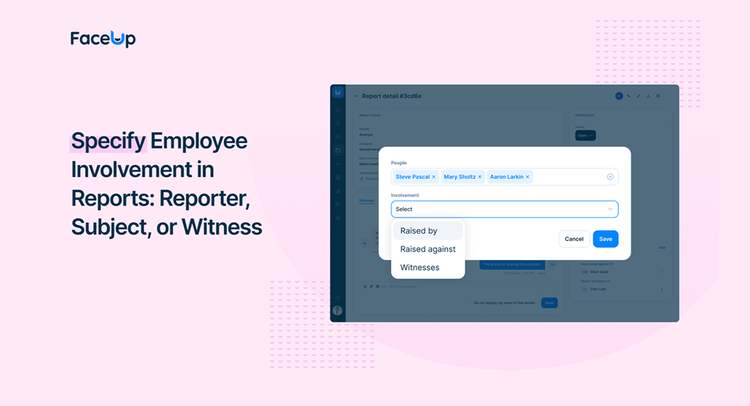
When a report is submitted, administrators can assign specific employees involved in the case directly from the synced BambooHR data. This feature allows for precise tracking of participation, whether the employee raised the report, was the subject of the report, or acted as a witness.
Filtering and Analytics
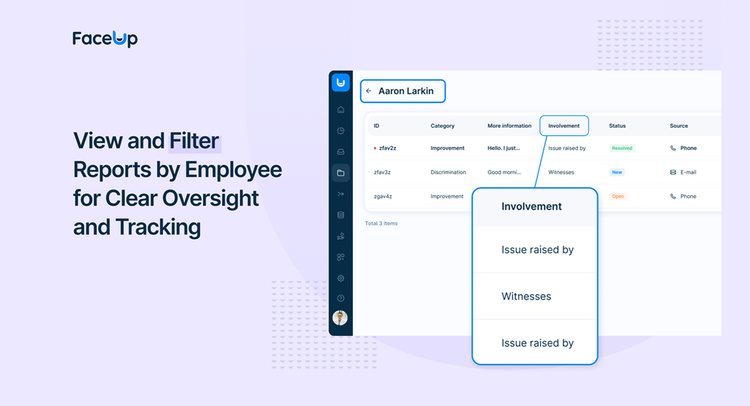
HR teams can filter reports by individual employees to quickly access all cases they’re associated with. This feature helps identify patterns, such as recurring involvement in reports, and trends in specific departments or locations, enabling teams to address issues more proactively.
Actionable Insights
The integration provides organizations with valuable insights into employee involvement in reports, helping HR teams make data-driven decisions and foster a safer, more compliant workplace.
Streamlined Case Management
By combining BambooHR’s robust employee management capabilities with FaceUp’s advanced reporting tools, this integration simplifies case management & investigations. Administrators can access all the information they need in one place, enabling faster resolutions and improved oversight.
Key Differentiators
Stronger Ethics & Compliance, Powered by Your People Data
With the FaceUp and BambooHR integration, employees feel confident speaking up about sensitive issues through a secure, anonymous whistleblowing channel — whether via a reporting form, mobile app, QR code, or dedicated hotline. By removing every barrier to reporting, organizations can detect risks early and respond with the consistency needed to build a defensible culture of integrity.
This integration is built for organizations serious about ethics and compliance — streamlining investigations, reducing exposure, and fostering trust across the workforce. Connect FaceUp with BambooHR today and turn your people data into a foundation for accountability and long-term integrity.
Better Together
Better Together: FaceUp + BambooHR
BambooHR gives HR teams a single source of truth for their people data. FaceUp puts that data to work where it matters most — inside active cases and investigations.
By syncing BambooHR's workforce data directly into FaceUp, case managers and investigators can instantly identify the people involved in a report, without manual lookups, duplicate records, or unnecessary back-and-forth. The right employee context is always available from the moment a case is opened, enabling teams to run faster, more consistent, and fully defensible investigations.
Together, FaceUp and BambooHR help organizations move from reactive damage control to proactive integrity management — reducing administrative burden, strengthening compliance workflows, and building a culture where accountability is built into every process.
Integration
How it works
Getting started takes just a minute — connect FaceUp to BambooHR with a single click and your employee data begins syncing automatically every day. Case managers and investigators always have accurate, up-to-date records at hand to identify the people involved in a case instantly, without manual lookups, duplicate entries, or errors. Employee involvement data is preserved even after someone leaves the organization, keeping records accurate and audit-ready for compliance purposes.
How to Install:
Enable the Integration: Log in to your FaceUp account and navigate to the Integrations section.
Connect BambooHR: Click Add Integration, select BambooHR, and enter your BambooHR application URL.
Authorize Access: Log in to your BambooHR account to grant FaceUp the necessary permissions for syncing employee data.
Save and Sync: Return to FaceUp, paste your application URL, and click Save. Your employee data will now sync automatically once a day.
Your integration is live and ready to use. For detailed instructions, visit FaceUp Help Center or talk to our team.
What data syncs?
Publisher
FaceUp
Published: 05/05/2026
Email Support:
Support Hours:
24 / 7