Hire2Retire
Overview
Hire2Retire integrates with BambooHR to automate identity and access management across the employee lifecycle. By using BambooHR as the source of truth, it ensures that onboarding, role changes, and offboarding events automatically trigger provisioning, updates, and de-provisioning of access across identity providers and business applications, reducing manual effort while improving security and compliance.
Manage Identity and Access in real-time with BambooHR as source of truth
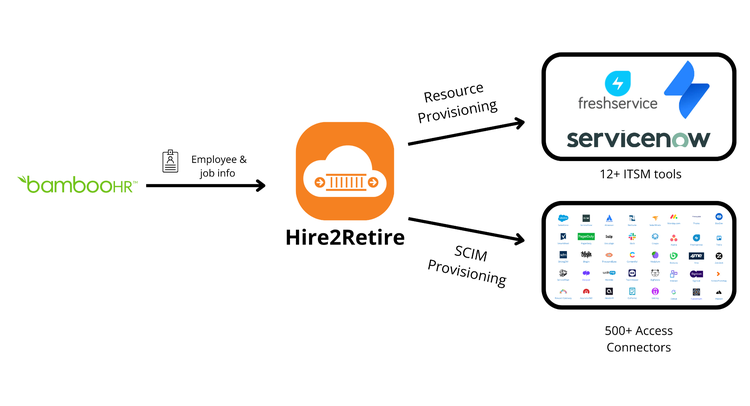
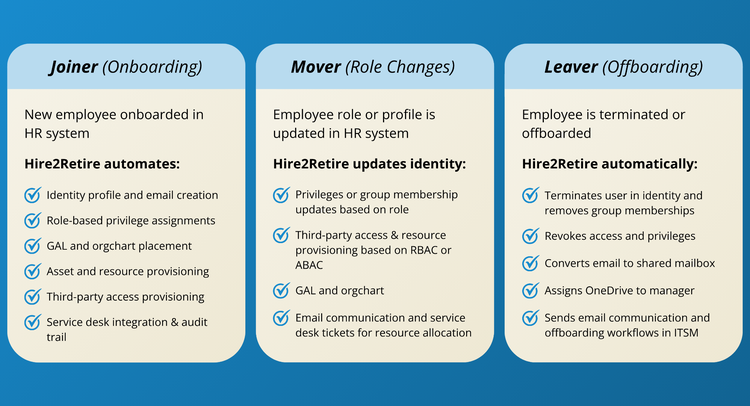
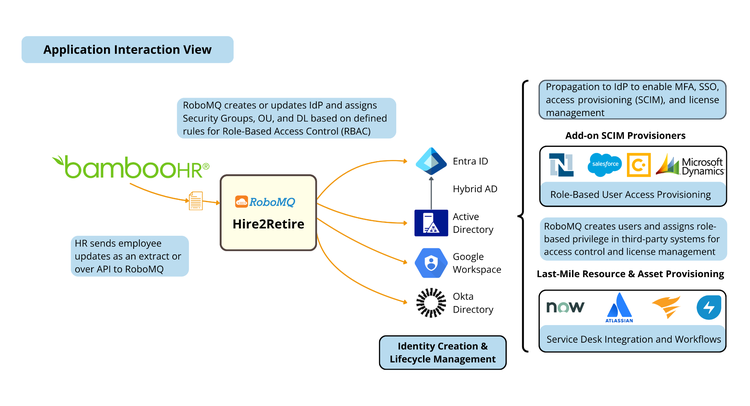
Hire2Retire syncs BambooHR with Active Directory, Entra ID, Google Workspace, and Okta to automate provisioning, updates, and de-provisioning based on Joiner, Mover, and Leaver events. Using employee profile and role information from BambooHR, Hire2Retire manages workforce identity, entitlements, and 3rd party application access in real-time without any manual intervention. It eliminates manual sysadmin work, provides a superior “First Day at Work” experience for new hires, and ensures timely terminations to prevent data breaches and cybersecurity risks.
Need-to-know basis Role Based Access Control (RBAC)
Hire2Retire uses employee attributes such as department, title, manager, and location to automate assignment of organizational units, entitlements such as security groups, and access to 3rd party applications. It continuously monitors changes in BambooHR and updates access accordingly, ensuring users always have the right level of access based on their role.
Access and Entitlement Requests with Certification
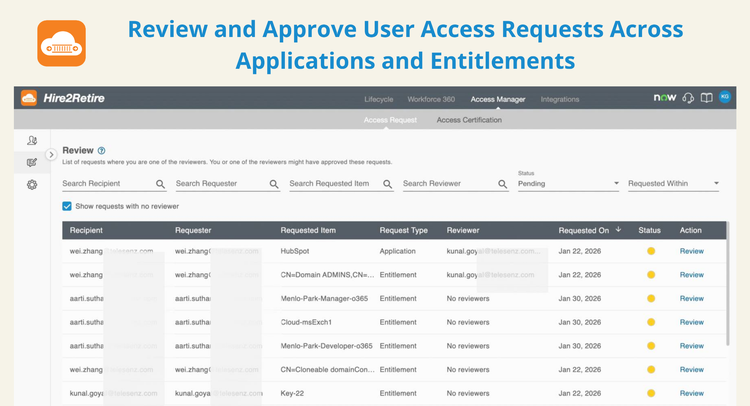
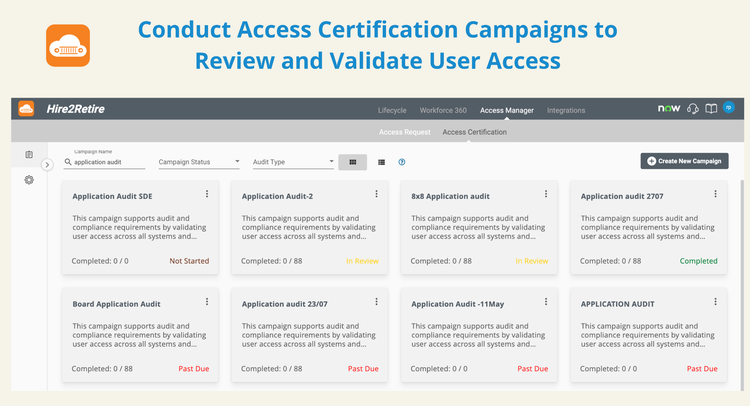
If an employee needs additional application access or entitlements beyond standardized roles or birthrights, they or their manager can raise a request using the Access Request feature, which triggers approval workflows. Access can also be periodically reviewed and certified to ensure “need to know” and approved privileges are maintained with Access Certification feature in Hire2Retire.
Ensure Compliance, Reduce Security Risk, and Streamline ITSM Workflows and Reporting
By ensuring new hires and role changes receive timely and correct access, and terminated employees do not retain access, organizations can stay compliant with SOC2, HIPAA, ISO 27001, SOX, and NIST standards.
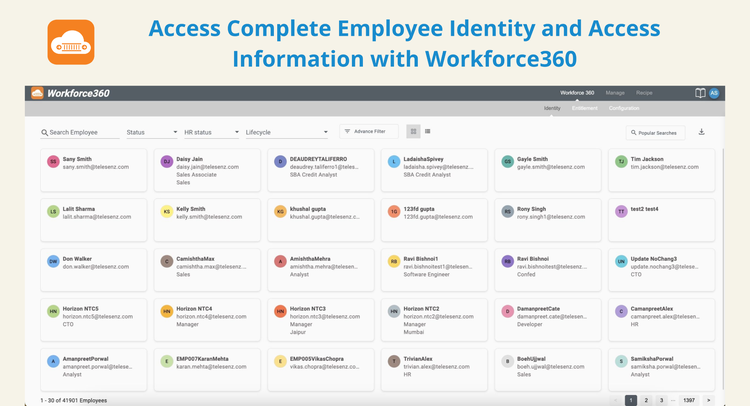
Integration with ITSM systems like ServiceNow, FreshService, Jira, Zendesk, BMC, SolarWinds, ConnectWise, and Halo enables resource provisioning and approval workflows for joiner, mover, and leaver events. Workforce360 provides advanced analytics, ad-hoc reporting, and a 360-degree view of employee entitlements and access to support audits and security investigations.
Key Differentiators
-Hire2Retire provides end-to-end automation of Joiner, Mover, and Leaver (JML) identity lifecycle processes across identity providers, business applications, and ITSM systems, significantly reducing manual effort and operational overhead.
-It uses HR systems such as BambooHR as the source of truth, ensuring identity, access, and entitlements remain continuously aligned with real-time employee data, minimizing delays and inconsistencies.
-The platform offers deep, pre-built integrations with leading identity providers like Active Directory, Entra ID, and Okta, along with HRIS, ATS, and ITSM tools, enabling faster deployment.
-It embeds access governance through role-based access control, access requests, certifications, and audit-ready reporting, supporting compliance with standards such as SOC2, HIPAA, and ISO 27001.
-Workforce360 in Hire2Retire delivers advanced analytics and a 360-degree view of workforce access, improving visibility, strengthening security posture, and simplifying audits.
Integration
How it works
Hire2Retire integrates with BambooHR through secure, near real-time APIs, using BambooHR as the authoritative source for workforce identity events. Joiner, Mover, and Leaver events in BambooHR automatically trigger identity provisioning, access assignments, entitlement updates, and timely offboarding across identity providers and connected enterprise systems. These actions are executed through policy-driven workflows and role-based access controls, ensuring employee access is always aligned with their current role and organizational status.
How to install
The BambooHR integration is included as part of the Hire2Retire platform subscription and is enabled during implementation. To set it up, log in to Hire2Retire and securely connect your BambooHR account using API credentials. Then configure employee attribute mapping, define role-based access policies, and select target systems. Once configured, employee lifecycle events in BambooHR automatically trigger identity and access workflows across connected systems.
What data syncs?
Publisher
RoboMQ
Updated: 7/29/26
Phone Support:
+1(571)338-2443