OurPeople
Overview
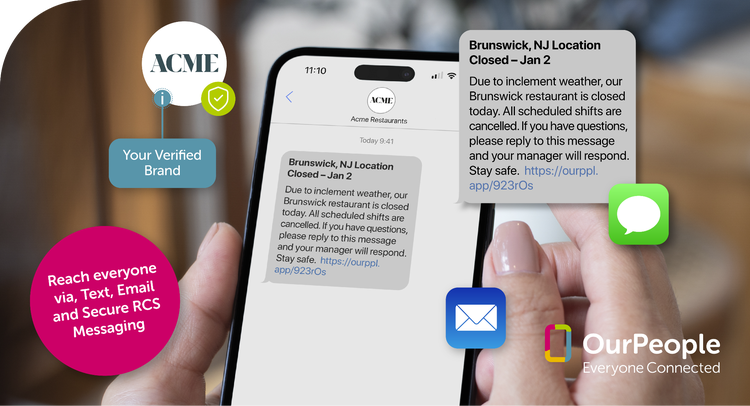
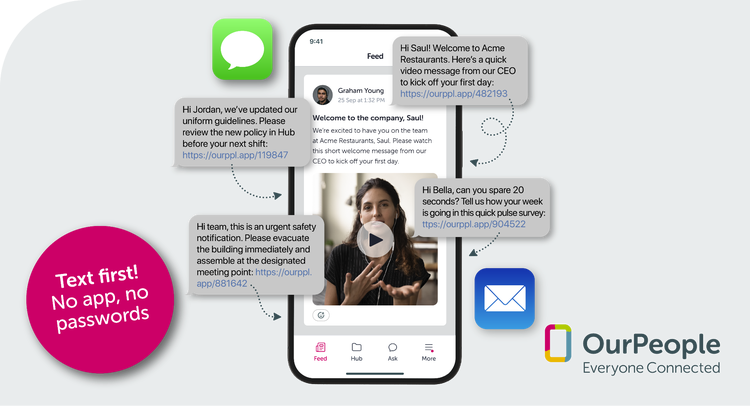
When email goes unread, and company apps sit unused, important updates never reach the people who need them most. OurPeople helps HR and Operations teams connect with frontline and hourly employees through text-first communication that meets them where they already are, on their phones. Messages are sent via SMS (or business-branded messaging) and open in a secure, mobile-friendly web experience, so there are no apps to download and no passwords to remember.
Reach Your Entire Workforce
Connect with every employee, including deskless and frontline teams, through text, email, or web. No corporate email address required. Ensure critical updates, announcements, and resources reach the people who need them - wherever they work.
Send the Right Message to the Right Employees
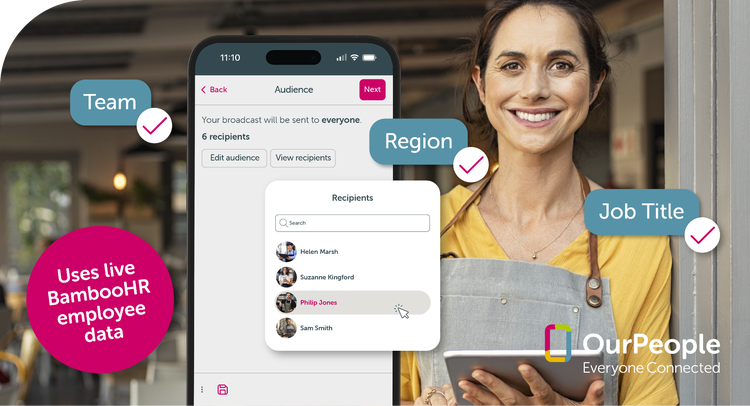
Send the right message to the right people. Target communications by location, role, department, hire date, or custom attributes synced from BambooHR. Reduce noise, prevent overload, and ensure relevant information reaches the intended audience.
Give Employees a Direct Line to HR
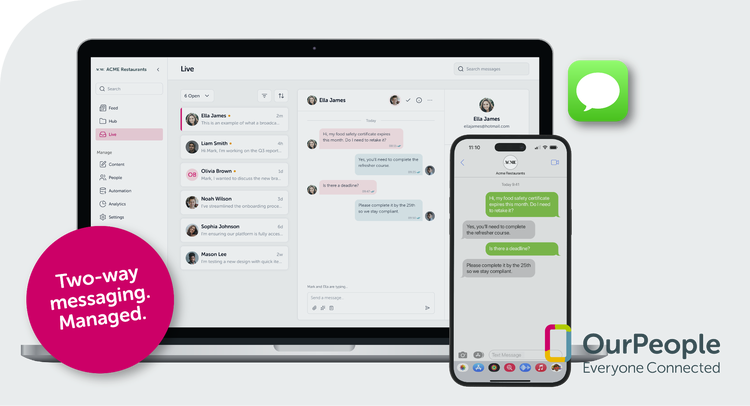
Enable employees to text the company directly and receive responses from HR or managers through a shared web inbox. Protect personal phone numbers, keep conversations professional, and ensure structured one-to-one communication without group chat distractions.
Communicate Clearly Across Languages
Deliver SMS and broadcast messages in employees’ preferred language, including Canadian French and Mexican Spanish. Improve understanding, increase participation, and ensure important workplace communications are clear and accessible across diverse teams.
Key Differentiators:
- No app required: Employees receive and engage with communications through SMS and a secure mobile-friendly web experience, with no app downloads or passwords required.
- Built for frontline and deskless teams: OurPeople is designed specifically for organizations that need to communicate with hourly, distributed, and non-desk workers who are often missed by traditional internal communication tools.
- Targeted, relevant messaging: Communications can be segmented by location, role, department, hire date, and other employee attributes to reduce noise and improve relevance.
- Structured two-way communication: Employees can text the company directly and receive responses through a shared inbox, allowing HR and managers to communicate one-to-one without exposing personal phone numbers.
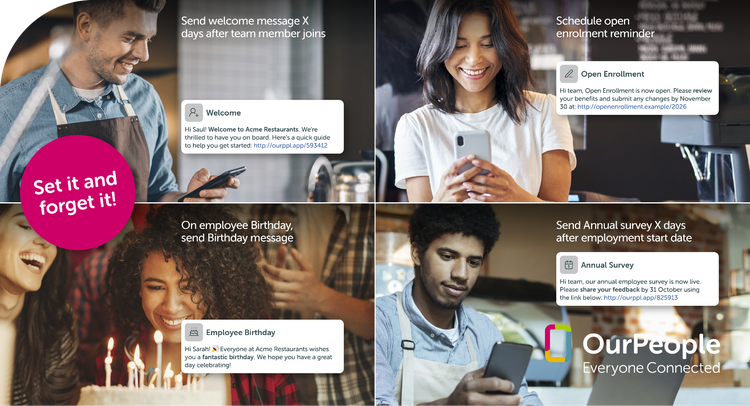
- Automated communication journeys: Teams can schedule one-time or recurring messages and automate communications based on milestones like onboarding, reminders, surveys, and engagement touchpoints.
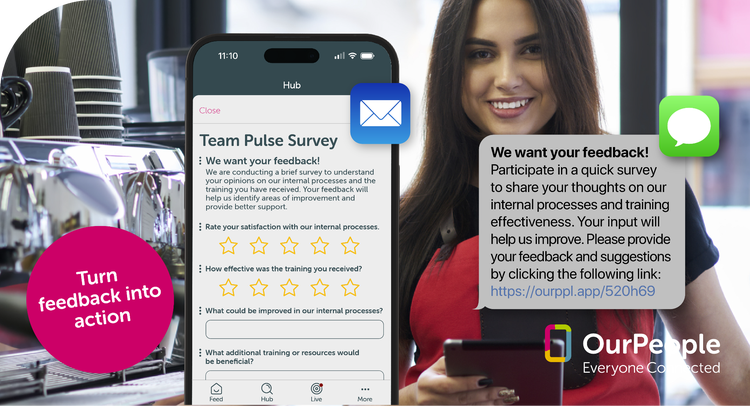
- Real-time employee feedback: Short surveys and pulse checks can be delivered by SMS or email, with optional anonymity, making it easy to collect timely feedback without requiring employees to log into another platform.
- Multi-language messaging: Messages can be delivered in employees’ preferred language, including Canadian French and LatAm Spanish, helping improve clarity, inclusion, and participation across diverse teams.
- Secure, professional communication experience: Business-branded messaging, shared inbox workflows, and protected personal contact details help organizations maintain professionalism while improving responsiveness and reach.
Better Together:
Together, BambooHR and OurPeople help organizations extend the value of their employee data into better day-to-day communication, engagement, and action. BambooHR serves as the trusted source of employee information, while OurPeople helps teams use that information to deliver timely, relevant communications that actually reach frontline and deskless employees.
By combining BambooHR with OurPeople, customers can improve onboarding, streamline important reminders, deliver targeted updates, collect employee feedback, and support two-way communication at scale. This helps HR and operations teams reduce manual work, improve message relevance, and ensure employees receive the right information at the right time in a format they are more likely to see and engage with.
The result is a more connected workforce, stronger employee participation, and a simpler way for organizations to communicate with every employee, not just those sitting at a desk.
Discount Packaging
Volume discounts available - based on team size cost per employee reductions!
Integration
How it works
OurPeople will periodically read relevant data, such as employee names, emails, phone numbers and job descriptions. Excess/irrelevant data is discarded.
OurPeople admin users are then able to approve records automatically or manually, in bulk or one by one. Once approved, records will remain in sync so that changes made in BambooHR are also applied to OurPeople.
When retrieving data, OurPeople fetches only changed data to keep interactions light and fast. To ensure that no data is missed, a more thorough sync is performed every ~24 hours.
OurPeople will never write data back to BambooHR.
How to Install:
1. Sign in to your OurPeople account (must be an admin).
2. Navigate to Settings > Integrations
3. Press "Add", to add a new integration.
4. Select "BambooHR" from the list of integration options.
5. Input your BambooHR company domain.
6. Press "Continue"
7. Once added, press "Authorize" to initiate the authorization flow with BambooHR.
8. BambooHR will present a list of permissions. These are permissions necessary for OurPeople to access your company data. Press "Allow" to grant OurPeople access.
9. Your integration is now ready. The first sync will happen automatically shortly.
10. Check back in on your integration later to see the list of people and tag records found.
What data syncs?
Publisher
OurPeople
Integration Published: 4/29/2026
Integration Updated: 4/29/2026
Email Support:
Phone Support
833-468-7775
Support Hours:
Monday to Friday, 9:00am to 5:00pm EST