ProProfs Training Maker
Discount Packaging
Exclusive Offer for BambooHR Customers
As a valued BambooHR partner, you enjoy special partner pricing on ProProfsTraining Maker.
Save 20% on your subscription and streamline onboarding, compliance, and ongoing employee training - all seamlessly integrated with BambooHR from one easy-to-use platform.
Deliver engaging, trackable training that delights your team without the hassle of multiple tools.
Overview
Delightfully Easy AI-Powered Training That Scales with Your Team
ProProfs Training Maker is the AI-powered LMS that integrates seamlessly with BambooHR to streamline onboarding, compliance, and growth - without extra hassle. Build courses in minutes, auto-assign by role, and sync progress instantly for a single HR view. Trusted by over 10,000 teams, it's twice as fast to deploy as traditional tools, with built-in gamification to boost completion rates by up to 30%.
Training That’s Always in Sync With HR
Simplify employee training with two-way sync between BambooHR and ProProfs Training Maker. Employee records sync automatically for easy course assignments, and as employees complete training, their progress- completions, dates, and time spent is instantly reflected in BambooHR for a unified HR record.
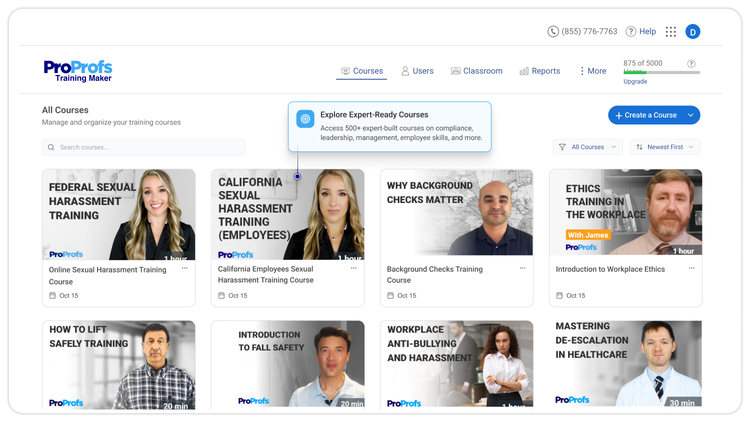
500+ Expert-Built Courses
Start training instantly with ProProfs’ massive library of expert-taught courses across compliance, workplace safety, soft skills, DEI, harassment prevention, and more. Customize any course or import your own PDFs, videos, and presentations in just a few clicks.
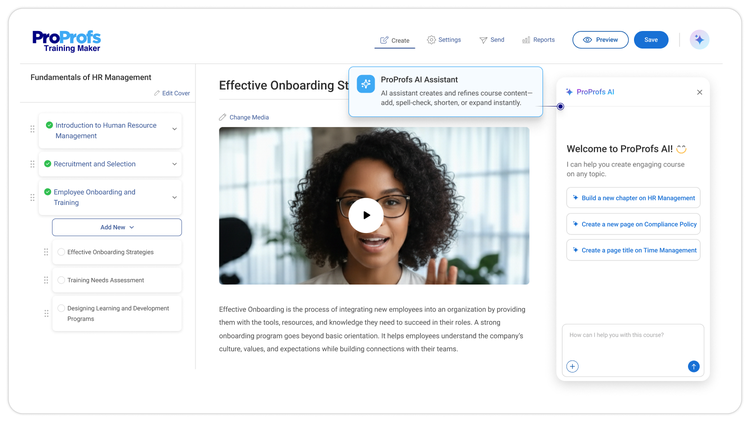
Get AI-Powered Course Creation
Generate full courses, quizzes, assessments, and outlines instantly; build in minutes, no expertise required.
Global, Secure & Enterprise-Ready
- SCORM & xAPI compliant
- Multilingual support for 70+ languages
- Single Sign-On (SSO) and advanced role-based access
- Virtual classroom tools for managing thousands of learners
- Audit-ready compliance reports
Training That Reflects Your Brand
Delivers a white-labeled experience. Customize portals, emails, certificates, and learning paths—so everything looks and feels like your organization.
Real-Time Reports & Automated Reminders
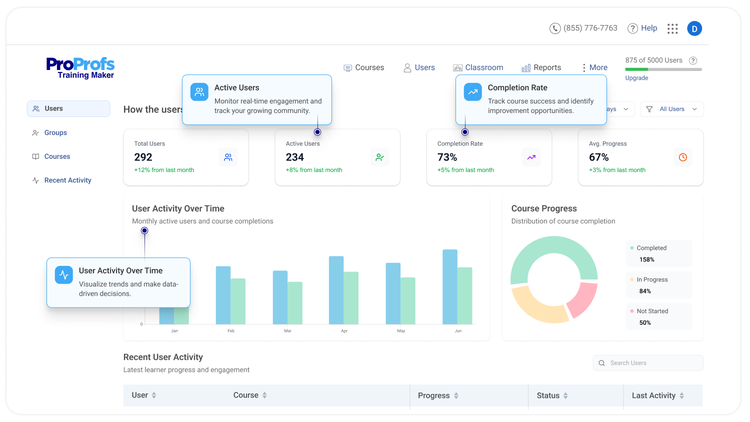
Track learner progress, completions, and deadlines in real time.
Automate reminders, schedule custom reports, and easily share analytics with stakeholders.
Reduce Drop-offs With Engagement Tools
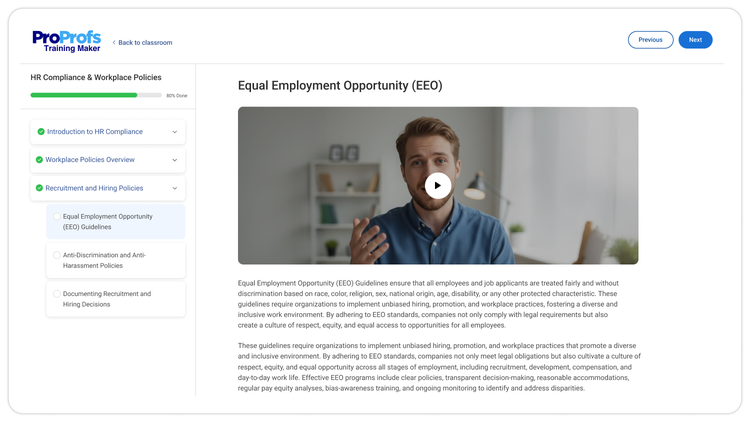
Encourage participation using badges, points, leaderboards, and personalized paths. Promote teamwork through virtual classes, discussion forums, and on-demand content, accessible on any device at any time.
Integration
How it works
Once you connect BambooHR and ProProfs Training Maker, everything automatically syncs. Your employee details, such as location, supervisor, status, emails, and IDs, flow into ProProfs so that you can assign the right courses by role, department, or location without manual uploads.
As employees complete their training, progress—including completions, dates, and time spent—is instantly reflected in their BambooHR profiles. You’ll see all assigned training listed as distinct training types for easy tracking. And if an employee leaves your organization, their ProProfs access is removed automatically, keeping your records clean and up to date.
What data syncs?
BambooHR
Employee ID
This is the
identifying field for
the integration —
the Employee #
used by both
systems for training
synchronization.
If work email is not
available, it uses
the personal email.
A user is
deactivated in
ProProfs if he/she
gets deactivated or
deleted in
BambooHR.
Publisher
ProProfs
Published: 9/14/2025
Email Support:
Phone Support:
855 776 7763 X 4
Support Hours:
Chat and Email support : 24/7
Phone Support Hours:
8:00 AM - 5:00 PM EST