BambooHR customers receive a complimentary 14-day trial of ResumeSift88, including full access to AI-powered resume screening and candidate matching features.
Overview
ResumeSift88 is an AI-powered resume screening and candidate matching solution that helps recruiters and hiring teams identify top candidates faster and more efficiently.
By automatically analyzing resumes against job requirements, ResumeSift88 reduces the time spent on manual screening and delivers clear candidate insights, rankings, and recommendations.
Whether you're a staffing firm managing hundreds of applications or an organization hiring for critical roles, ResumeSift88 enables faster shortlisting, improved candidate discovery, and more consistent hiring decisions, allowing recruiting teams to focus their time on engaging with the best talent rather than sorting through resumes.
You get hours back every week. Resumes are screened the moment they arrive, no manual reading, no backlog, no bottleneck.
Higher Quality Shortlists
Better shortlists. AI applies consistent criteria every time, no fatigue, no bias from a long day, no good candidate slipping through because someone was distracted.
Fill Roles Faster
Roles get filled faster. The gap between posting a job and making an offer shrinks, which matters when the best candidates are only available for days, not weeks.
Seamless BambooHR Integration
Works directly within your existing BambooHR workflow. No new software to install and no disruption to your BambooHR subscription.
Key Differentiators:
1. Native BambooHR Integration
2. No New Software or Workflow Changes
3. Recruiter-First AI Experience
4. Human-Led Hiring, AI-Assisted Screening
5. Rapid Deployment and Adoption
6. Fast Time-to-Value
Better Together Story:
BambooHR helps organizations manage recruiting and applicant tracking, while ResumeSift88 enhances the hiring process with AI-powered resume screening and candidate matching. Together, they help hiring teams identify top candidates faster, reduce manual resume review, and make more informed hiring decisions.
Integration
How it works
ResumeSift88 integrates directly with BambooHR via API. When candidates apply through BambooHR, ResumeSift88 automatically analyzes resumes against job requirements and generates candidate rankings, match scores, and screening insights. These results are then made available within the hiring workflow as a comment, enabling recruiters to review and prioritize candidates more efficiently without leaving BambooHR.
How to Install:
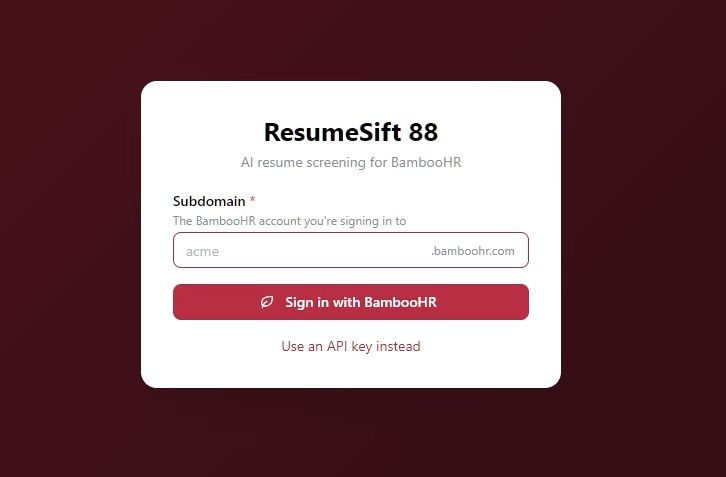
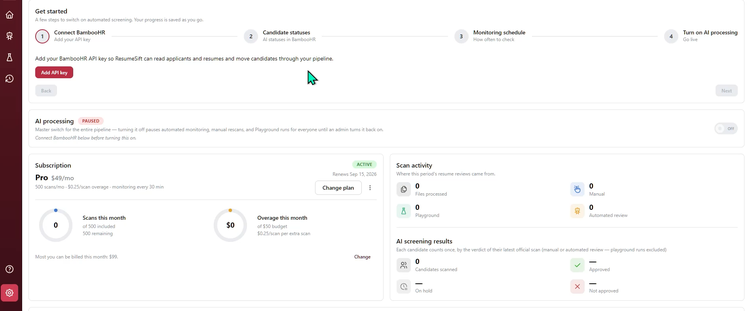
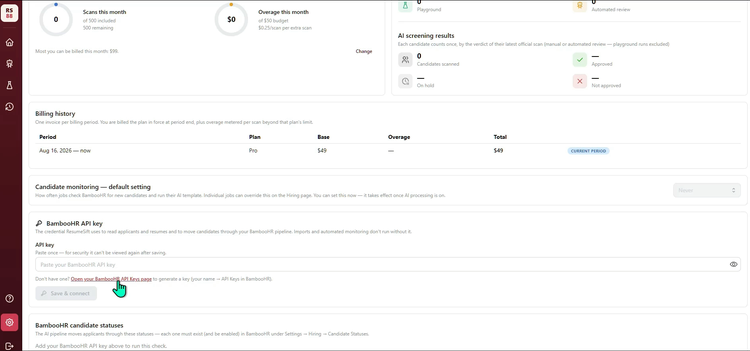
1. Login and connect BambooHR by adding API Key.
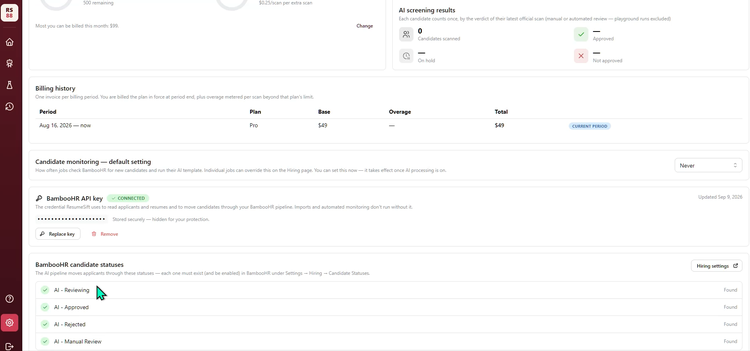
2. Add candidate statuses.
3. Choose Monitoring Schedule.
4. Turn on AI processing.
What data syncs?
BambooHR Field
Sync Direction
ResumeSift88 Field
Field Logic or Notes
Is this turned on by default or is it configurable?
Application ID
Application ID
This is the identifying field for the integration. Every candidate record in ResumeSift is keyed to the BambooHR application ID; all status and comment write-backs target it.
Default
Application ID
Applicant ID
Stored alongside the application ID so a person who applies to more than one opening is recognized as the same applicant.
Default
Job Opening ID
Job ID
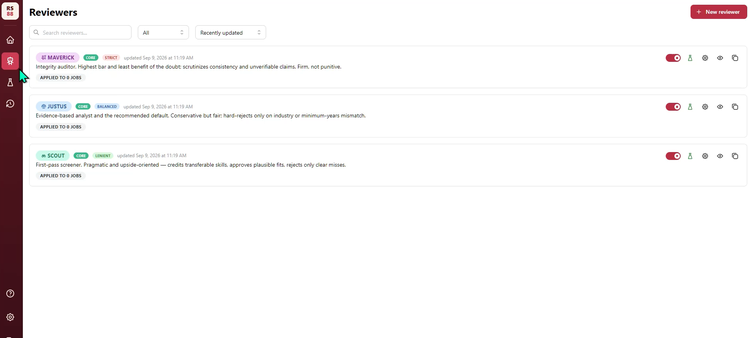
Identifies the opening a candidate applied to and the opening a reviewer (screening persona) is attached to.
Default
Job Title
Job Title
Display, and supplied to the AI as context for screening.
Default
Department
Department
Display only.
Default
Location
Location
Display only.
Default
Job Status
Job Status
BambooHR's open/closed/draft label. Only open jobs are screened automatically.
Default
Hiring Lead
Hiring Lead
Display only. First and last name joined for display; not used for permissions.
Default
Posted Date
Posted Date
Display only.
Default
New / Active / Total Applicant Counts
Applicant Counts
Display only, on the job list. Refreshed on view, may lag by up to 30 seconds.
Default
Job Posting URL
Posting URL
Deep link back into the BambooHR job posting.
Default
Job Description
Job Description
Not exposed by the ATS API, so it is read from the customer's public careers posting for that job. Used as the job context the AI screens the resume against. Falls back to empty if the job has no public posting; a customer can paste a description instead.
Default
Applicant First Name
First Name
Display only. Never sent to the AI model.
Default
Applicant Last Name
Last Name
Display only. Never sent to the AI model.
Default
Applicant Email
Email
Display only.
Default
Applicant Phone
Phone
Display only. Pulled from the application detail record.
Default
Applied Date
Applied Date
Display, and used to order the candidate list.
Default
Resume File
Resume
The resume PDF is downloaded and its text extracted; that text is what the AI screens. If BambooHR cannot serve a file it holds, a recruiter can upload the PDF in ResumeSift instead and the integration screens that copy; it switches back automatically once BambooHR serves the file again. A file with no readable text is never screened — the candidate is routed to a human.
Default
Applicant Status
Verdict Status
Read to know where a candidate sits in the pipeline, and written back as the screening result. Only candidates in "New" are screened automatically.
Default
Applicant Status: AI - Reviewing
Status: Reviewing
Set when screening starts, so the pipeline shows work in progress.
Default — the customer must create this status in BambooHR; screening will not run until all four AI statuses exist.
Applicant Status: AI - Approved
Status: Approved
Set when the resume meets the reviewer's bar.
Default — the customer must create this status in BambooHR.
Applicant Status: AI - Rejected
Status: Rejected
Set when the resume does not meet the reviewer's bar.
Default — the customer must create this status in BambooHR.
Applicant Status: AI - Manual Review
Status: Manual Review
Set when the AI is not confident enough to decide, or when there is no readable resume to screen. Never falls back to another status.
Default — the customer must create this status in BambooHR.
Applicant Status (any other)
Manual Status Override
A recruiter can move a candidate to any enabled status in their own pipeline from the ResumeSift candidate list. The full enabled-status list is read from BambooHR.
Default
Application Comment
AI Review Summary
The screening write-up — score, verdict and reasoning — is posted as a comment on the application so it lives in BambooHR with the candidate. Also used to explain why a candidate was routed for manual review.
Default
Applicant Statuses (list)
Status Catalog
The customer's enabled applicant statuses are read to locate the four AI statuses and to populate the manual override picker.