Risotto
Overview
Automate any routine internal HR workflow using natural language. Give employees a single front door for internal enterprise support.
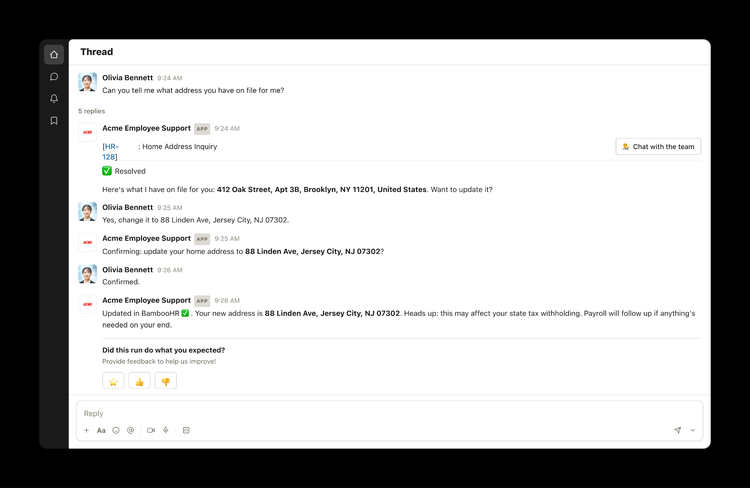
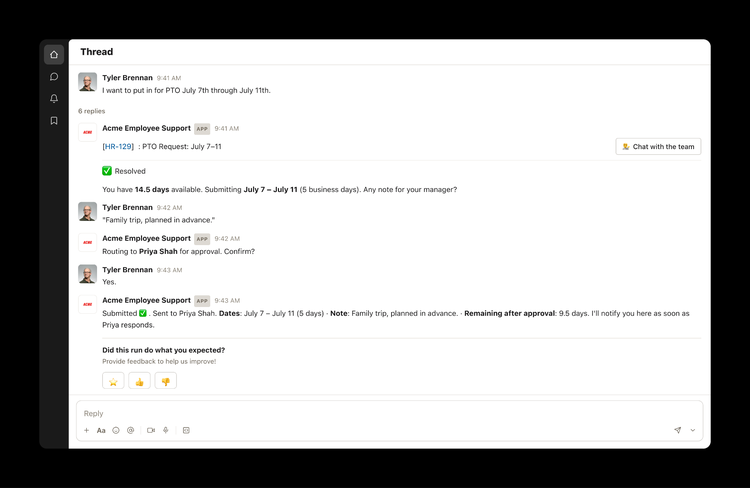
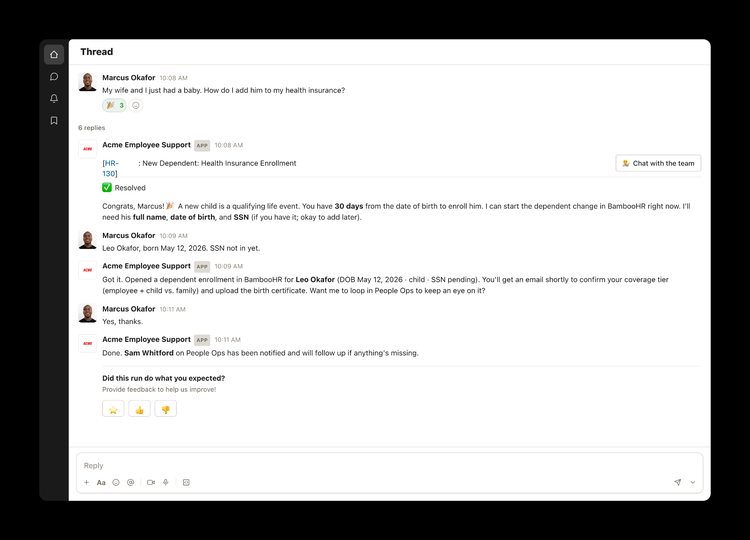
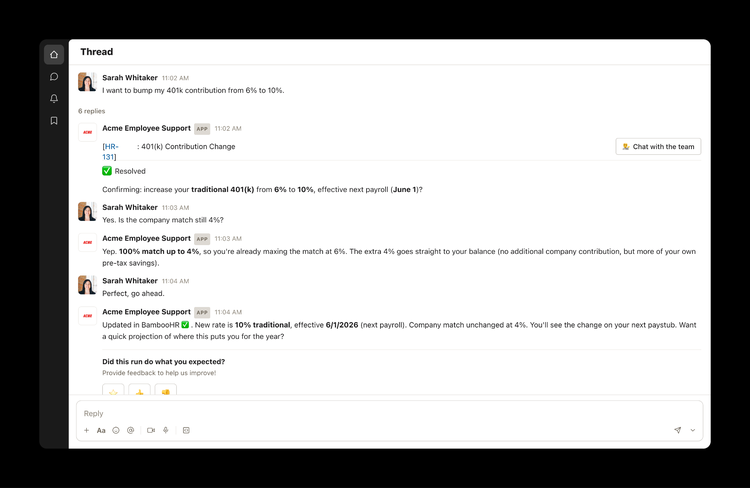
Risotto is an AI agent that runs inside Slack or Microsoft Teams and connects to BambooHR via OAuth. Once installed, employees can ask Risotto (which can be branded with your company name and logo) in plain language common HR questions which Risotto can answer by checking BambooHR profile information (address, department, date of hire, PTO balance) or taking common actions on their behalf such as submitting a time off request.
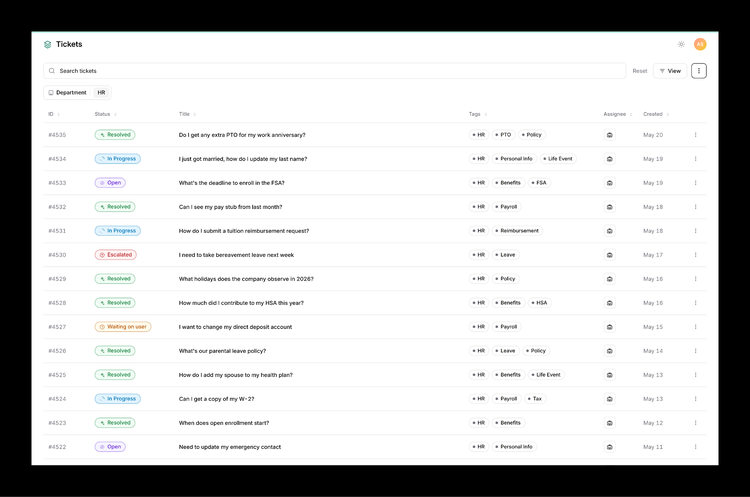
Meanwhile, Risotto keeps track of questions by managing the tickets. Risotto can be the ticketing system or it can integrate with your existing ticketing system such as Zendesk, Freshservice, Jira, or ServiceNow (or others).
For employees, it means no portal logins, no new apps to learn, and they never need to wonder where to go for help.
Beyond Risotto’s BambooHR native actions, Risotto can automate any routine HR workflow via runbooks and custom tool creation - if your operational stack has a tool with an API, Risotto can drive it to solve internal workflows.
And Risotto isn't just for HR: the same agent handles IT, Finance, and other internal support, so employees get one place to go for help.
Out of the Box with BambooHR
- Employment Information - Look up job title, date of hire, department
- Home Address Updates - View current address and submit changes
- Check Time Off Balances - Get current PTO balances on demand
- Request Time Off - Submit requests against eligible time off types
Extend to Any HR Workflow
- Custom runbooks for onboarding, offboarding, role changes, benefits questions, policy lookups, and more
- Custom tool creation for any HR system with an API (HRIS, ATS, LMS, payroll, benefits platforms)
- Natural language → structured action, with approvals and audit trail built in
Key Differentiators
- Native in Slack/MS Teams — no portal, no new login
- One-stop shop for internal support: HR, IT, Finance, and other teams (one license, multi-department RBAC)
- IGA / access automation (approvals, time-bound access, audit trail)
- 20–60% Tier-1 autosolve out of the box; one customer hit ~70%
- Continual learning from past tickets + multi-modal (can read screenshots)
- Onboarding in <1 week, SOC 2 Type II
Better Together Story:
Risotto + BambooHR brings HR support into Slack where employees already work. Risotto reads from BambooHR to answer "who's my manager?", "how do I update my address?", "how much PTO do I have?", and submits updates + routes approvals conversationally — no ticket portal required. And because Risotto handles IT and other internal support in the same agent, BambooHR customers get a single front door for every routine employee request. HR teams get back hours of Tier-1 work; employees get instant answers 24/7.
Integration
How it works
Risotto connects to BambooHR via OAuth and through Slack or Microsoft teams, employees can request information regarding their employment information and time off through chat clients like Slack and Microsoft Teams. Risotto makes API requests to the GET Employees endpoint to look up the employee record and POST Employees to update the home address. Risotto makes GET /time_off/calculator and GET /time_off/requests to retrieve information about the employee PTO balance and current time off requests. Employees can submit PTO requests and Risotto submits those using PUT /time_off/request. These requests are made through the chat client and the employee does not need to login to BambooHR directly.
How to Install:
Risotto organization administrators connect BambooHR by logging into the Risotto dashboard and navigating to Settings > People > Connect. From the Connect page, the admin can install various HRIS integrations, including BambooHR. The "Install" button initiates the authorization flow so the user can login to a BambooHR admin account, authorize the listed scopes, and connect the accounts.
What data syncs?
Publisher
Risotto
Integration Published: 05/19/2026
Integration Updated: 05/19/2026
Email Support:
Support Office Hours and Time Zone:
Mon-Fri 9am-6pm Pacific Time