Timeero
Overview
Timeero is a GPS time tracking and workforce visibility app built for teams that work in the field, travel between job sites, or manage multiple locations. It helps businesses track employee time more accurately, reduce payroll errors, automate mileage tracking, and stay on top of daily operations.
Timeero integrates with BambooHR to keep employee time, PTO, projects, and tasks in sync, so your HR and operations teams spend less time updating records manually.
GPS Time Tracking
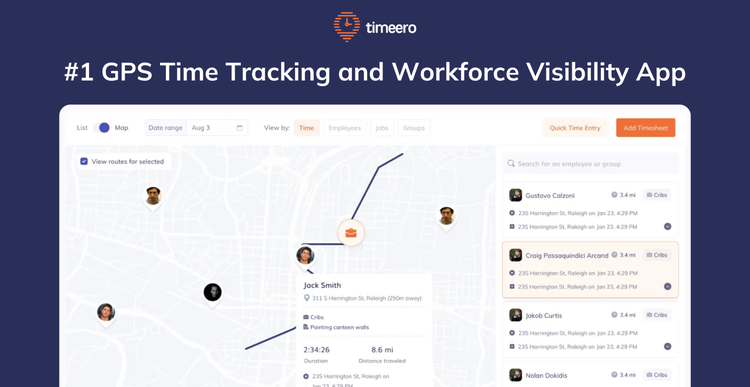
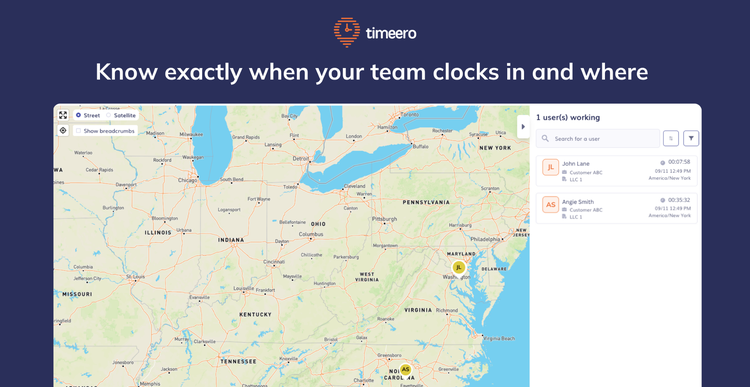
Every time employees clock in or out, Timeero records their location and timestamp. Managers can see where employees are working in real time, while accurate records make payroll and audits much easier.
With Auto Clock-In/Out, you can set up geofences around any job site and Timeero handles the rest. Employees are automatically clocked in when they arrive and clocked out when they leave, so your team will never forget to clock in again.
Break Tracking
Track paid and unpaid breaks alongside employee timecards. Break records are stored automatically, making it easier to support labor law compliance and accurate payroll.
Scheduling
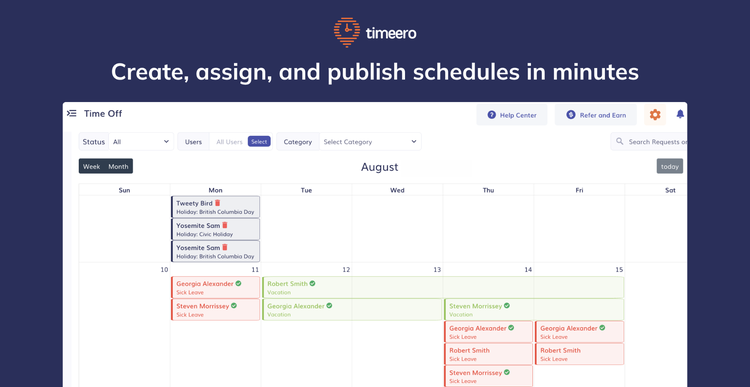
Create schedules, assign shifts, and notify employees as soon as they're published. Managers can quickly spot scheduling conflicts or open shifts before they become a problem.
Time Off Tracking
Employees can request time off in Timeero, and managers can review and approve requests in just a few clicks. Approved time off syncs with BambooHR to keep leave records up to date.
Key Differentiators:
Timeero is built specifically for businesses with employees in the field. It combines GPS time tracking, real-time location tracking, Auto Clock-In/Out, automatic mileage tracking, employee scheduling, break tracking, PTO management, team messaging, and timesheet reporting in a single platform.
With a seamless BambooHR integration, employee data, time, PTO, projects, and tasks stay synchronized automatically, reducing manual data entry and payroll errors.
By bringing time tracking, workforce management, and communication together in one app, Timeero helps businesses improve accountability, simplify compliance, and save managers hours every payroll cycle.
Better Together Story:
The Timeero and BambooHR integration keeps workforce data in sync automatically, so there’s no need for manual updates. Employee information is pulled from BambooHR into Timeero, ensuring your team records stay accurate across both platforms.
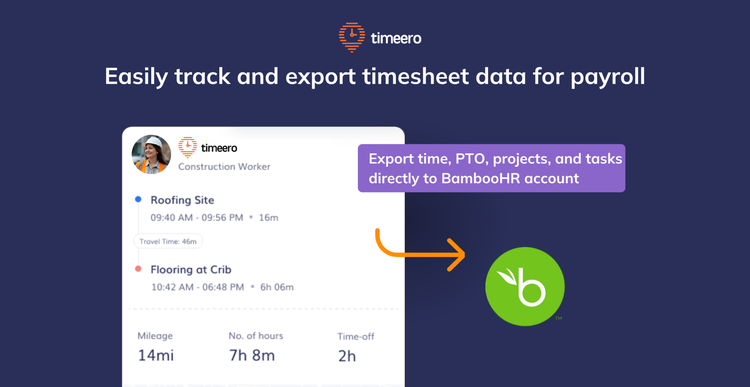
When employees clock out, their time, PTO, projects, and tasks sync back to BambooHR, helping reduce double entry and payroll mistakes. Time off requests submitted in Timeero also flow into BambooHR, so leave balances stay consistent everywhere.
Integration
How it Works
Connecting Timeero to BambooHR
An admin connects the two systems through a standard login authorization flow. Once connected, Timeero automatically pulls in data from BambooHR and sets up a live link between the two platforms.
What Gets Synced from BambooHR into Timeero
After connecting, Timeero imports four things from BambooHR:
Employees — matched automatically by work email
Projects — pulled in and matched to existing jobs in Timeero
Tasks — pulled in alongside projects
Time-off types — matched to Timeero's time-off categories by name; any manual adjustments you make to these mappings won't get overwritten when data re-syncs
Sending Time Data from Timeero to BambooHR
- Once employees are mapped, you can export time data back to BambooHR in a couple of ways:
- Clock entries — sends each employee's clock-in/out times along with what project or task they worked on
- Payroll hours — sends a summary of regular, overtime, and double-time hours per employee
- Time off — PTO timesheets are sent to BambooHR as time-off requests rather than clock entries; you just need to make sure each time-off type is mapped before exporting
How Data Stays Up to Date
- The integration keeps data fresh in a few ways:
- Automatic updates — if an employee's name, email, job title, or department changes in BambooHR, Timeero is notified automatically and updates its records right away
- Scheduled exports — Timeero automatically sends new timesheets to BambooHR every 2 hours in the background; if an export fails, it retries up to 5 times before requiring manual attention
- Manual sync — admins can also trigger a sync or export at any time from the dashboard
Disconnecting
When you disconnect the integration, all the linked data between the two platforms is removed and the live connection is closed. Your export history is kept for reference.
How to Install
1. Go to the Integrations tab on your Timeero web application.
2. Select BambooHR.
3. Go to Configuration and select Enable.
4. Enter your Company Domain and select Submit.
5. Login to your BambooHR Account and Allow Access.
Once the Bamboo HR Integration is enabled, you will need to map your employees, jobs, tasks, and PTO.
1. From the Configuration page on the integration, select View Mapping.
2. You will see a list of all employees in Bamboo HR. Select the corresponding users from the Timeero Employees column.
3. Select Map Employee next to each one.
4. Use the tabs at the top of the page to repeat this process with Jobs, tasks, and time off.
* Map BambooHR Projects to Jobs in Timeero.
* Map BambooHR Tasks to Tasks in Timeero.
* Map BambooHR Time Off Categories to the matching categories in Timeero.
What data syncs?
Publisher
Timeero
Integration Published: 6/30/26
Integration Updated: 6/30/26
Email Support:
Phone Support:
888-998-0852
Support Hours:
6AM - 5PM MST