VisionLink Direct
Discount Packaging
Save 40% on your monthly subscription fee for the first year!
Discount applies automatically when you sign up through our Marketplace links. Note: This discount applies only to the subscription fees – monthly participant fees are separate and are not discounted.
Overview
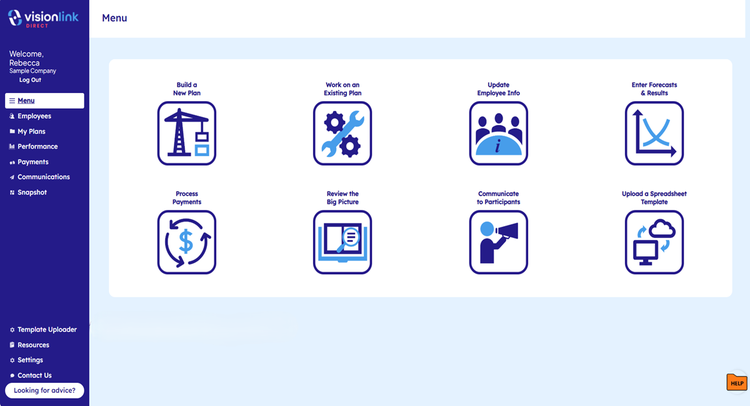
VisionLink Direct is a powerful software platform that will help you build, manage and communicate performance-driving incentive plans. It takes the frustration and complication out of designing and operating your plan by providing all the tools that are typically only available to companies working with a compensation consultant – at a significantly lower cost. It’s like putting the power of 100 spreadsheets in the palm of your hand and it digitizes a proven process to save your team precious time. VisionLink Direct will help you:
• Design, communicate, and operate sophisticated incentive plans that power your growth ambitions
• Establish a compelling pay strategy that always attracts and retains premier talent
• Realize a significant and sustained increase in employee performance, engagement, and commitment
• Completely operate your plans and effectively communicate their value to your employees
Design
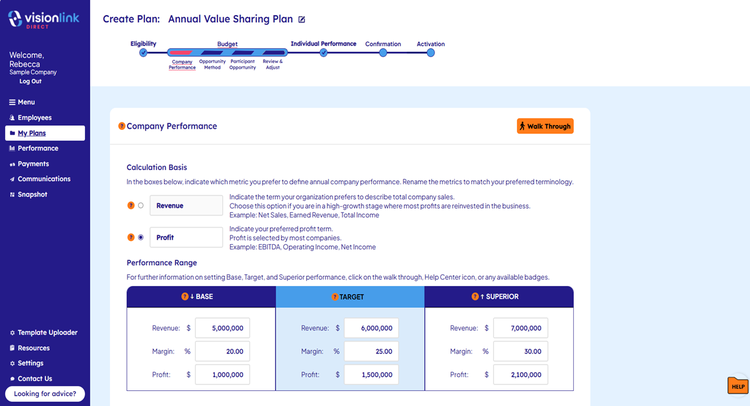
Through interactive guides, VisionLink Direct walks you through building an effective plan, providing best practice tips and access to an experienced coach to assist when needed. Available plan types include:
• Phantom stock plans
• Annual incentive plans
• Change-in-control reward plans
Operate
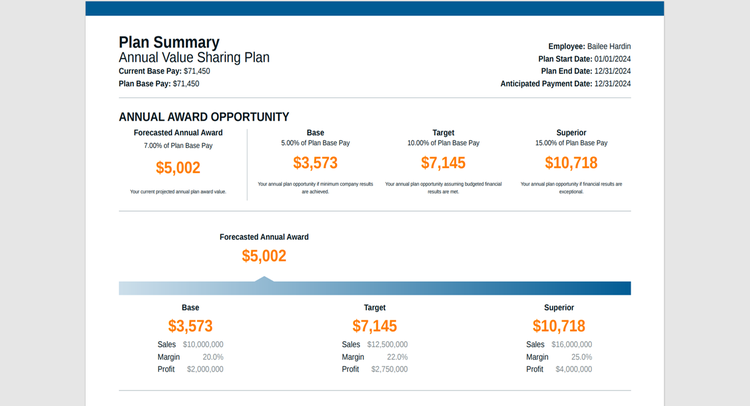
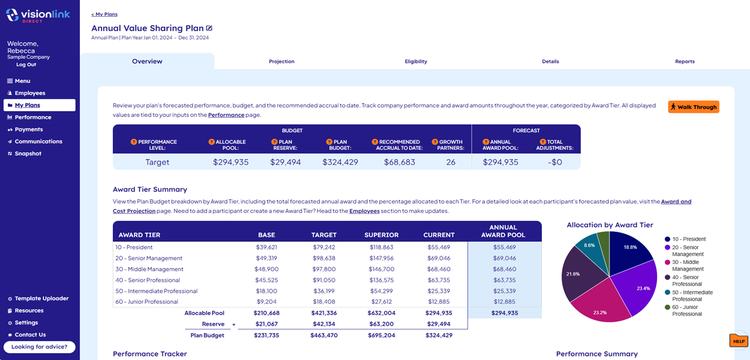
Once launched, you’ll find all the tools you need to operate the plan. VisionLink Direct helps you issue awards, run forecasts, generate reports, and more. You’ll receive email reminders for all plan actions, including forecasting plan performance, paying out rewards, and sending performance updates to plan participants. And it’s a breeze to keep participant data updated by using our integration tool to connect to your employee data in BambooHR.
Communicate
We believe clear communication is a key component of an effective incentive plan. To that end, we built MyVisionLink Rewards to give your employees online access to their plan account. Through MyVisionLink Rewards, participants can watch a plan overview video, view the status of their plan, see a projection of future value, and access historical award and payment information.
Annual Incentive Plans
Is managing your bonus plan a burden? Are you creating a plan for the first time? VisionLink Direct guides the user in designing an annual incentive plan tied to company and individual performance. It includes budgeting tools to ensure affordability and to predict plan costs.
Phantom Stock Plans
A well-designed phantom stock plan creates alignment between long-term company performance and long-term employee pay. It fosters an ownership mentality among plan participants without diluting owner equity. The plan rewards long-term, productive employees with potentially significant financial value based on growth in the value of the company. VisionLink Direct can help you design a simple and effective long-term phantom stock plan for your leadership team and key employees.
Change-in-Control Reward Plans
A change-in-control plan is a type of phantom stock plan that pays participants upon the company’s sale. If selling is in your future, a change-in-control plan is a great way to get your team focused on that goal.
Integration with BambooHR
Once the initial sync with BambooHR occurs, VisionLink Direct will keep your employee data updated daily. New hires, terminations, promotions, and base pay adjustments will automatically be updated but can also be synced manually at the click of a button.
Integration
How It Works
VisionLink Direct integrates with BambooHR to keep VisionLink Direct participant data current and accurate. Once the data connection is established and the initial sync has occurred, new hires, terminations, promotions and base pay adjustments are automatically updated every 24 hours, saving time and reducing the likelihood of data errors in VisionLink Direct. Users can also initiate an ad hoc sync at the click of a button.
Steps To Install
From the left sidebar, the user navigates to Employees and clicks on Data Integrations in the horizontal menu. User enters their BambooHR domain ID to be taken to a BambooHR login page to validate credentials. The user then receives confirmation of the connection in the application. Clicking an additional button will initiate the data sync. After initial sync, data updates regularly (every 24 hours) and can be synced manually as needed.
Sync your employees’ pay-related data (new hires, terminations, promotions, base pay adjustments) in BambooHR with VisionLink Direct to keep your incentive plans current.
1. After logging in to VisionLink Direct, click on Employees in the sidebar menu.
2. Click on Data Integrations in the horizontal menu.
3. Locate and click on the BambooHR link.
4. Enter your BambooHR subdomain and click Save to be taken to the BambooHR validation page (opens in a separate window).
5. Enter your BambooHR login credentials; after login the system returns to the VisionLink Direct Account Info page
6. Click on Sync to update the following in VisionLink Direct:
a. Add new hires
b. Update employment status (active/inactive – removes inactive employees from the plan(s))
c. Adjust base pay
d. Update position title* (Award Tier level), department, location and division
7. Once the integration is complete and the first sync has occurred, the system will automatically sync VisionLink Direct data to BambooHR every 24 hours. However, the user can perform a manual sync at any time by returning to the Data Integrations page.
NOTE: Other data is fetched from certain BambooHR fields in order to estimate participant wages (payFrequency, payRate, standardHoursPerWeek, etc.) but not directly stored in a corresponding field in VisionLink Direct.
*Position (job) title is a required field in VisionLink Direct but not in BambooHR. If position title is missing, VisionLink Direct will tell the user to add position title(s) to BambooHR before proceeding.
What data syncs?
Publisher
VisionLink
Updated: 9/25/2025
Support:
Phone Support:
949-852-2288
Email Support:
VLDirectCoach@visionlink.co
Support Hours:
9:00a a.m. - 5:00p (Central) Monday - Friday