Discount Packaging
A special Xero offer, exclusively for BambooHR customers
Take advantage of an exclusive offer when you sign up for Xero through the following link.
With Xero’s simple, self-service online experience, you can get started on your own time and simplify the day-to-day work of managing payroll and paying your employees.
Overview
Siloed HR and payroll databases cause administrative hassles, costly errors, and increased compliance risk. The Xero payroll integration for the UK enables you to make updates to employee demographic data in BambooHR and have those changes reflected in Xero. With the Xero payroll integration, you can manage and pay your people with ease, creating a single, accurate source for all employee data.
Keep Employee Data in Sync
Eliminate manual data entry and ensure accuracy by automatically syncing essential employee information from BambooHR to your Xero. When you update key fields or add new employees in BambooHR, those changes seamlessly reflect in your payroll system.
- Title
- First Name
- Middle Name
- Last Name
- Birth Date
- NIN (National Insurance Number)
- Gender
- Address Line 1
- Address Line 2
- City
- ZIP/Postal Code
- Country
- Work Phone
- Work Email
- Hire Date
- Effective Date from the Compensation table
- Pay Rate
- Paid Per
- Pay Type
- Standard Hours per Week
Easy Setup & Activation
Getting started with the Xero integration is straightforward, whether you're a new or existing BambooHR customer. Our simple setup process ensures you can quickly connect your systems and streamline your HR and payroll workflows.
- Existing Customers: Access the integration directly through your BambooHR settings, install the application, and authenticate your Xero credentials to set it up.
- New Customers: Our dedicated implementation team will guide you through turning on the integration as part of your onboarding process.
Your Single Source of Truth
Say goodbye to juggling multiple systems and inconsistent data. BambooHR becomes your system of record for all employee data. This ensures you're always working with accurate information, reducing administrative burden and freeing your team for more strategic work.
Streamlined Data Management
Eliminate the headache of duplicate data entry and save time. The Xero payroll integration ensures that employee data, including critical demographic and compensation details, is managed efficiently in BambooHR and automatically reflected in your Xero when updates occur.
Integration
How It Works
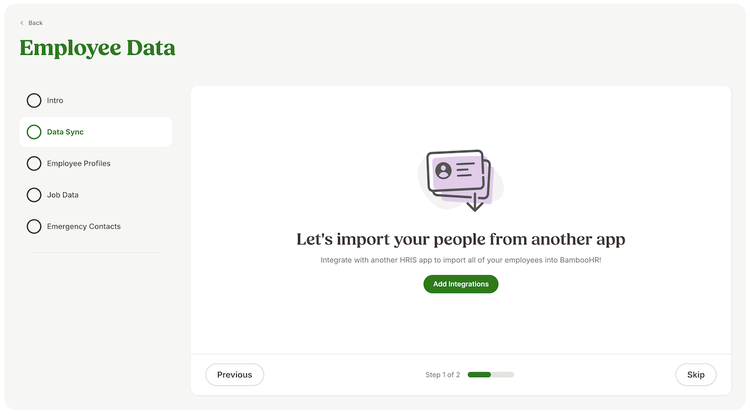
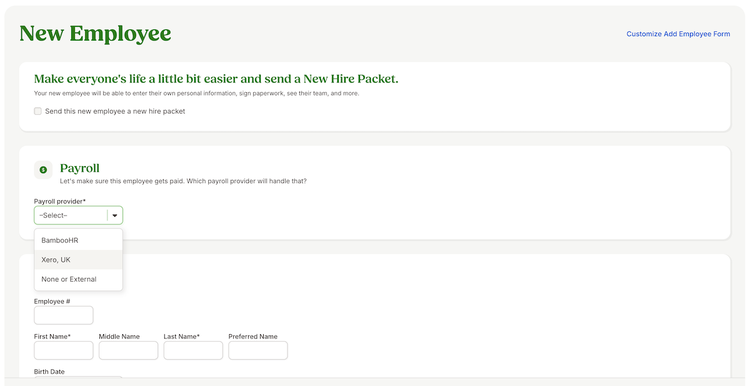
Integrating with Xero UK Payroll is simple. Once the integration is live, you can make any updates to employee demographic information or add new employees to BambooHR as normal. That action will trigger an event to sync those fields to Xero, keeping both systems up-to-date.
How To Install
If you’re an existing BambooHR customer, you can access the integration by going to the settings tab, selecting apps, and then the Xero payroll integration. From there, you can install the application and authenticate your Xero credentials, and then your integration is set up!
What data syncs?
Publisher
BambooHR
Updated: 08/11/2025
Phone Support:
1-844-429-7997
Email Support:
support@bamboohr.com
Support Hours:
Monday - Friday
* Chat/Email Support from 10am - 11pm GMT
* Phone/Email/Chat Support from 1pm - 11pm GMT
- BambooHR's Help Article (Coming Soon)
- Demo Video