

Discount Packaging
Get a $100 credit as a new customer when you boost a job via Embedded Sponsorship. No code required—it applies automatically to your invoice when you sign up to sponsor through BambooHR.
Overview
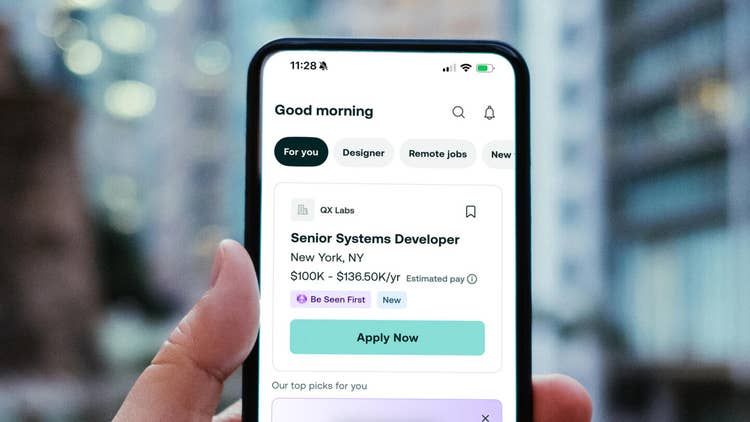
ZipRecruiter is a leading online employment marketplace that actively connects people to their next great opportunity. ZipRecruiter’s powerful matching technology improves the job search experience for job seekers and helps businesses of all sizes find and hire the right candidates quickly. Nearly 20M job seekers use ZipRecruiter each month.1
Integrating with ZipRecruiter creates a seamless, end-to-end hiring workflow that saves time, reduces manual effort, and delivers results faster.
Key benefits include
- Automated job posting eliminating manual reposting when distributing open roles to job boards
- Fully embedded job sponsorship experience within BambooHR
- Faster applicant flow with frictionless apply options that help your first 5 candidates reach you up to 4x sooner than those on external apply2
- Streamlined candidate management with resumes sent directly into BambooHR for easy review and follow-up
Embedded Sponsorship
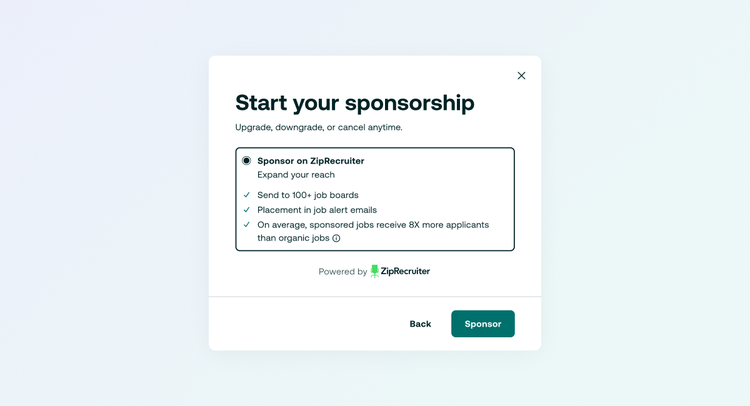
Embedded Sponsored allows employers to advertise jobs across ZipRecruiter’s marketplace to increase visibility and reach more qualified candidates, without leaving BambooHR.
Promoting job postings to drive faster results, ZipRecruiter's matching technology connects jobs with the right candidates in real time. On average, sponsored jobs receive nearly 8x more applicants than organic jobs3.
Access a unique talent audience—many of whom aren’t active on other major job sites.
ZipApply
ZipApply streamlines the application process directly within BambooHR, helping employers capture more qualified candidates with less friction.
Over 65% of job applications are submitted on mobile—ZipApply keeps applying fast and seamless on any device.4
Eliminate redirects and broken apply flows, which can cause up to 92% candidate drop-off.5
Free and simple to implement, with guided support from the ZipRecruiter team.
1ZipRecruiter Internal Data, 2025 monthly. Includes registered and non-registered users. May be non-unique.
2ZipRecruiter Internal Data for new job listings only, Dec. '24 - Mar. '25.
3ZipRecruiter Internal Data, 2025 average. Based on applications received within the first 30 days of subscription jobs being posted.
4ZipRecruiter Internal Data, Jan. 1 - Dec. 31 2024.
5SHRM
Integration
How it works
1. Post your job in BambooHR
Create and manage your job the same way you always do.
2. Navigate to “Job Boards” and Opt into ZipRecruiter Organic
Select “Post” on ZipRecruiter. Jobs must be opted into ZipRecruiter Organic prior to turning on Sponsorship.
3. Choose to Sponsor on ZipRecruiter
“Sponsor Job” option will appear allowing you to sponsor your job on ZipRecruiter with just a few clicks. Complete a quick account setup or login to your existing ZipRecruiter account, and sponsor right away.
4. Manage Sponsored Jobs
Budget based on a $24/day flat-rate with no commitment. Pause anytime
What happens after candidates apply?
Candidates apply through ZipApply and are routed directly back into BambooHR. You review and manage all applicants in one place.
How to install
No App Download Needed. Once jobs are opted into ZipRecruiter Organic, the “Sponsor Job” button will appear in your Job Boards tab.
Please note, a user must have Admin or Custom access with permissions to post to paid job boards to sponsor a job.
- Navigate into an open job listing → Job Boards
- Click “Post” on ZipRecruiter
- Once job has been posted successfully, a “Sponsor Job” will appear in the same modal
- Create a new ZipRecruiter account OR enter your existing ZipRecruiter account information
- Select Jobs to Sponsor
- See Plan and enter credit card information
- Accept ZipRecruiter’s Terms and Conditions to complete the setup
- Click Sponsor and your job will be live on ZipRecruiter right away
*When posting to ZipRecruiter’s organic feed, customers can still sponsor the job at a later time without having to go through steps 1-3.
What Data Syncs?
Publisher
BambooHR
Updated: 10/01/2026
Phone Support:
1-866-387-9595
Email Support:
support@bamboohr.com
Support Hours:
6am MDT - 6pm MDT