Introducing Country-Specific Bulk Holiday Creation
Say goodbye to tedious holiday management! The new Global Holidays experience in BambooHR gives you an organized, automated way to manage holidays for more than 180 countries. Whether your teams work in one location or around the world, you can now create, assign, and update holidays in just a few clicks.
What’s new
This update introduces powerful new tools to organize and automate holiday management across every region. Here’s what’s new in Holiday settings:
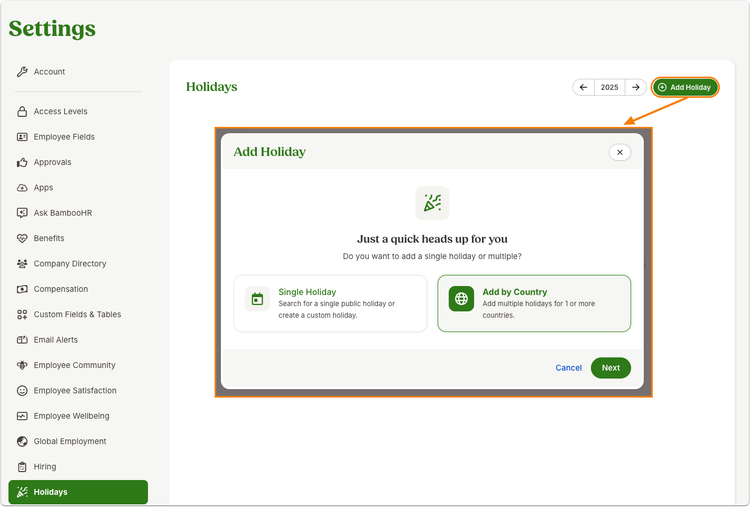
- Add a Single Holiday or in Bulk - If you’re adding a one-off office closure or a custom holiday, use the Single Holiday option. Use the Add by Country option to add multiple holidays at once!
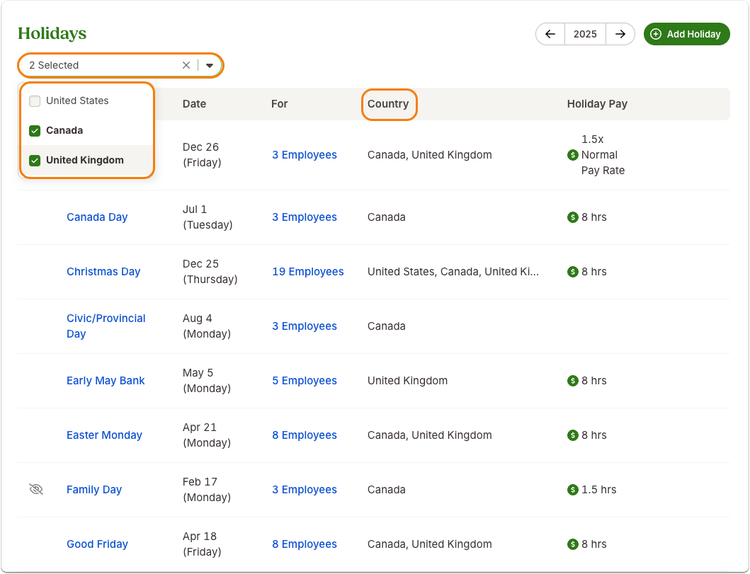
- Country Filter Options - Narrow your view or make focused edits by selecting one or more countries from a new drop-down filter.
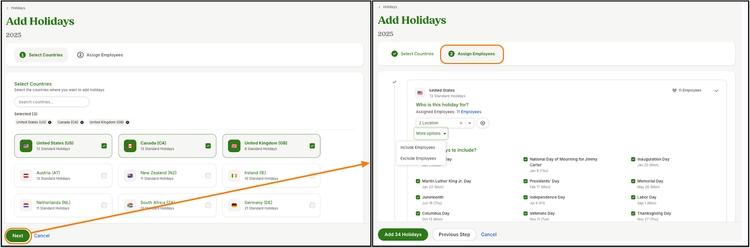
- Updated Add Holiday Form - Search from an expanded list of global holidays, assign employees as you go, and let BambooHR auto-populate dates for you.
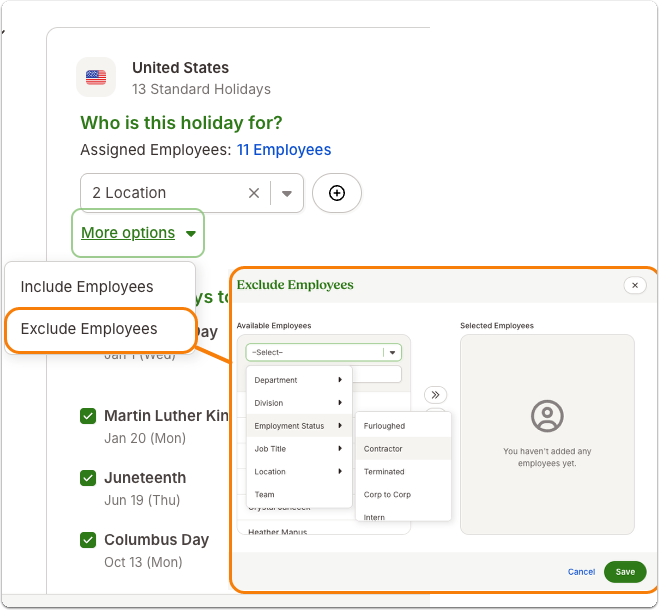
- Enhanced Employee Assignment Modal - Include or exclude individual employees or groups with simple, flexible controls that make holiday setup more precise.
Crucial Next Steps
If your company currently uses custom holidays, you must re-add them through the new bulk add flow to take advantage of automated updates.
- Go to Settings > Holidays and select Add Holiday.
- Choose Add by Country to import holidays for one or more regions.
- Assign employees to each region and customize as needed.
- Duplicate or add future holidays easily.
As always, we love your feedback! To provide product feedback on this feature and more, head over to our product feedback page and let us know how we’re doing.