Auto-Create Plans from Plan Documents
Setting up benefit plans just got easier. You can now upload carrier documents during plan year setup and let BambooHR automatically create draft plans for you to review and verify. This saves time, reduces manual entry, and helps you start with accurate plan details pulled directly from the documents you already use.
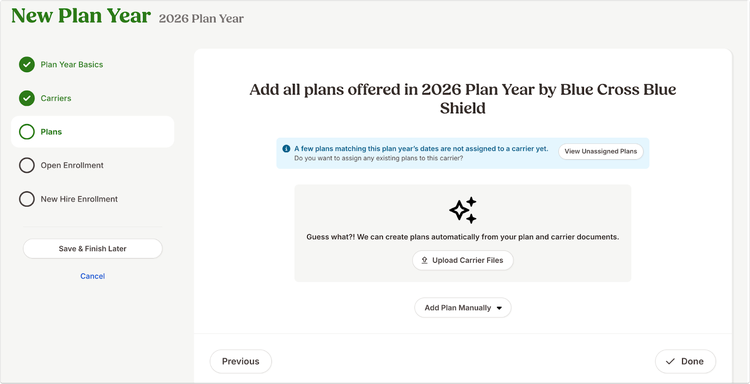
You can find this new experience in the Plans step of the plan year setup. When adding plans for a carrier, you can continue to add plans manually or choose the new option to upload carrier files. This new option allows you to upload documents, such as a Summary of Benefits and Coverage, Master Group Application, or Summary of Plan Description, directly from your device. After you upload your files, BambooHR scans them and looks for plan information.
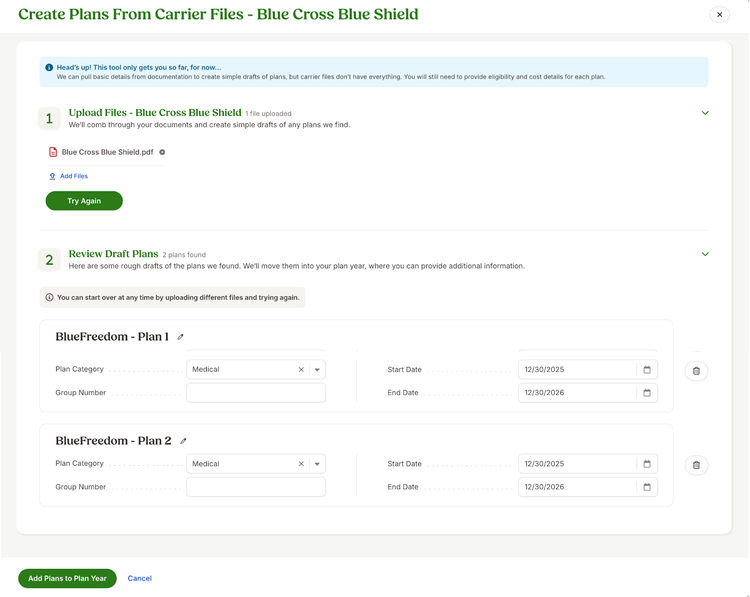
When details are found, BambooHR creates draft plans for each plan included in the carrier documents. If multiple plans appear in the files, you will see multiple draft plans. If no plan details are found, you can review your files and try again or switch back to manual plan creation or addition.
Each draft plan comes pre-filled with key information like plan name, plan category, group number, and plan start and end dates. All fields are editable. You can also remove draft plans at any time if you decide not to use them. You will still need to enter eligibility and cost details once a plan is added to the plan year.
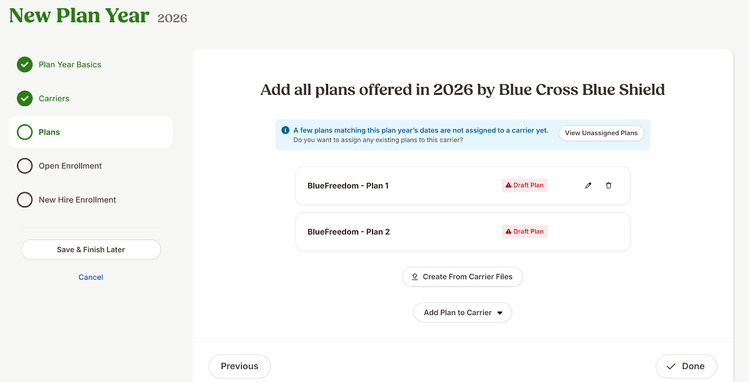
Once added, the plan appears as incomplete so you can finish setup during the existing plan experience by clicking the edit icon.
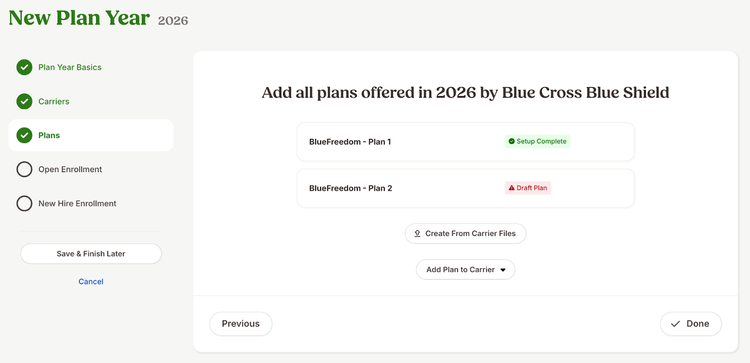
After filling out and verifying all necessary plan details, the plan will appear with the label “Setup Complete.”
As always, we love your feedback! To provide product feedback on this feature and more, head over to our product feedback page and let us know how we’re doing.