Automate Employee Milestones with Redesigned Recognition and Rewards Settings
Celebrate the moments that matter without adding more manual work. Admins can now set up automated birthday and work anniversary celebrations in Recognition and Rewards, while redesigned settings provide a more organized way to configure and manage the program.
Admins can set up birthday and work anniversary posts that are automatically shared on behalf of the company at 9 a.m. in the company’s time zone. Employees also receive a corresponding email, helping ensure these milestones are recognized consistently without manual coordination.
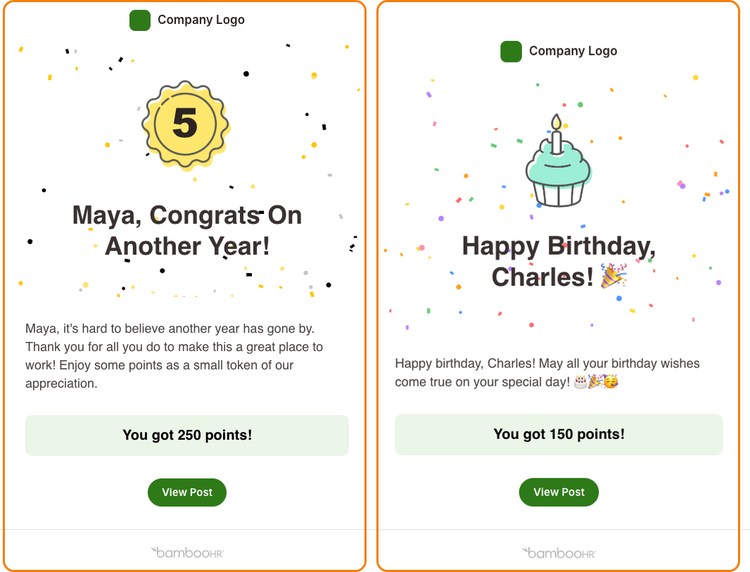
Birthday posts respect employees’ existing privacy preferences, automatically keeping a post private when an employee has chosen not to publicly share their birthday. Work anniversary posts begin after an employee’s first full year of service and use their hire date to determine years of service.
Organizations using Rewards can add points to birthday celebrations and customize work anniversary point amounts based on years of service. Celebrations can also be used without points when Rewards is not enabled.
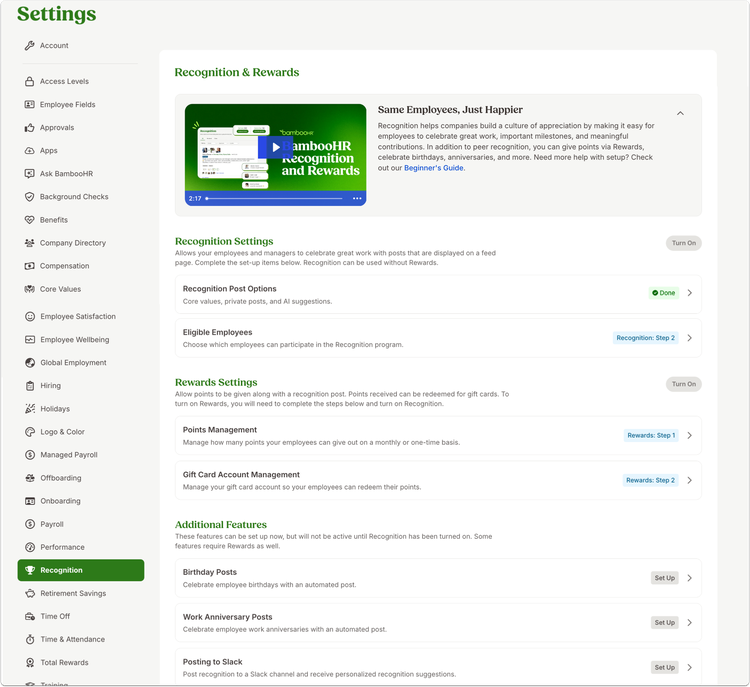
The redesigned Recognition and Rewards settings page organizes admin setup into Recognition Settings, Rewards Settings, and Additional Features. Dedicated setup pages and status indicators provide clear visibility into program configuration, while additional guidance explains points and international redemption, provides direct access to the gift card catalog, and helps admins configure Recognition and Rewards efficiently.
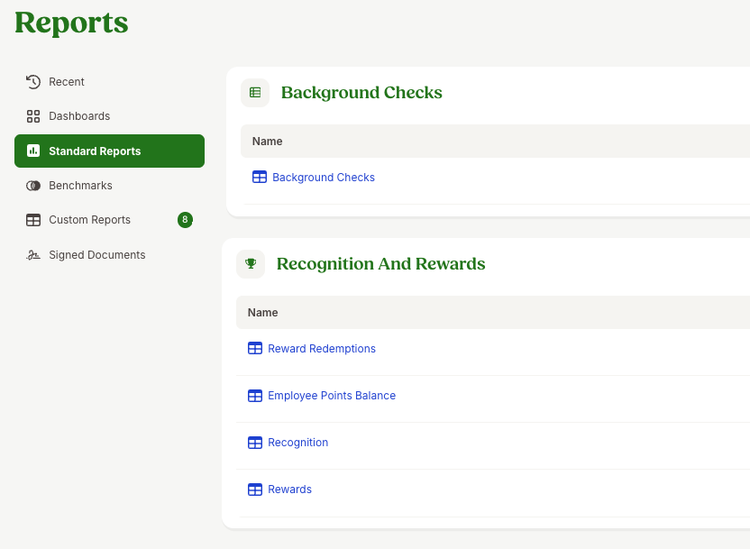
The Employee Points Balance and Reward Redemptions reports are now available from the Standard Reports page instead of Recognition settings.
As always, we love your feedback! To provide product feedback on this feature and more, head over to our product feedback page and let us know how we’re doing.