BambooHR Passkeys
We’re introducing a faster, more secure way to sign in to BambooHR with passkeys. Passkeys use your device’s built-in security—like fingerprint or face recognition, or a PIN—instead of a password. They help protect your account while making sign-in simpler and more convenient.
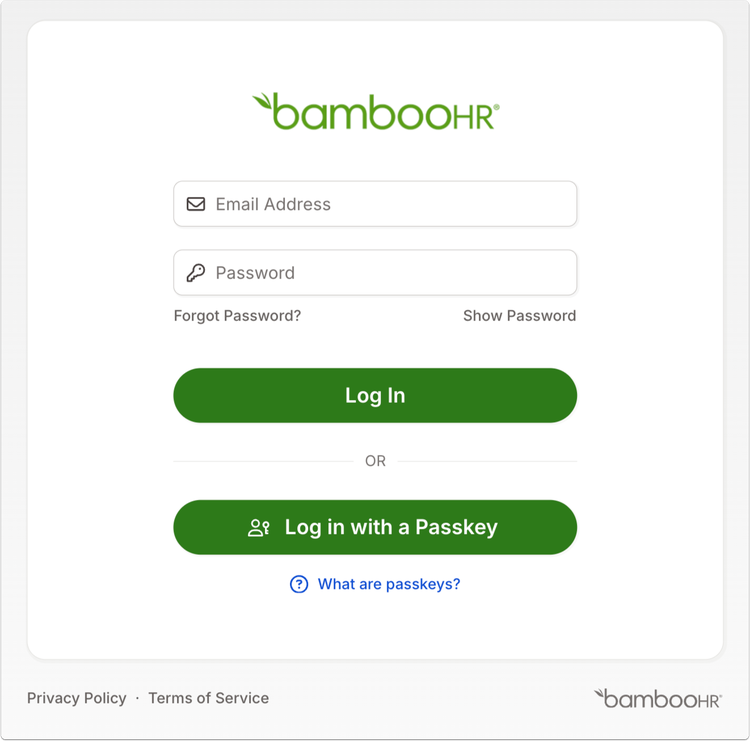
With this update, users can now choose to log in using a passkey instead of a password when accessing BambooHR on desktop. You’ll still be able to use your password if you prefer.
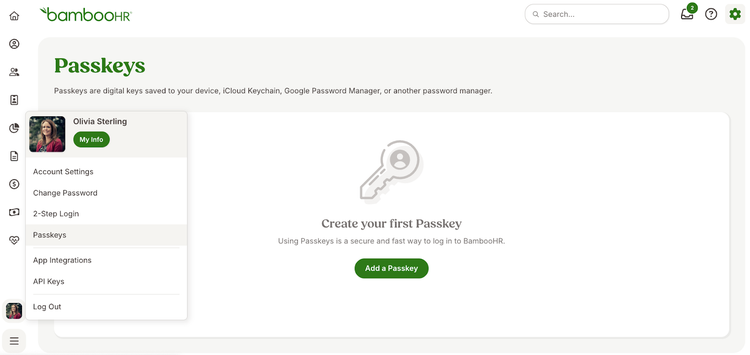
To create a passkey, sign in your account, click on your profile photo in the bottom left corner, and then select Passkeys. You can manage your saved passkeys there—view, rename, or remove them at any time.
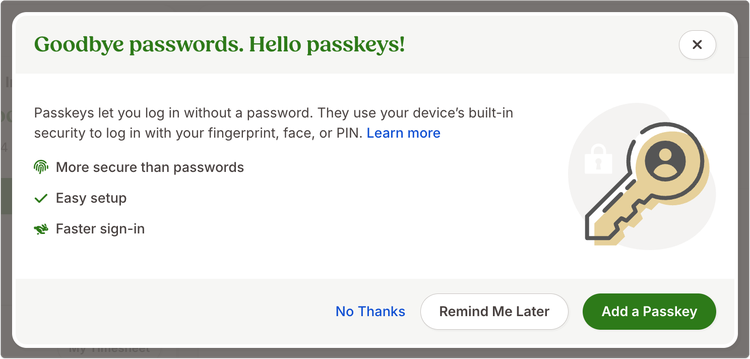
If you’re new to passkeys, you’ll also see a prompt after signing in inviting you to set one up. Passkeys are available for companies using BambooHR authentication. If your company signs in exclusively through single sign-on (SSO), the passkey option will not appear.
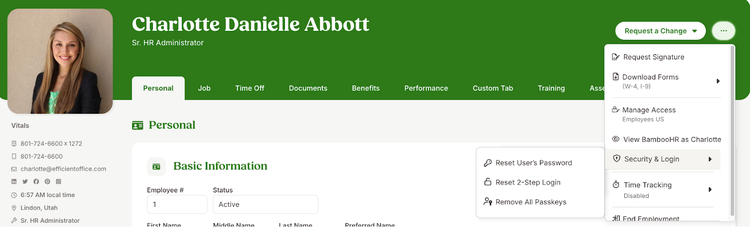
Admins can manage employee passkeys from the employee profile or Settings > Access Levels.
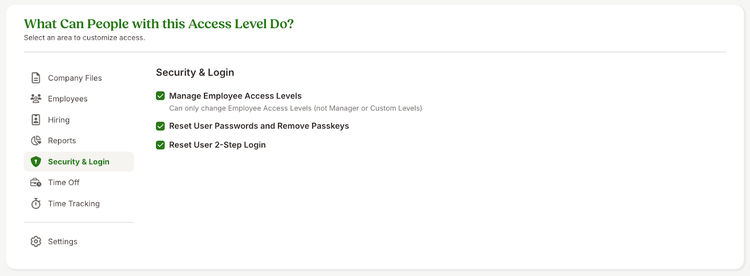
In custom access level settings, the existing Reset User Passwords option has been updated to include the ability to remove passkeys for employees, helping maintain secure access across your company.
As always, we love your feedback! To provide product feedback on this feature and more, head over to our product feedback page and let us know how we’re doing.