Benefit Elections Editable by Employees
We have made it easier for employees to manage their own benefit elections. Employees can now view and edit their submitted benefit elections at any time during the enrollment window, as long as the elections are not under admin review. This means an admin has not made changes to or approved the employee’s elections.
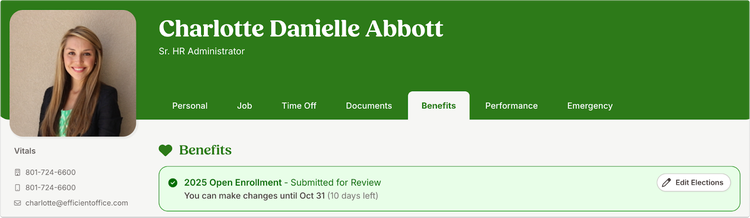
Previously, once employees submitted their benefit elections, they could not make changes without contacting HR. Now, employees can go to the Benefits tab in their employee profile and select Edit Elections to review and update their elections while the enrollment window is open. Employees must have access to the Benefits tab to view or edit elections after they are submitted.
Once an administrator makes changes to an employee’s elections or approves them, the enrollment experience becomes locked, and employees can no longer make edits. They will need to contact HR if further updates are needed.
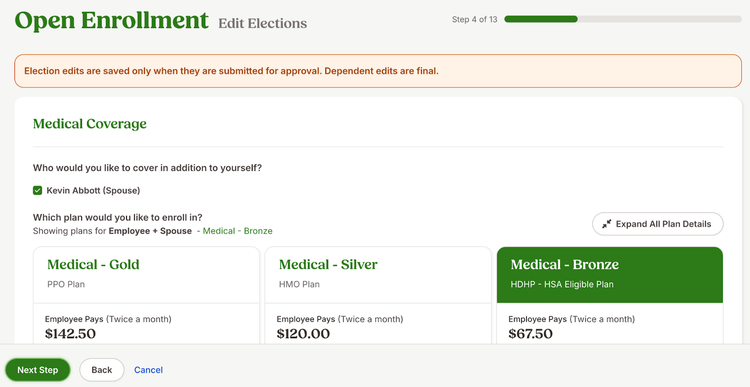
When editing, employees will move through the enrollment experience step by step and will need to resubmit any changes for approval and electronically sign to confirm the elections.
This update gives employees the ability to manage their benefit elections directly in BambooHR, while helping HR teams save time and reduce manual updates.
As always, we love your feedback! To provide product feedback on this feature and more, head over to our product feedback page and let us know how we’re doing.