Break Tracking and Shift Scheduling in BambooHR Time Clocks
Keeping time tracking accurate is easier when employees can complete more of their daily tasks right from their time clock. We are excited to announce that BambooHR Time Clocks, employees can now manage breaks, clock in according to their scheduled shifts, and view upcoming schedules without leaving the device.
What's new
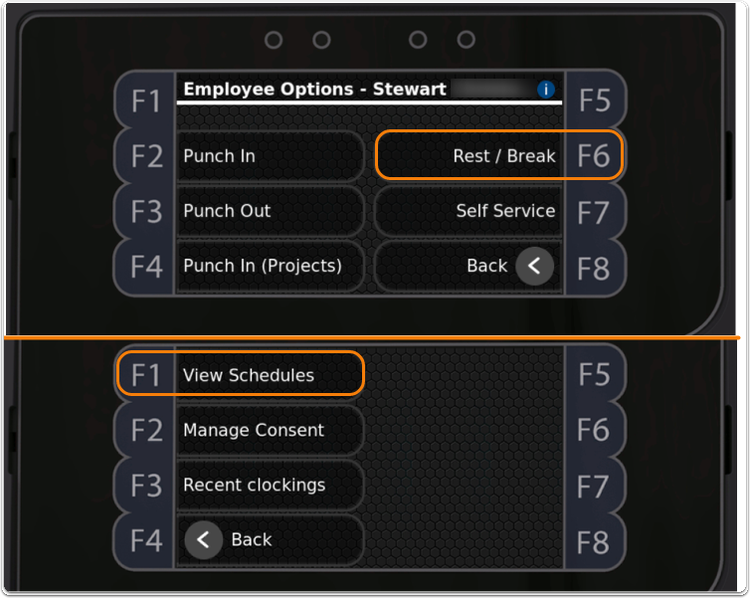
Employees can now start meal and rest breaks directly from BambooHR Time Clocks, making it easier to capture break activity as it happens. Returning from a break is just as simple. Clocking back in automatically ends the break and resumes the employee's work time, helping reduce manual steps and improve timekeeping accuracy.
Managers can also rely on scheduled shift validation at the time clock. When employees clock in, BambooHR checks their scheduled shift before accepting the punch, helping reinforce scheduling policies and improve attendance accuracy.
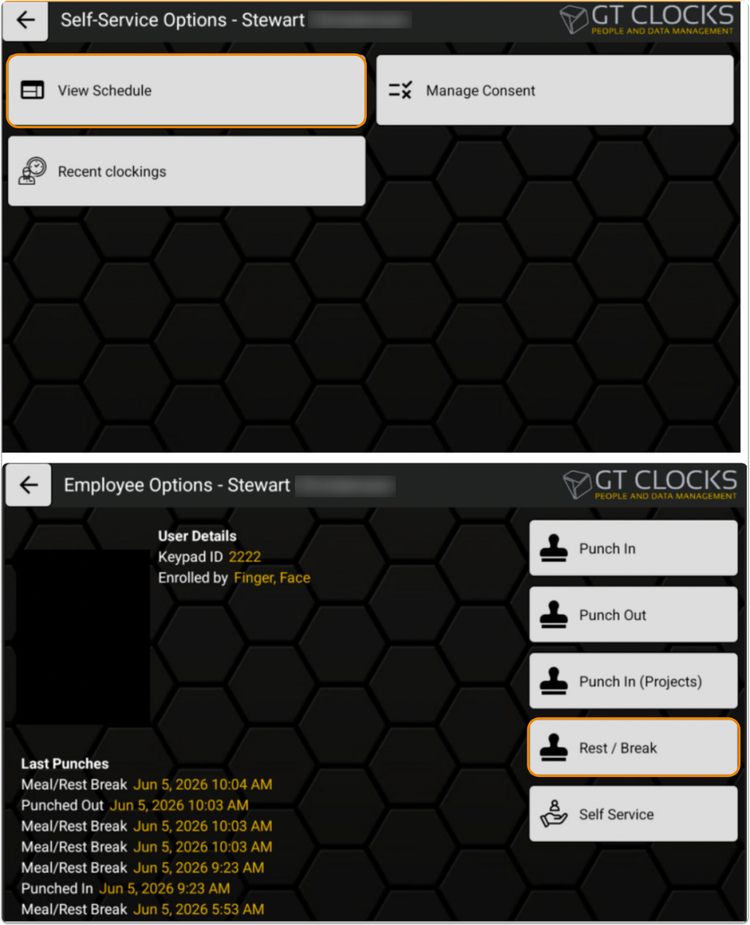
Employees can also view their published work schedules directly on the time clock, giving them quick access to upcoming shifts without needing to sign in from another device.
What you'll see
Employees will notice new break options on BambooHR Time Clocks, along with the ability to view published schedules through the Self Service menu. When clocking in, scheduled shifts are automatically checked as part of the punch process, helping ensure employees clock in at the appropriate time.
What you can do
If you use BambooHR Time Clocks with BambooHR Time & Attendance, employees can begin tracking breaks directly from the device, review their upcoming schedules before starting work, and clock in with confidence knowing scheduled shifts are automatically validated.
As always, we love your feedback! To provide product feedback on this feature and more, head over to our product feedback page and let us know how we’re doing. Happy Bambooing!