Bypass a Signer
There are many different reasons you may need to bypass a signer in the e-signature request flow; maybe someone you have already requested a document from is on maternity leave, or someone in the signing order has left the company. We are excited to announce that BambooHR now gives you the option to bypass a signer if needed.
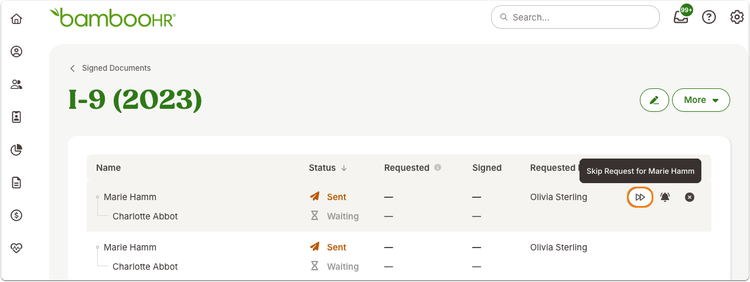
To bypass a signer, navigate to the Signed Documents report and click on the document you need to skip a signer on. Hover your cursor over the line with the signer you would like to skip and then click on the double arrow icon. It’s as simple as that!
As always, we love your feedback! To provide product feedback on this feature and more, head over to our product feedback page and let us know how we’re doing.