Calendar Buffer for Interview Scheduling
We’ve added a new option that lets you include buffer time between interviews. This feature helps recruiters and interviewers avoid back-to-back meetings, making it easier to stay organized and refreshed throughout the day.
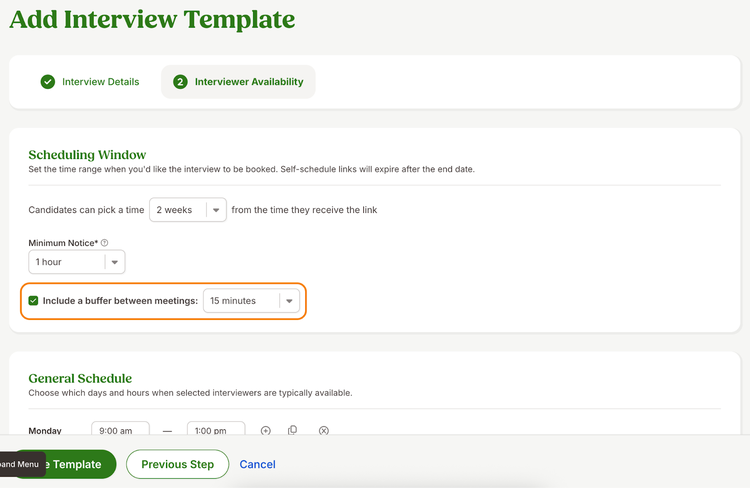
When setting up an interview invitation, you can now choose to include a buffer between interviews in the Interviewer Availability step. The buffer option is off by default, but you can easily turn it on and select a preferred time interval. Available options include 5, 10, 15, 30, or 60 minutes, ensuring that everyone has a few moments to prepare for their next meeting.
This same functionality is also available in interview templates, making it simple to apply buffer settings across multiple interview schedules.
As always, we love your feedback! To provide product feedback on this feature and more, head over to our product feedback page and let us know how we’re doing.