Clear Terminated Employee Data
You can now remove supported data from terminated employee profiles in bulk, helping reduce manual work while supporting compliance needs such as GDPR. This update gives administrators more control over which information is retained, while protecting fields that should remain in the employee record.
What's new
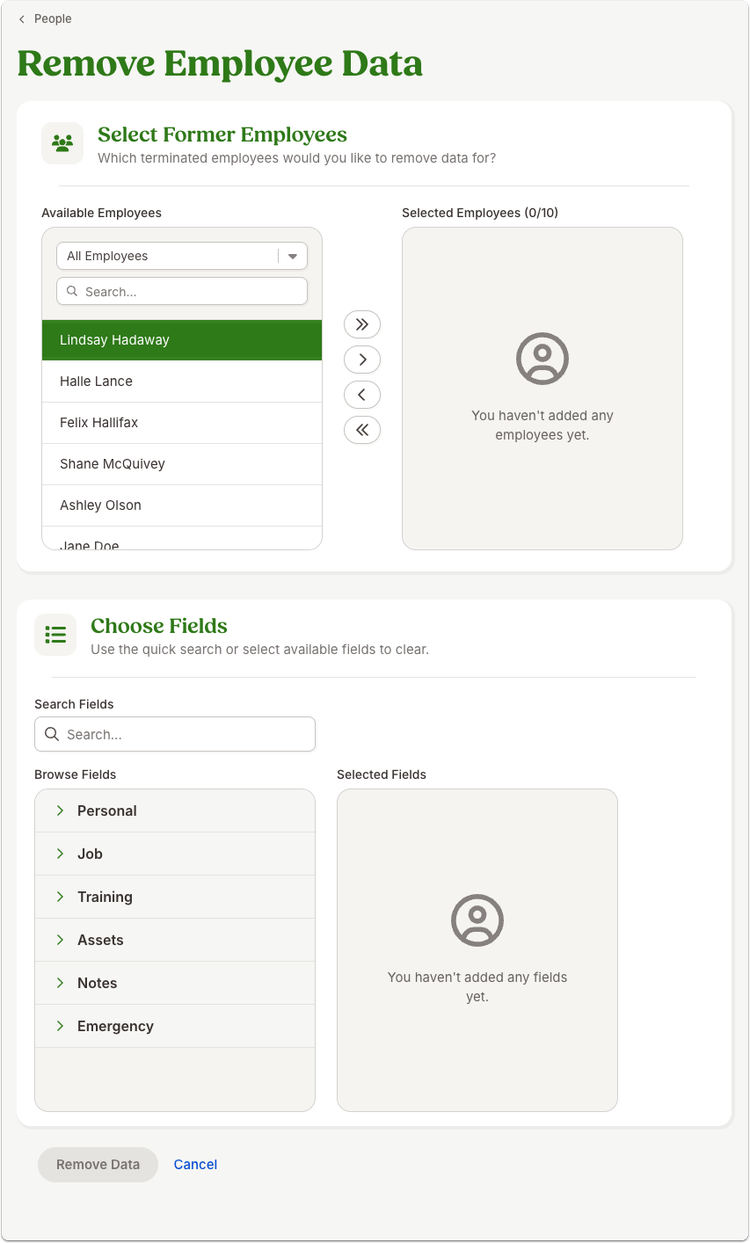
You can now clear supported fields from multiple terminated employee records at once from the People list view. After selecting former employees, choose the fields you want to remove and confirm the action to permanently clear that data.
To help preserve important record integrity, protected fields are automatically excluded from selection and cannot be removed. You can update up to 10 terminated employees in a single operation.
What you'll see
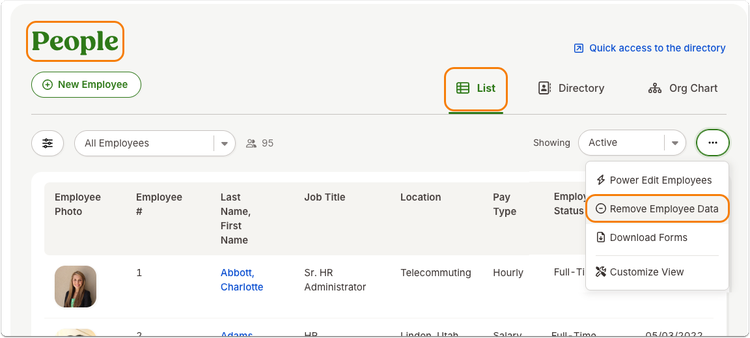
A new Remove Employee Data option is available from the three-dot menu in the People list view. Selecting it opens a guided workflow where you can choose terminated employees, select supported fields to clear, and confirm the permanent removal of that data.
As always, we love your feedback! To provide product feedback on this feature and more, head over to our product feedback page and let us know how we’re doing.