Custom Dashboards: Import CSV Data
We are excited to announce a new feature for our Elite customers using Custom Dashboards & Analytics: the ability to import your own datasets as CSV files. This feature enables you to import your data into BambooHR, allowing you to gain deeper insights into your data.
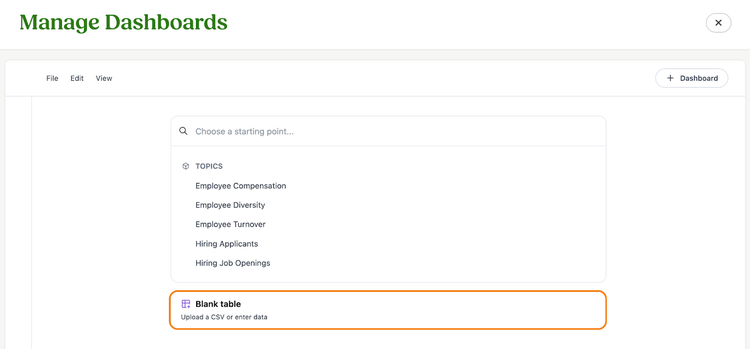
To access the feature, simply click +New Analysis from the Manage Dashboards page and select the Blank Table option.
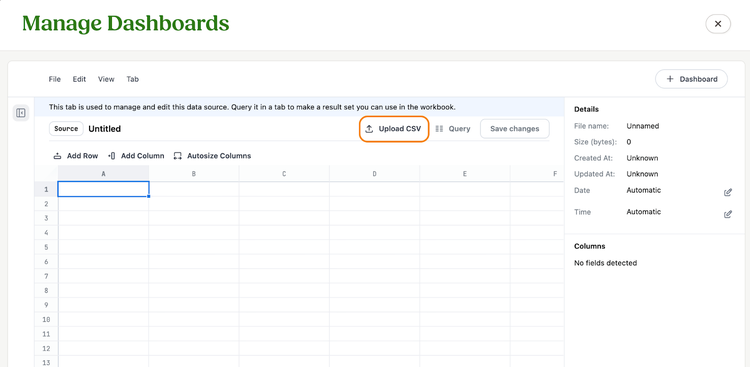
From here, you can upload a CSV file with up to 500,000 rows. Once uploaded, our system will automatically detect data types, and you can adjust the data as needed. After saving the CSV file as a topic, you can build a new dashboard with data visualizations based on the data you have uploaded.
As always, we love your feedback! To provide product feedback on this feature and more, head over to our product feedback page and let us know how we’re doing.