Custom Report Builder: Column Actions
You now have more ways to work with your data in the new custom report builder. New column actions give you added flexibility to adjust, organize, and refine reports to get the insights you need.
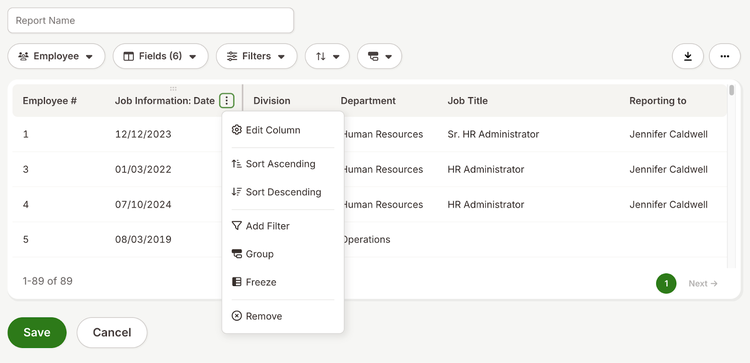
Take action on individual report columns using a new column menu. From this menu, you can edit a column, sort or filter results, add filters, group data, freeze columns in place, or remove a column.
Recording your report is also easier than ever. Drag and drop columns directly in the report to their order without opening additional settings. When you need more space to view your data, resize columns by clicking and dragging the column header.
As always, we love your feedback! To provide product feedback on this feature and more, head over to our product feedback page and let us know how we’re doing.