Employee View of Submitted Enrollments
Employees can now easily review their submitted benefit elections even after they’ve been sent for admin review. This new feature gives employees greater visibility into their benefit choices, helping them to stay informed while reducing questions to HR about pending submissions.
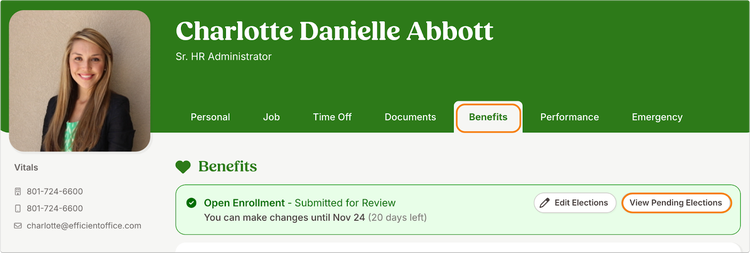
Once an employee submits their benefit elections, a new button “View Pending Enrollments” appears in a banner at the top of the Benefits tab on their employee profile.
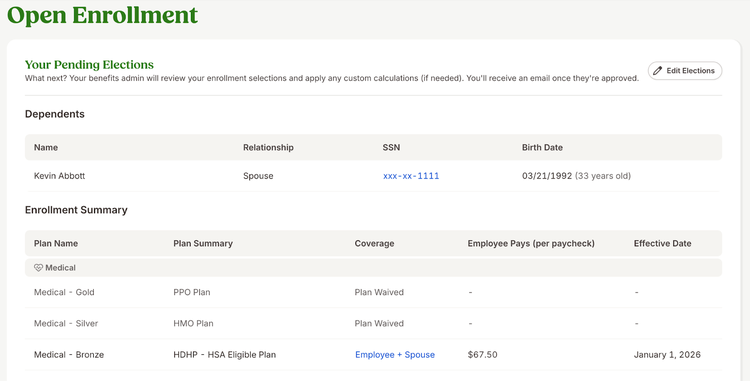
Clicking this button opens a read-only summary that displays all submitted details, including plan elections, dependents, and cost information. The page clearly indicates that the elections are under admin review and that details may change before approval.
When elections are approved, the banner and button are removed, and the employee’s Benefits tab updates automatically to show their enrolled benefit plans.
As always, we love your feedback! To provide product feedback on this feature and more, head over to our product feedback page and let us know how we’re doing.