Employees Can View Current Elections in Self-Enrollment
We added a new way for employees to view the plans they are currently enrolled in while completing enrollment (open enrollment, qualifying life events, and new hire enrollment). This improvement reduces confusion, helps prevent accidental changes, and minimizes the need for HR support. Employees can now compare their current coverage with new plan options without leaving the enrollment experience in BambooHR.
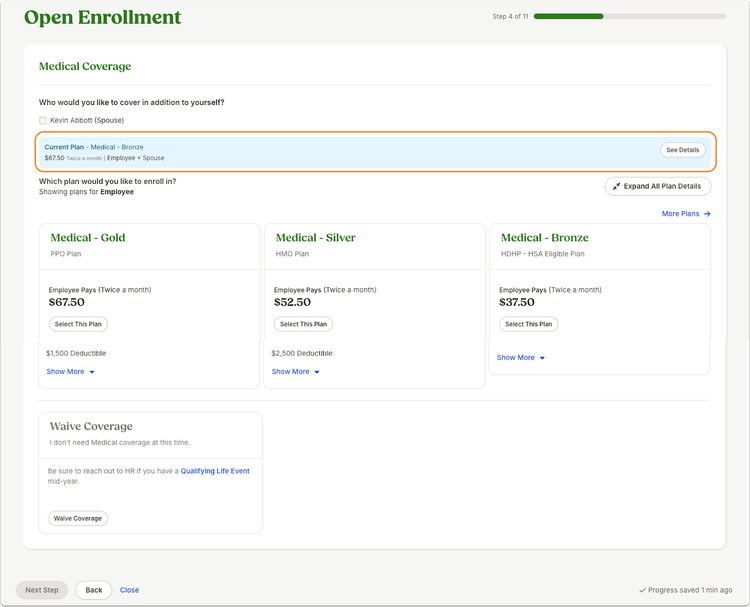
A blue banner now appears for each benefit type where the employee has current coverage.
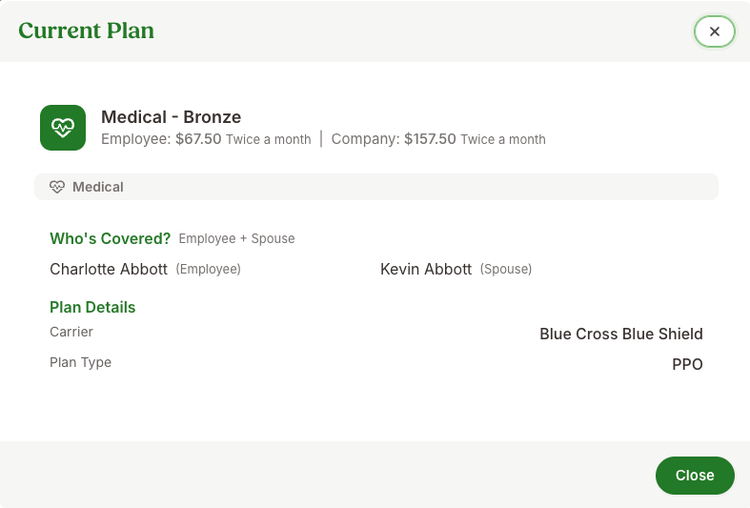
Clicking See Details displays plan name, coverage type, both employee and company per-paycheck costs, allowing the employee to review all information before making new benefit elections.
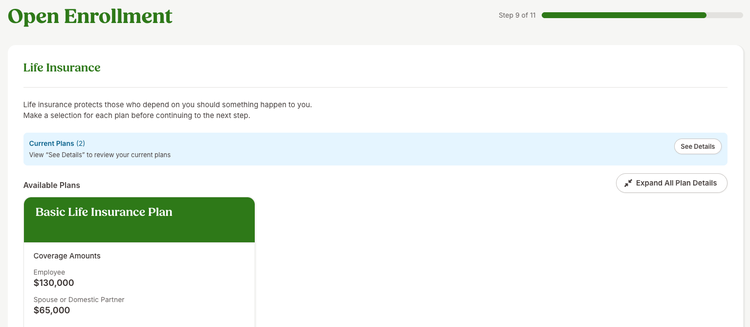
If an employee is enrolled in multiple plans within the same benefit type, the banner shows how many plans they are enrolled in and includes the See Details button as well.
As always, we love your feedback! To provide product feedback on this feature and more, head over to our product feedback page and let us know how we’re doing.