Employees Required to Add Missing Info Before Enrolling in Benefits
We added a new step to the enrollment experience for employees that checks for any missing required personal information before they select their benefits. If something is missing, employees can quickly fill it in and continue. This update helps ensure enrollment data is complete and accurate from the start.
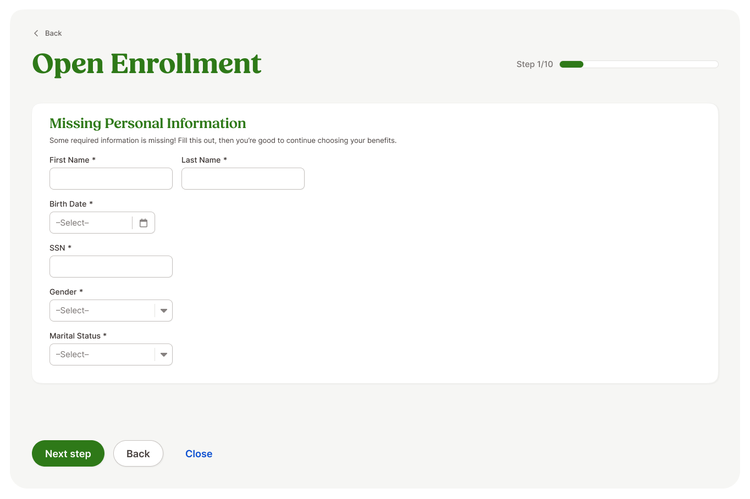
- First Name
- Last Name
- Birth Date
- SSN
- Gender
- Marital Status
If any of these fields are missing data, employees will be prompted to provide the missing data before moving forward with their benefit elections. This step is based on the employee’s access level settings. This step only appears for employees withEdit Without Approval access to those fields. If they do not have that level of access, they will not see this step and will continue through enrollment as usual.
By validating key details upfront, this update ensures a smoother enrollment experience for both employees and admins.
As always, we love your feedback! To provide product feedback on this feature and more, head over to our product feedback page and let us know how we’re doing.