EOI Status Visibility in Employee Profiles and Bulk Enroll
Keeping enrollments moving just got easier. You can now quickly see when coverage requires Evidence of Insurability (EOI) and update its status directly from employee profiles or bulk tools, helping you avoid delays and stay on top of what needs attention.
You’ll now see clear indicators when EOI is required, so nothing gets missed. With the ability to update status in the same places you manage enrollments, it’s easier to keep records accurate and reduce manual follow-up.
Employee Profile
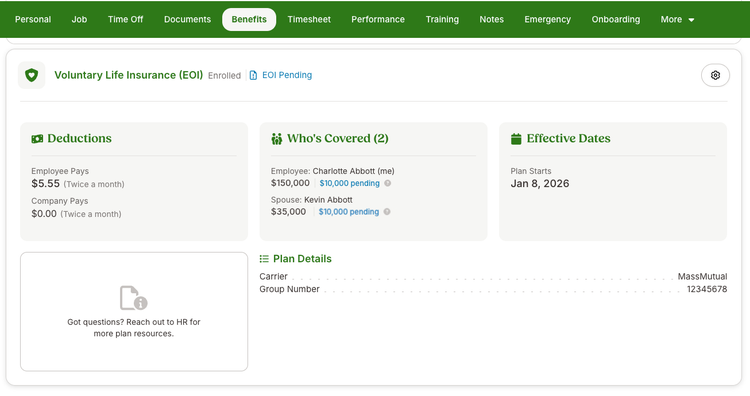
On the employee profile, voluntary life plans with pending EOI display a visible tag on the plan card. Expanding the card shows pending and current coverage side by side, so you can quickly understand what’s approved and what still needs attention.
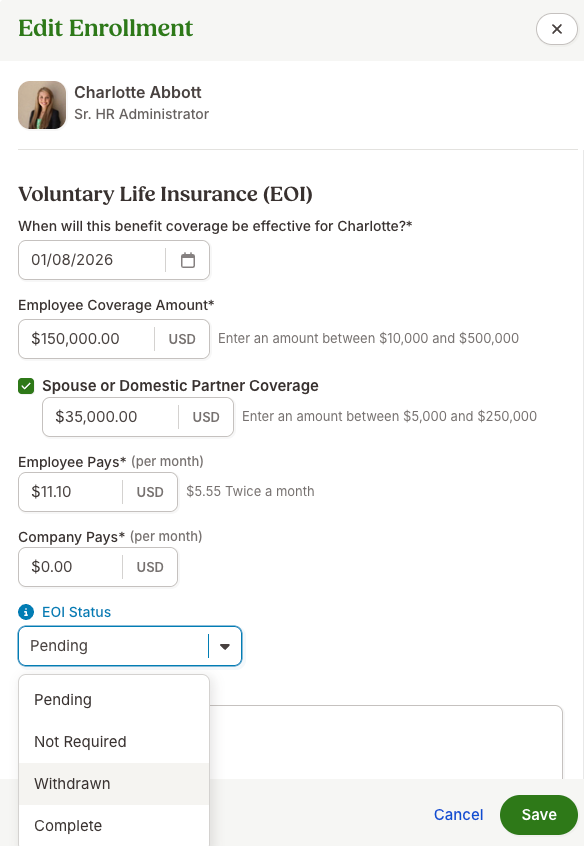
When editing an enrollment, you’ll see a simple dropdown to update the EOI status with options like Pending, Not Required, Withdrawn, or Complete, so changes can be made without leaving your workflow.
Bulk Enrollment
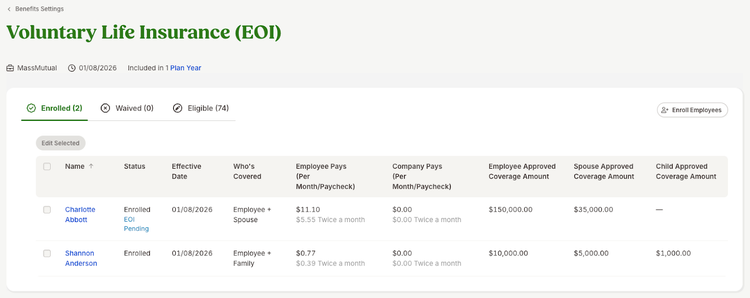
In the bulk enrollment tool, the same “EOI Pending” tag appears for affected employees, along with the ability to update the status directly.
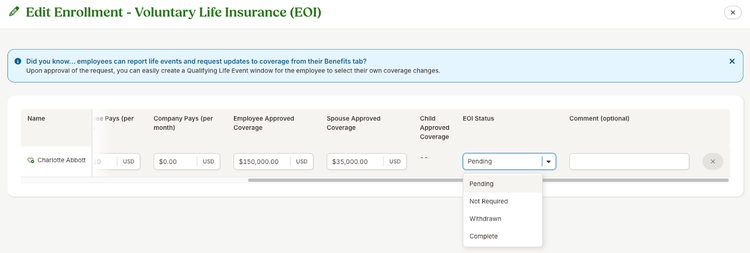
This makes it easy to review and update multiple employees at once without switching between screens.
As always, we love your feedback! To provide product feedback on this feature and more, head over to our product feedback page and let us know how we’re doing.