Holiday Visibility for All Employees
Hip, hip, hooray! Holidays for everyone! Well, holiday visibility for everyone. It’s still an exciting enhancement. Previously, employees could only view holidays assigned to them, which posed challenges for global companies. With this update, companies can now choose to display holidays to all employees, enhancing calendar visibility and facilitating better planning across different regions.
What’s new?
Holiday Visibility Settings
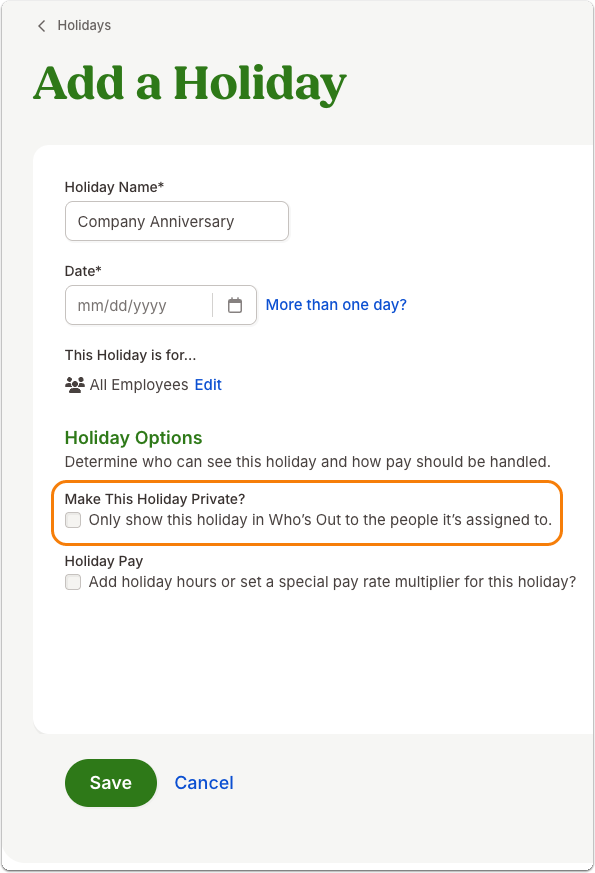
A new option, 'Make This Holiday Private?', has been added to the holiday settings. If this box is checked, your employees’ experience will be exactly the same as it has been in BambooHR. If you uncheck this box, the holiday is marked as public.
Who’s Out Calendar Update
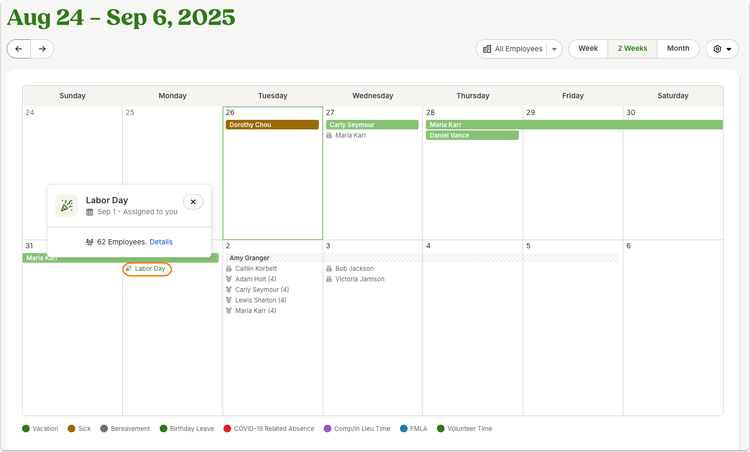
The "Who’s Out" calendar now displays public holidays. Employees can see holidays they are not assigned to, with a note indicating “not assigned to you” to make sure you’re all on the same page.
Home Page - Who’s Out Widget, Company Holidays Widget, My Team Widget
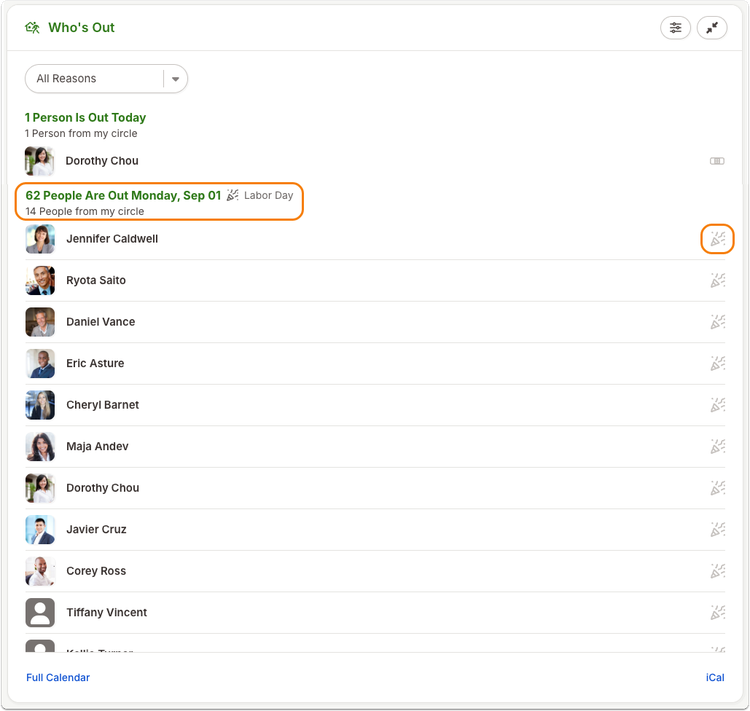
The Who’s Out and Company Holidays widgets now include employees out on holidays, in addition to those using time off. This new information ensures a comprehensive view of team availability. The My Direct Reports widget also got an upgrade! It now shows employee celebrations, time off, and assigned holidays.
Slack Integration
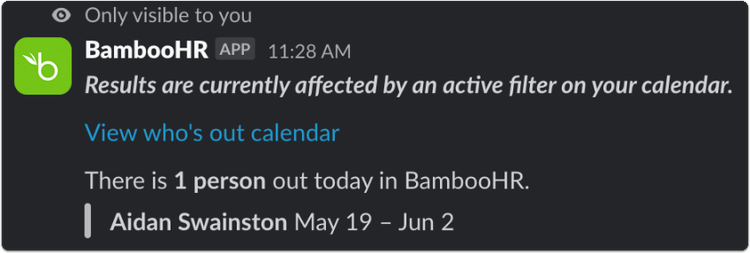
The /whosout command in Slack now includes employees out for holidays, providing a seamless way to check team availability directly from Slack.
Next Steps:
- Review Holiday Settings: Navigate to Settings >> Holidays to review and adjust the visibility of your holidays as needed. By default, this option is selected for existing holidays, ensuring they remain private unless changed. For new holidays, this option is unselected by default, allowing them to be visible to all employees.
- Update Internal Processes: Inform your teams about the new visibility options and encourage them to utilize the updated "Who’s Out" calendar for better planning.
- Leverage Slack Integration: Use the updated Slack command to keep track of team availability efficiently.
As always, we love your feedback! To provide product feedback on this feature and more, head over to our product feedback page and let us know how we’re doing.