Introducing Shift Scheduling in Time & Attendance
We are evolving Time Tracking into Time & Attendance, going beyond simply tracking hours to helping you plan how those hours are worked and by whom. Time & Attendance now has a dedicated space in the main navigation, giving you a centralized place to plan, track, and review employee time.
The first feature in this evolution is Shift Scheduling, with more enhancements to come throughout 2026.
What’s New
Shift Scheduling brings planning and time tracking together so you can manage when your team works, not just how long they work.
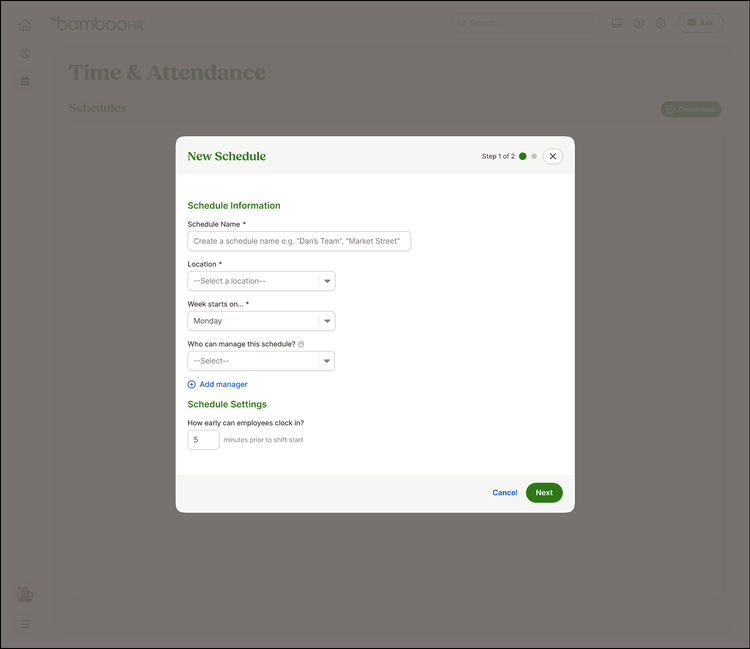
- Create and manage schedules in minutes
Build schedules, assign shifts, and publish them when ready so your team knows exactly when to work. Plan around availability and time off to reduce conflicts before they happen. - Give employees clarity on their workday
Employees can see exactly when they are scheduled to work directly from their homepage and timesheet, helping them stay on track without extra steps. - Control when employees clock in
Set rules based on scheduled shifts to help prevent early or unscheduled clock ins while still supporting your workflows. - Keep schedules and time data in sync
Scheduling works alongside Time Tracking so you have a more complete and accurate view of hours worked and planned coverage.
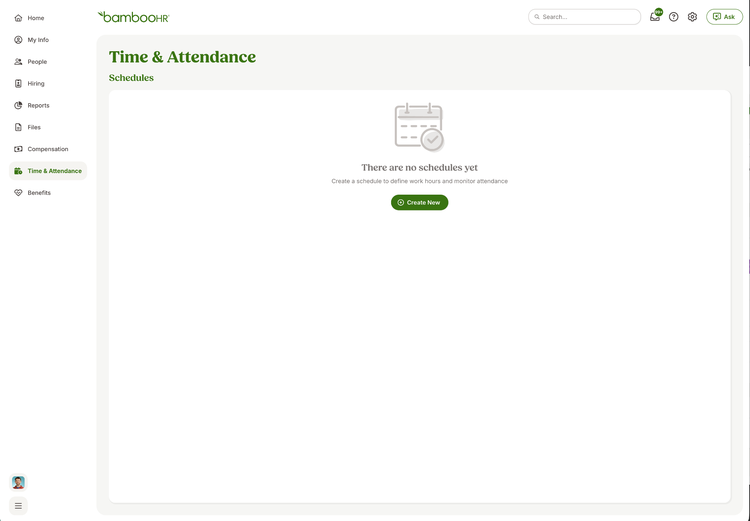
- A new Time & Attendance section in the main navigation
- Updated naming across BambooHR, where Time Tracking is now reflected as Time & Attendance in settings, reports, and payroll workflows
- A calendar style scheduling view to create, edit, and publish shifts
- Visibility into scheduling conflicts like overlapping shifts or time off
- Upcoming shifts surfaced directly in employee tools like the homepage and timesheet
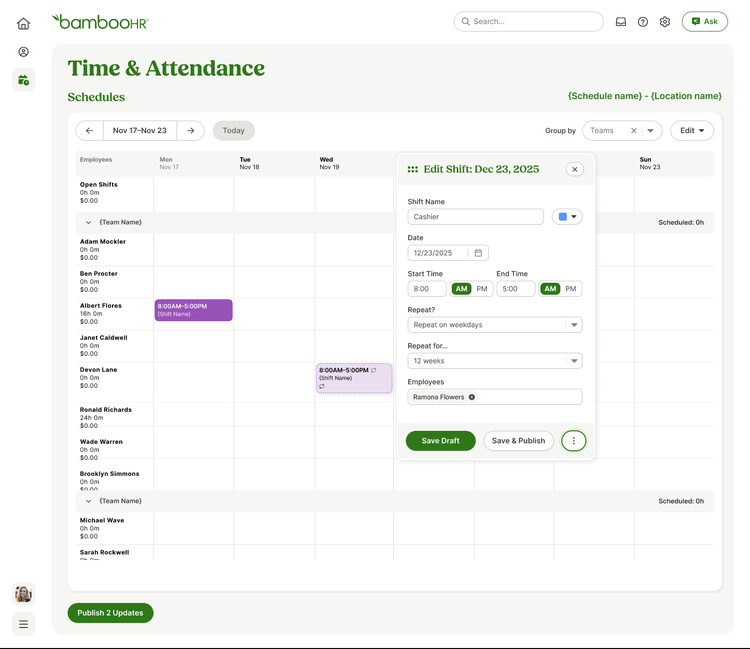
- Plan coverage across teams, locations, and schedules
- Create one time or recurring shifts to match your workflows
- Control early clock ins to better manage labor and reduce surprises
- Give employees visibility into their schedules with self service access
As always, we love your feedback! To provide product feedback on this feature and more, head over to our product feedback page and let us know how we’re doing.