Turn Job Titles Into Job Intelligence With Job Organization and Job Codes
Job titles are more than labels, they provide important context about how work is organized across your company. Job Organization gives you a new, centralized way to turn job titles into structured Job Profiles, helping you keep job data consistent, useful, and ready to support deeper workforce insights.
What’s new
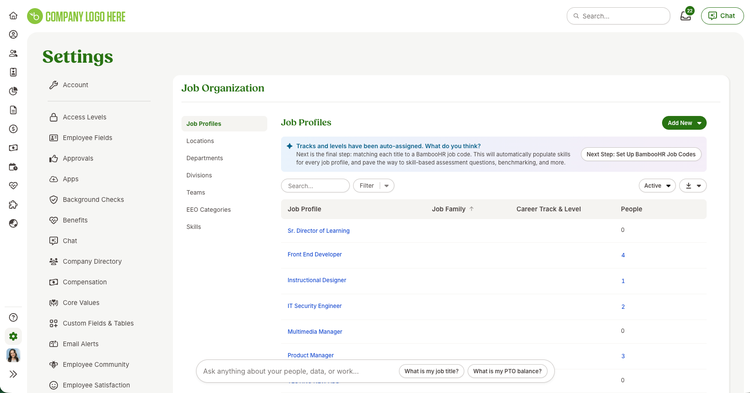
Admins will find a new Job Organization section in Settings, with Job Profiles serving as the home base for managing job information.
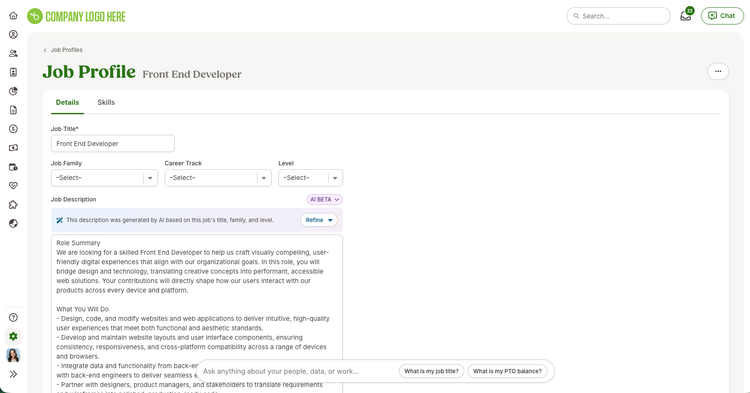
Each Job Profile can include:
- A unique job title
- A detailed job description
- An optional internal job code
- An EEO category
- Role-specific skills
- A linked BambooHR Job Code
- A list of employees currently assigned to the role
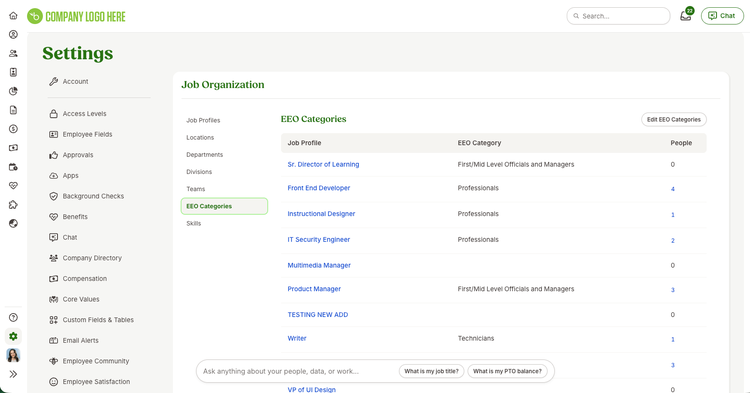
Your existing job titles and EEO categories will automatically move into Job Organization, so you can begin organizing your job data without rebuilding it from scratch.
Connect roles to BambooHR Job Codes
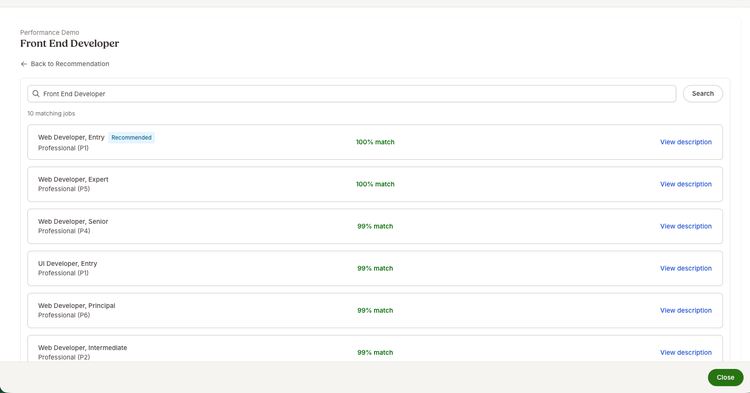
BambooHR Job Codes are standardized job classifications from the BambooHR Job Library. Each code includes a standardized title, level, and description, helping create consistency between the unique titles used within your organization and similar roles across the broader job market.
When a recommended BambooHR Job Code is available, admins can review its details and link it to the Job Profile. If the recommendation isn’t the right fit, they can search the BambooHR Job Library for another option. Each Job Profile can be connected to one BambooHR Job Code, and the link can be removed or updated as needed.
Internal job codes and BambooHR Job Codes serve different purposes. Your internal job code remains a company-specific identifier for organizing roles within your workforce, while a BambooHR Job Code connects the role to BambooHR’s standardized job library.
Manage job data in one place
From the Job Profiles table, admins can see every job title in the organization, its EEO category, and the number of employees currently assigned to it. They can create new Job Profiles, update existing information, or view the employees associated with a role.
When adding an employee with a job title that doesn’t already exist, admins can also create a new Job Profile directly from the Add Employee workflow. They can save the profile and continue adding the employee or open the full Job Profile in another tab to add more details. Job Profiles with assigned employees cannot be deleted, helping protect active employee data and prevent roles from being removed accidentally.
Connect skills to each role
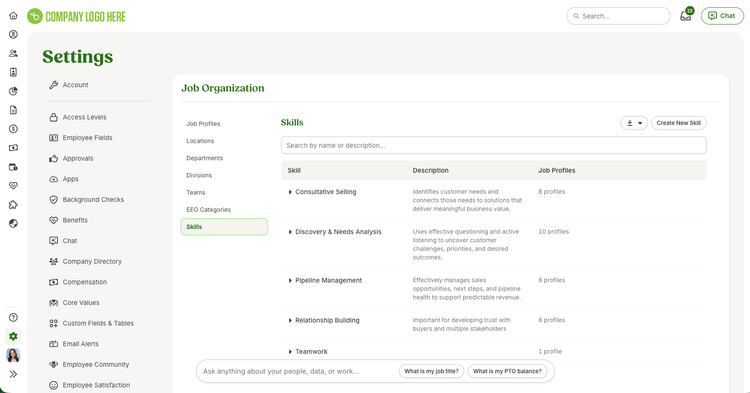
Job Profiles can also include the skills associated with a specific role. Using the Skills tab and BambooHR Skills Library, admins can build a clearer picture of the capabilities employees need to succeed in their jobs.
Bringing job information and skills together makes it easier to create consistency across similar roles and gives managers and employees a shared understanding of role expectations. It also establishes a stronger foundation for skills-based performance conversations and employee development.
Control who can manage job information
Full admins have access to Job Organization by default. Through Custom Access Levels, organizations can also give selected users permission to view and edit all Job Organization data or manage Job Profiles specifically.
Permissions for BambooHR Job Codes follow existing Job Profile permissions, so anyone who can create or edit Job Profiles can also review and manage linked Job Codes.
Build a stronger foundation for what comes next
By bringing job titles, descriptions, internal codes, skills, and standardized BambooHR Job Codes together, Job Organization creates a more reliable source of truth for your workforce data. This structured foundation supports clearer role expectations and more meaningful performance and development conversations while preparing your organization for deeper reporting, benchmarking, and workforce insights.
Share your thoughts with us through the feedback option in BambooHR. Your feedback helps us continue improving your experience.