LinkedIn Premium Job Ads
We are excited to announce the integration of LinkedIn Premium Job Ads with BambooHR's ATS feature! This new capability is designed to significantly enhance the visibility of your job openings to qualified professionals, providing you with a competitive edge in your talent search. By utilizing premium job ads, you can streamline your hiring process and improve your chances of finding the right fit for your company culture.
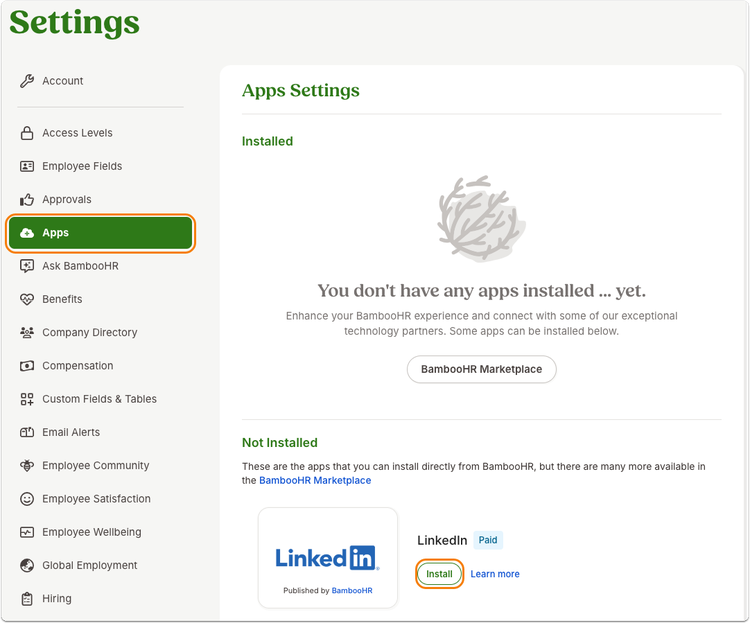
To get started, download the app through Settings > Apps > locate the LinkedIn app and click Install.
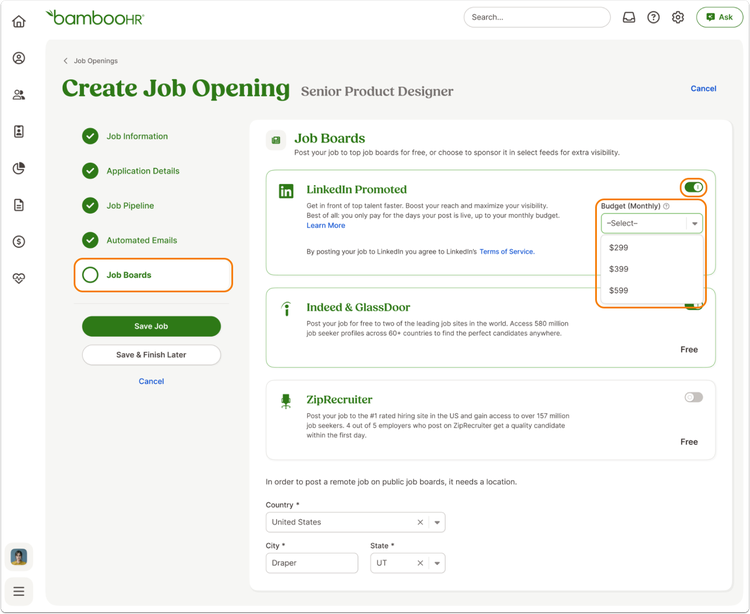
When you are creating a new job opening (or editing a current job opening), navigate to the Job Boards step to see the new LinkedIn Promoted option. Toggle on this option to enable the integration, and then choose the monthly cap you would like to set. You can see more details about pricing here.
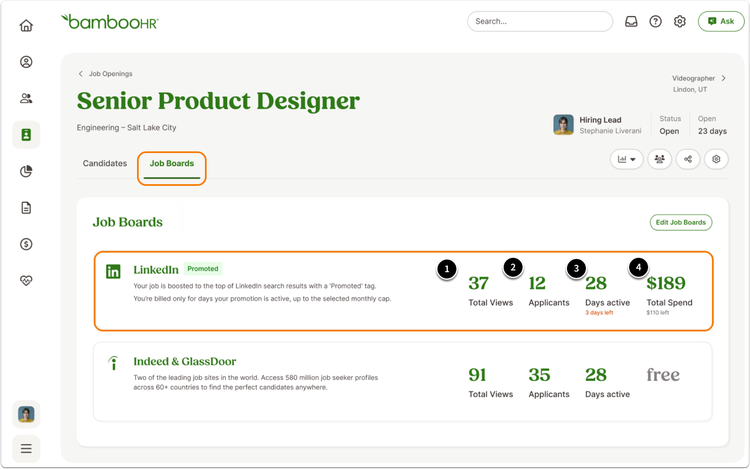
When you click on the job opening on the Hiring tab, you will see a new Job Boards tab. You can use this tab to monitor views, applicants, days active, and total spend for your premium posting. The job posting will be removed from LinkedIn once you have hit your monthly cap or when you manually close a job opening—whichever comes first.
As always, we love your feedback! To provide product feedback on this feature and more, head over to our product feedback page and let us know how we’re doing.