Making VirgilHR Available to Non-Full Admins
Compliance just got more accessible. This means faster access, better visibility, and fewer bottlenecks when managing HR compliance.
What's new
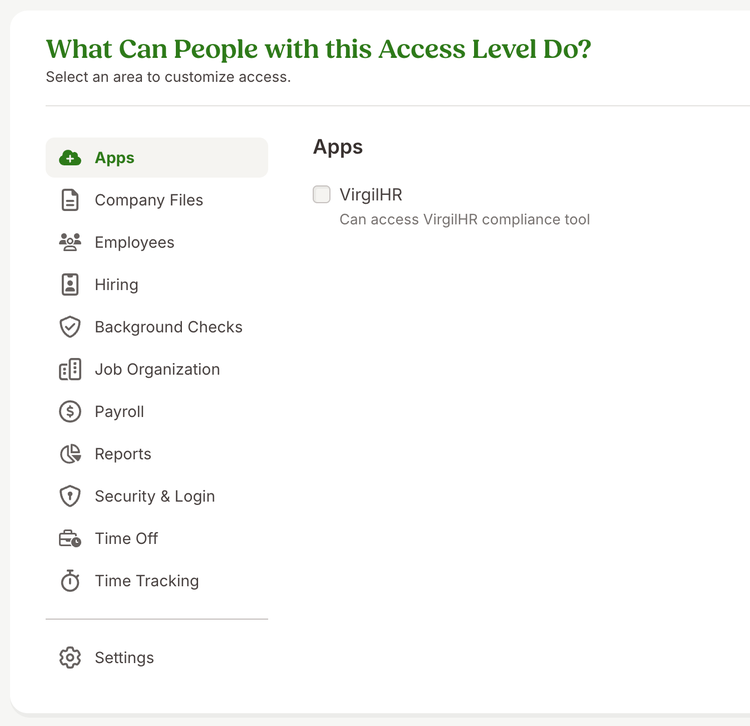
VirgilHR access can now be assigned through custom access levels. This gives you more flexibility in deciding who can use VirgilHR, without relying on Full Admin permissions.
A new Apps section appears when creating or editing a custom access level. From there, you can enable VirgilHR for the roles that need it. Once access is granted, users can open VirgilHR directly from BambooHR via Settings > Apps and get started right away.
What you'll see
When setting up or updating a custom access level, you will see a new Apps section with a VirgilHR option. Turning this on gives everyone in that access level visibility into VirgilHR.
Users with access can navigate to Settings, then Apps, where they will see VirgilHR and an option to access their account. If they are new to VirgilHR, their account is created automatically. If they already have one, they are signed in seamlessly.
What you can do
Review your current access levels and decide which roles should have access to VirgilHR. Update those access levels to extend compliance support to the right people on your team.
As always, we love your feedback! To provide product feedback on this feature and more, head over to our product feedback page and let us know how we’re doing.