Manage External Job Board Postings From One Dedicated Tab
Posting jobs to external job boards is now simpler and easier to manage. A dedicated Job Boards tab brings your posting options and performance details together in one place, so you can manage where an opening appears without working through the job setup flow.
What's new
Job board management now lives on its own Job Boards tab within each job opening instead of inside Job Settings. From there, you can see available job boards, publish to the boards you have access to, and review active and past posting performance.
Available options can include Indeed, LinkedIn, ZipRecruiter, and SEEK for applicable customers. The page also identifies paid job boards and provides options to install or request supported integrations when applicable.
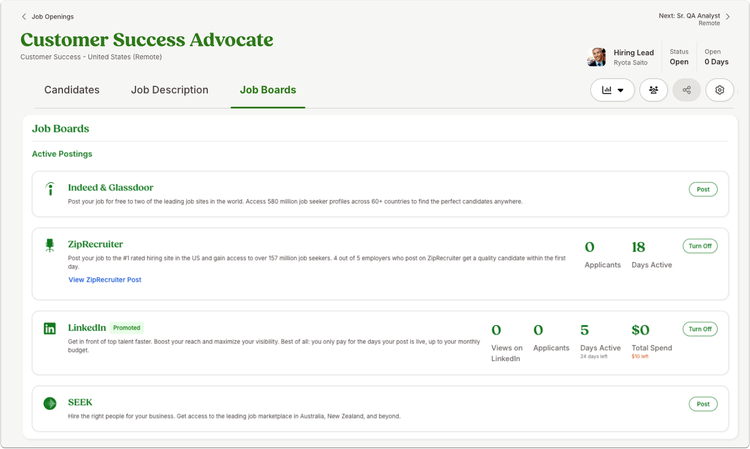
What you'll see
When you save a new job opening with an Open status, you'll land directly on the Job Boards tab, making it easier to move from creating the opening to choosing where to post it. If the opening isn't open yet, the tab explains that it can't be posted and provides an option to change its status.
You'll also see prompts for required location details when they're needed for a selected job board. Job descriptions must contain between 100 and 25,000 characters.
What you can do
Open a job opening and select the Job Boards tab to review your posting options. From one place, you can choose an available board, publish your opening, and keep an eye on posting performance.
As always, we love your feedback! To provide product feedback on this feature and more, head over to our product feedback page and let us know how we’re doing.