Meal & Rest Breaks Available on the Web and Mobile App
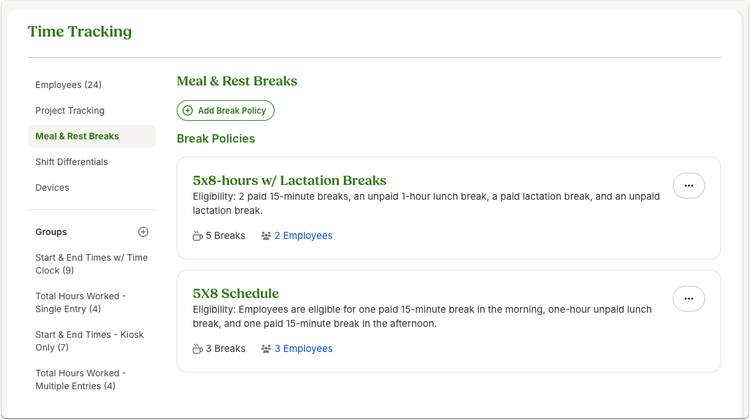
The wait is over! You can now manage employee breaks directly in BambooHR Time Tracking across the web, mobile app, and Time Kiosk. This update gives employees a simple, guided way to take breaks, while giving managers clearer visibility into break timing, all in one consistent experience that supports compliance and reduces manual work.
What’s new?
This release supports:
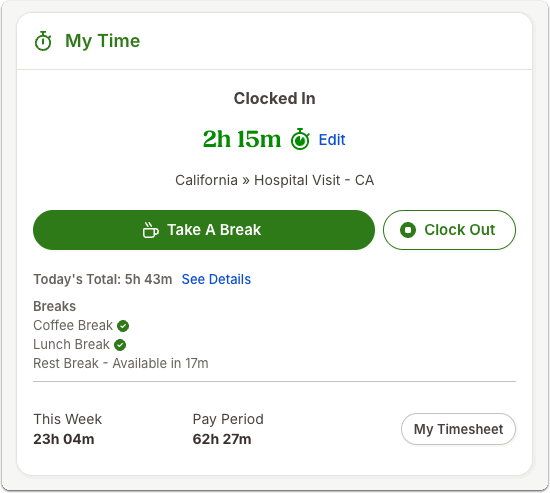
- Paid and unpaid break types
- Multiple breaks per employee (like lunch and rest breaks)
- Built-in tracking of break duration and timing
- Automatic documentation of early, late, or missed breaks
What you’ll see
Once you’ve set up your breaks, employees will notice new options directly in their daily time experience.
On the My Time widget, employees can click Take a Break to start an assigned break, see how much time remains, and end the break when they’re done. If a break runs long or is ended early, the app provides gentle prompts without blocking the action.
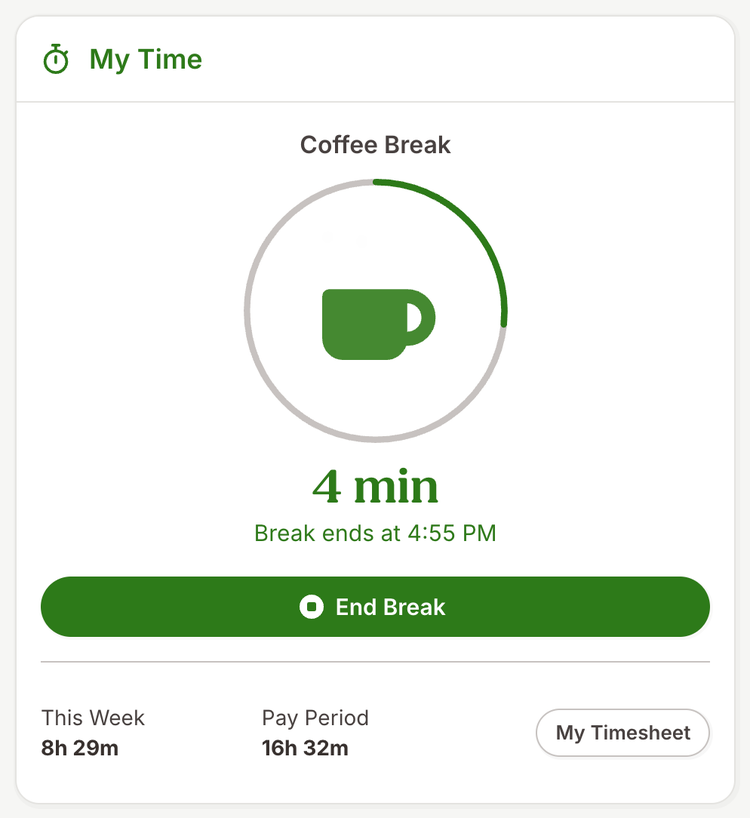
If an employee has more than one break available, they’ll be prompted to choose the correct one before starting.
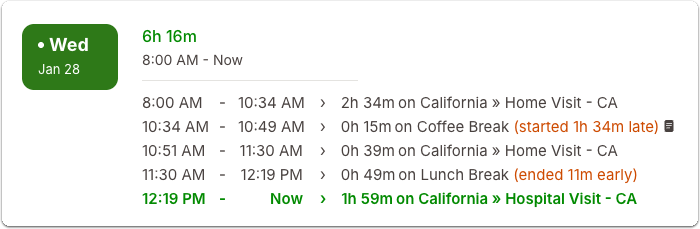
On timesheets, breaks appear in chronological order alongside work entries, with clear labels for paid and unpaid breaks. Any timing variances are shown inline, making it easy for managers to review and approve hours with confidence.
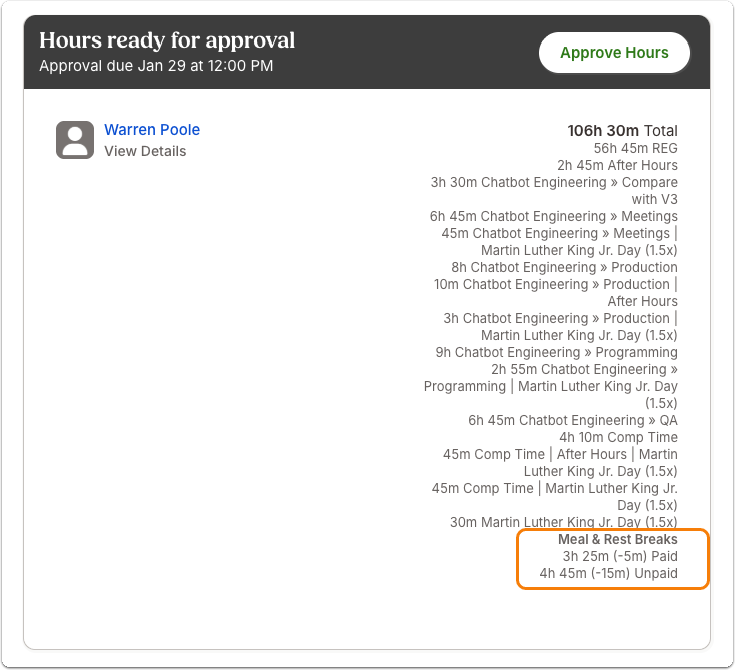
Managers will also see break summaries in the Inbox, approval emails, and timesheet sidebars, along with a complete audit trail of all break activity and edits.
What you can do
- Set up break policies in Time Tracking settings
- Assign employees with Start & End Times to a break policy
- Let your team know about this new functionality
- Review break data during approvals and use it to support accurate payroll and compliance processes
As always, we love your feedback! To provide product feedback on this feature and more, head over to our product feedback page and let us know how we’re doing. Happy Bambooing!