Mid-Pay Period Pay Calculations for Hourly Employees
Good news! The ability to automatically handle mid-cycle rate changes has already been available for salaried employees, and now it’s even better. We’ve expanded this functionality to include hourly employees, too. When an hourly employee’s rate changes mid-cycle, BambooHR will detect the eligible change and suggest the corresponding Extra Pay automatically, so you no longer have to do the math yourself.
What’s new
- Automatic detection of mid-period hourly rate changes (base rate and, when applicable, project/task rate) and calculation of the difference as Extra Pay.
- Consolidated use of existing Extra Pay types: “Additional Regular Pay” and “Additional Overtime Compensation.”
- Integrated review in the Wage Adjustments flow, alongside salary adjustments, with clear “Needs Review” messaging when we can’t safely calculate (e.g., conflicting changes).
What you’ll see
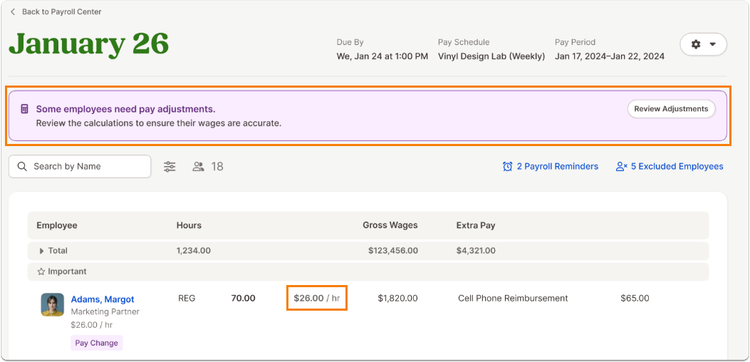
- A banner on the Edit page prompts you to review pay adjustments when hourly changes are detected.
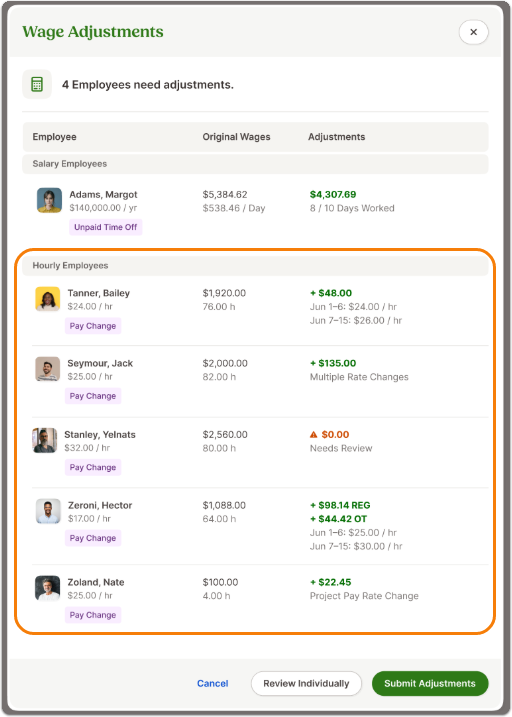
- The Wage Adjustments modal lists hourly employees in their own section with starting hourly rate, original wages (with total hours), and a summarized “Adjustments” column that shows suggested Extra Pay and the affected date ranges.
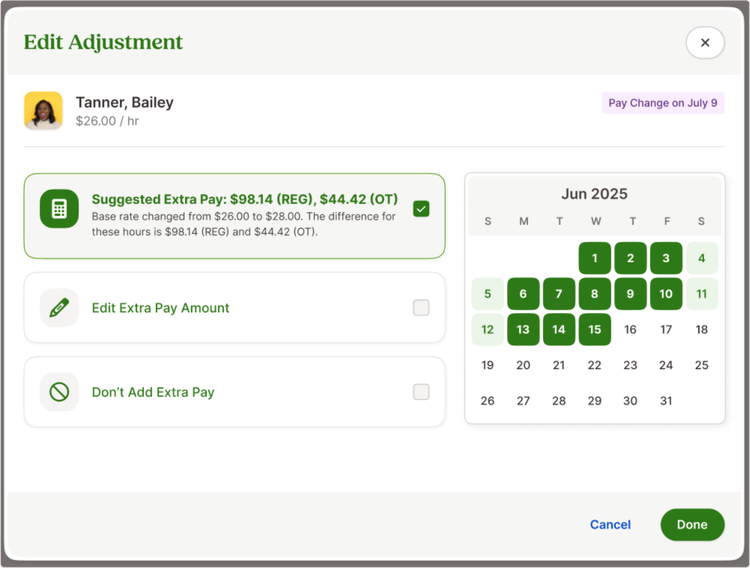
- The Edit Adjustment view for each employee includes a recommended Extra Pay amount (REG and, if applicable, OT), options to edit amounts, or skip adding Extra Pay. A mini calendar highlights original-rate days, the change date, and new-rate days.
- If you manually edit or skip, the Wage Adjustments list reflects “Manually adjusted” or “No adjustment” under the amount.
- On paystubs and in payroll reports, these adjustments appear as Extra Pay (no new report formats to learn).
Things to note
- If multiple rate changes occur on different dates within the same pay period, BambooHR will prompt review instead of calculating automatically.
- When new hours are approved after adjustments are made, BambooHR will reset the affected wage adjustment workflow to ensure accuracy.
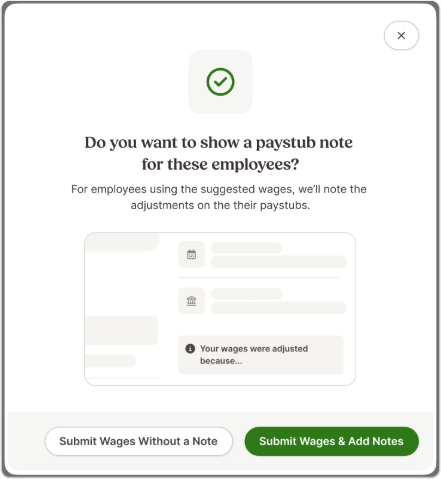
- You can add an optional note when submitting adjustments to document context for future reference.
As always, we love your feedback! To provide product feedback on this feature and more, head over to our product feedback page and let us know how we’re doing.