More Filtering Options on the Elections Tab
We’re introducing new filtering options on the Elections tab in Benefits Administration to make managing employee elections easier for you. You can now filter elections by plan year and enrollment window type, in addition to status.
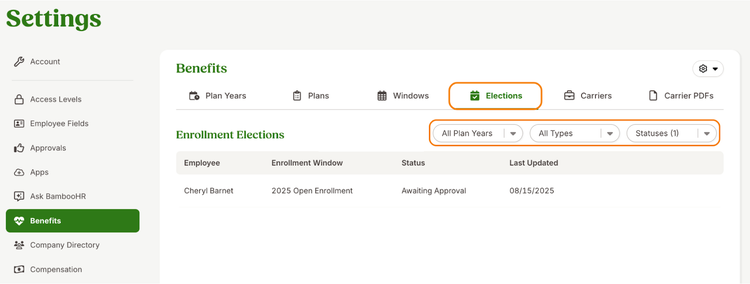
By default, the Elections tab shows all benefit elections awaiting approval, with options to filter by plan year, enrollment window type, and status, enabling you to quickly find and review elections for specific employees, plan years, new hires, or qualifying life events.
As always, we love your feedback! To provide product feedback on this feature and more, head over to our product feedback page and let us know how we’re doing.