New Employee Community User Interface
We are thrilled to introduce an enhanced Employee Community experience for our Pro and Elite plans. We meticulously redesigned the Employee Community user interface to align with the rest of the BambooHR interface, enhancing usability, reducing confusion, and providing a more intuitive interaction for all users.
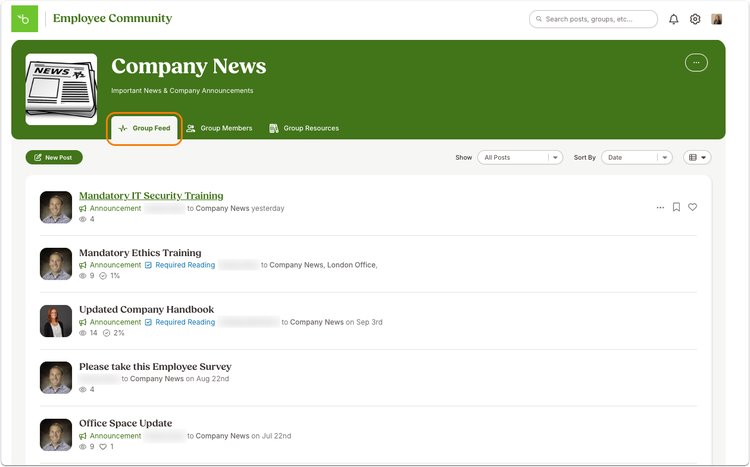
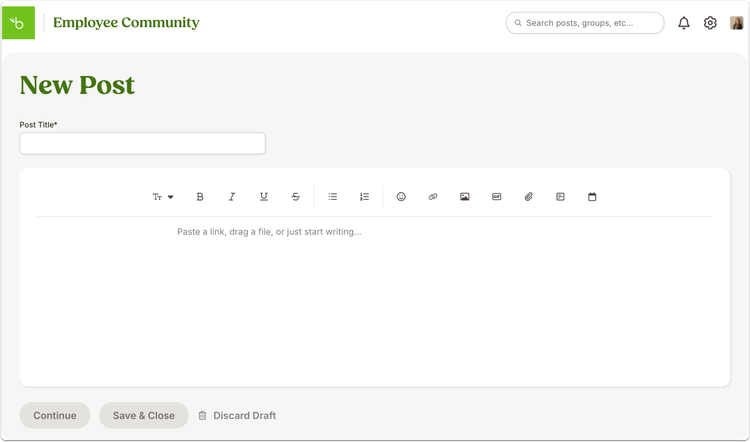
Employee Community Key Changes:
- Visual Design: Updated colors, fonts, and styling to match the recent BambooHR redesign.
- Navigation and Organization: New side navigation bar similar to the main BambooHR interface. Consolidation of Company Feed and Personal Feed into a single "My Feed" with enhanced filtering options. Removal of the Announcement banner carousel and the orange pencil icon, replaced by a "New Post" button.
- Functionality Enhancements: New "Drafts" page for managing drafted and scheduled posts. Ability for group moderators to create announcements and required reading posts. Improved post editor with added text formatting options and a discard draft feature.
- Profile and Settings: Unified Profile and Personal Settings pages with new tabs for easy access. Profile pictures now sync directly from BambooHR.
- Community Settings: Renamed "Admin Settings" to "Community Settings" with a new "Color Theme" tab. Streamlined resource management with modal-based resource addition.
- Group and Resource Management: Redesigned group pages with tabbed navigation for feeds, members, and resources. Resources are now displayed in rows instead of tiles, with simplified management options.
- Insights: Improved Insights page for Admins.
As always, we love your feedback! To provide product feedback on this feature and more, head over to our product feedback page and let us know how we’re doing.