New Premium Type Step in Plan Settings
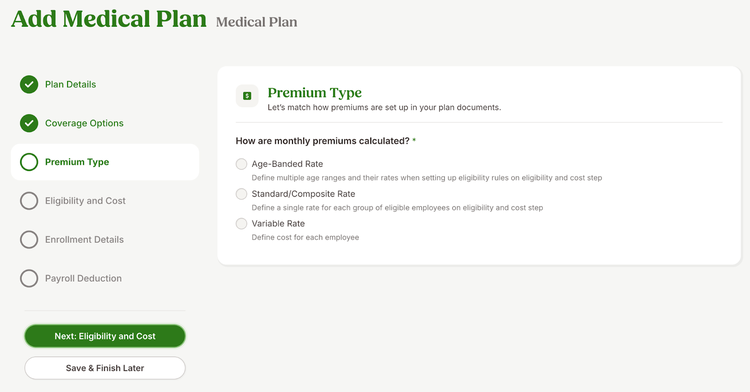
We have added a new Premium Type step in the benefit plan setup for customers using BambooHR® Benefits Administration. This update helps admins easily define how premiums are calculated for each plan, streamlining the setup process from start to finish.
Previously, admins selected the premium type in the Coverage Options step. This setting now appears as its own step, where admins can select one of the following options:
- Age-Banded Rate
- Standard/Composite Rate
- Variable Rate
As always, we love your feedback! To provide product feedback on this feature and more, head over to our product feedback page and let us know how we’re doing.