Payroll Custom Report Builder
Overview
We’re introducing the Payroll Custom Report Builder, a new way to create, save, and rerun payroll reports that fit your specific needs. This update helps you save time and reduce manual data manipulation when auditing payroll, exporting data to third-party systems, or sharing insights with stakeholders.
Details
With the Payroll Custom Report Builder, you can now build payroll-specific reports using the same data available in the Payroll Complete Summary Report. You can choose the data you want to include, sort and group it the way you like, and apply filters to focus on the information that matters most.
Admins and users with payroll permissions can find this feature under Reports > Payroll Reporting > Custom Reports. From there, you can create new reports, edit or duplicate existing ones, and save them for future use. Each report includes options to add or remove columns, rename headers, and rearrange data for a personalized view.
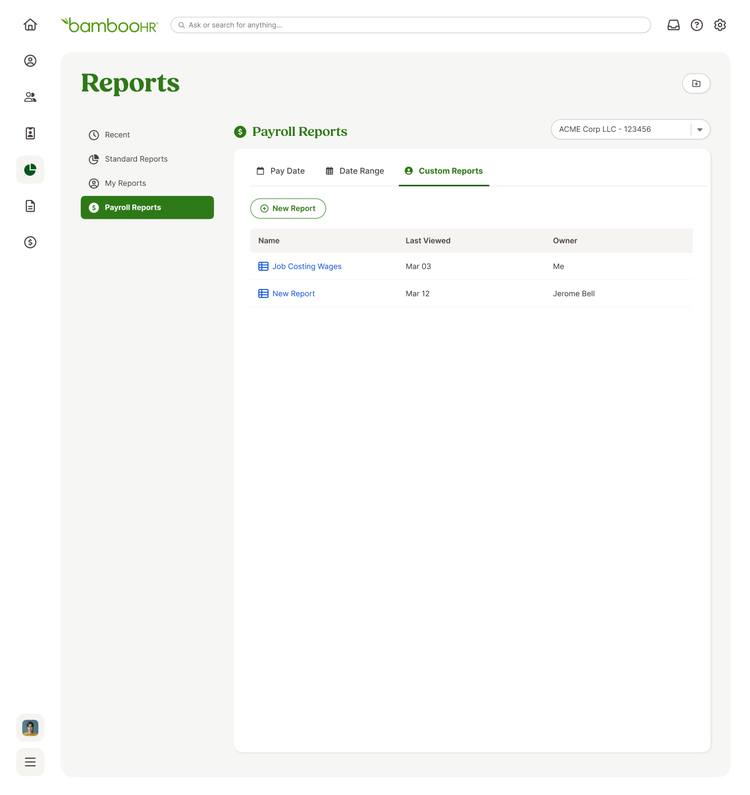
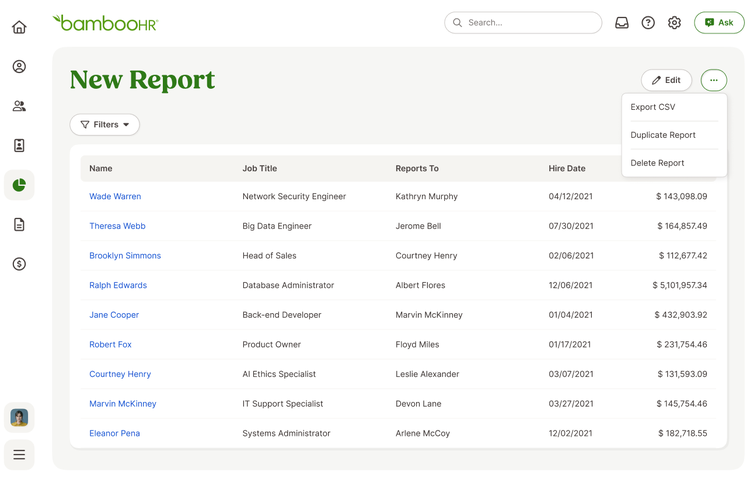
You can also filter reports by pay schedule or date range, with default settings that make it easy to rerun reports regularly. Once saved, reports appear in the Custom Reports tab, where you can export them as CSV files or make quick edits anytime.
As always, we love your feedback! To provide product feedback on this feature and more, head over to our product feedback page and let us know how we’re doing.