Plan Year Continuity Keeps Benefits Renewals Connected
Keep benefit plan history connected from one plan year to the next. Plan continuity gives admins a streamlined way to build on existing plan details for the upcoming year, update what’s changing, and maintain a clear connection between plan versions.
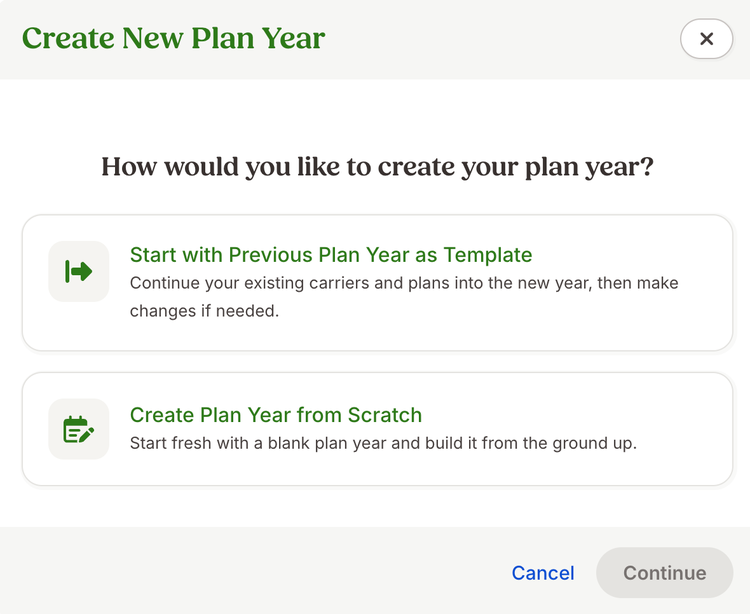
Benefits Administration customers can now start a new plan year using plans from a previous year. From Settings > Benefits > Plan Years, admins can choose Create New Plan Year and Start with Previous Plan Year as Template to bring eligible plans forward and create connected versions for the upcoming year.
When a new version is needed, key information carries forward, including files, coverage costs, age-banded rates, contribution splits, and the primary eligibility filter. The new version is marked “Needs Review,” giving admins a clear indication of where to review renewal details and make any necessary updates.
Plans that remain active into the new year can continue as-is rather than creating another version. During setup, admins can add, update, or remove plans and finalize new versions before completing the plan year.
Connected versions keep the history of the same plan together while allowing renewal details to reflect each plan year. Core details such as carrier, plan type, and pre-tax or post-tax treatment remain consistent across versions. When those core details differ, admins can create a separate plan.
Admins also have flexibility when they want to use familiar plan details without connecting plan history. The template option creates a new, separate plan using details from an existing one.
As always, we love your feedback! To provide product feedback on this feature and more, head over to our product feedback page and let us know how we’re doing.