Post to SEEK and Manage Applicants in BambooHR
You can now post jobs to SEEK directly from BambooHR and receive those applicants in BambooHR® Applicant Tracking System (ATS) without manual entry. This update helps teams in Australia, New Zealand, and several Asian countries reach candidates faster while keeping your hiring work in one place.
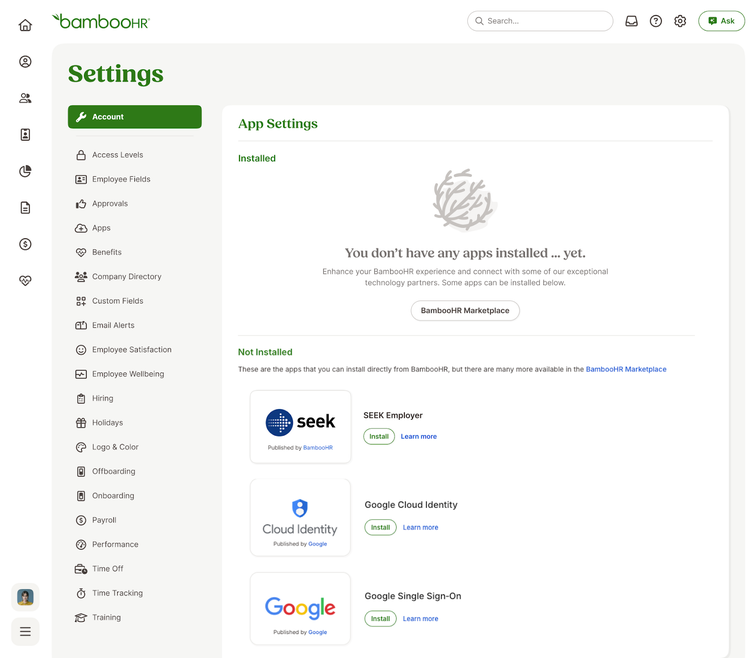
Admins can install the SEEK integration from the Apps section in Settings. A SEEK account is required to connect, and you can connect multiple SEEK accounts if needed.
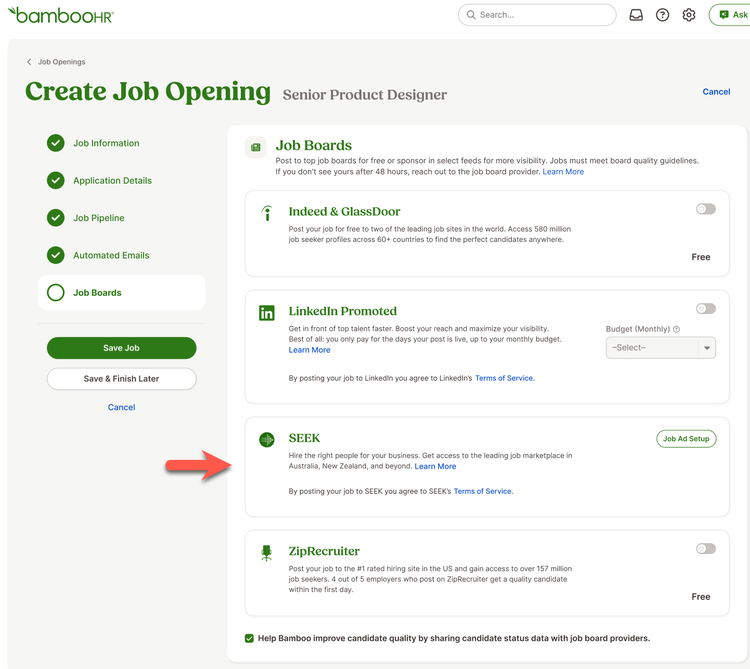
Once enabled, SEEK appears as a job board option when creating or editing a job opening. Users with permission to post to premium job ads can select SEEK and complete a short form that includes the additional information SEEK requires. You can also choose an ad type. Pricing comes from SEEK and can vary based on location and category.
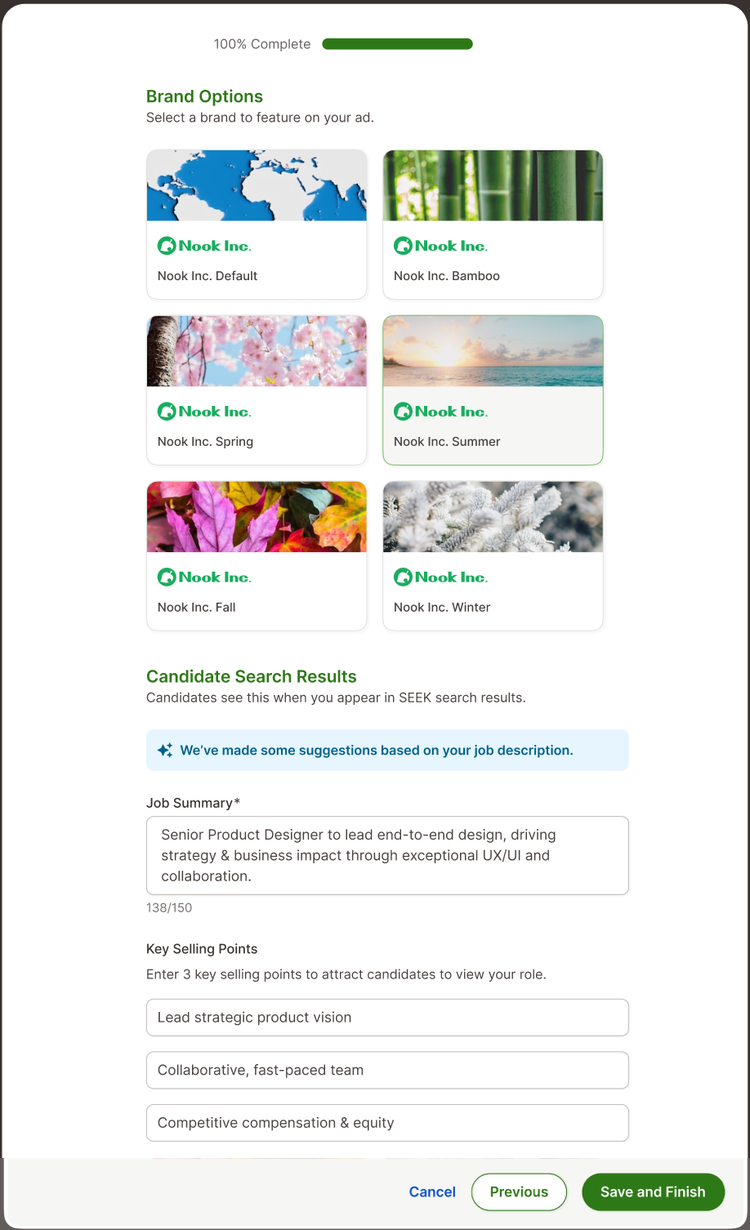
If you choose a Branded or Premium ad, you manage logos and images in SEEK. You can preview your ad and post it. Saving the job posts your ad to SEEK.
SEEK removes the job posting when the job status is no longer open or when you disable the integration. SEEK charges for a full 30-day ad cycle, regardless of whether the ad stays open the whole time.
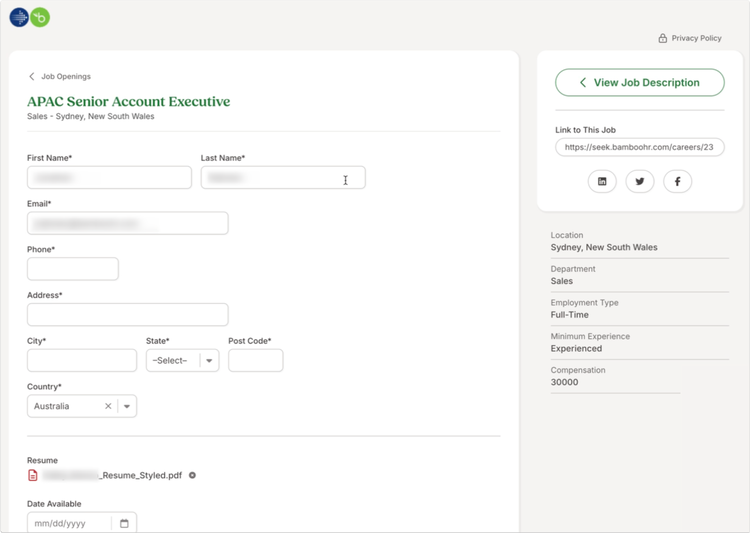
Candidates who click Apply on SEEK land on your BambooHR careers website. BambooHR pre-fills first name, last name, email, phone, and resume, and the candidate completes any remaining required fields. Once the application is submitted, the candidate appears on the Candidates tab of the job opening they applied for.
As always, we love your feedback! To provide product feedback on this feature and more, head over to our product feedback page and let us know how we’re doing.