Required Dependent Information for Enrollments
Employees can now view when required dependent information is missing when enrolling in benefits. This update helps employees navigate the enrollment process with confidence and ensures admins receive complete, accurate details.
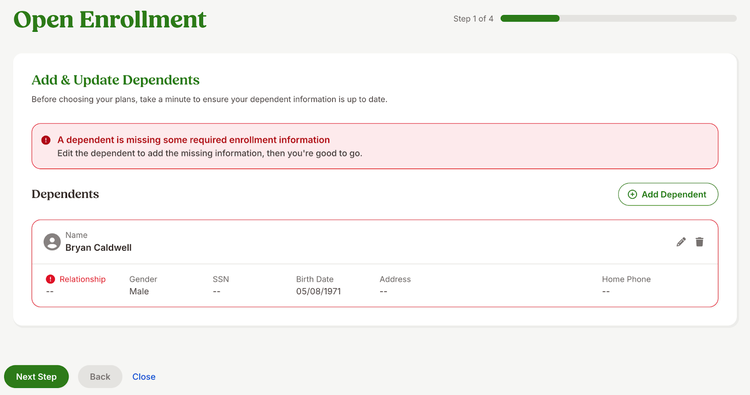
When employees reach the Add and Update Dependents step, BambooHR highlights any missing required information for dependents. A banner at the top of the page explains what needs attention, so employees know exactly what to update. If employees try to continue without completing this information, the system displays a message that guides them back to the fields that still need to be filled in. Required dependent information includes first name, last name, birth date, gender, and relationship.
Employees can select any highlighted dependent to open the Edit Dependent window, where missing fields are clearly outlined. After saving their updates, they return to the Add and Update Dependents step and can continue electing their benefits.
As always, we love your feedback! To provide product feedback on this feature and more, head over to our product feedback page and let us know how we’re doing.