Salary Proration with Unpaid Time Off Categories
Good news! Prorating salaried employees’ pay is now faster and more consistent when someone takes unpaid time off. Instead of manual edits, BambooHR Payroll can detect qualifying unpaid time off and suggest the correct prorated wages, so you can close payroll with confidence.
What’s new
- Automatic salary proration when a salaried employee has approved unpaid time off in the pay period and the time-off category is enabled for payroll. The calculation follows standard salary assumptions (40-hour week; 8 hours per workday).
- Time Off category settings got a little upgrade! Now, unpaid time off categories can sync directly into your payroll run.
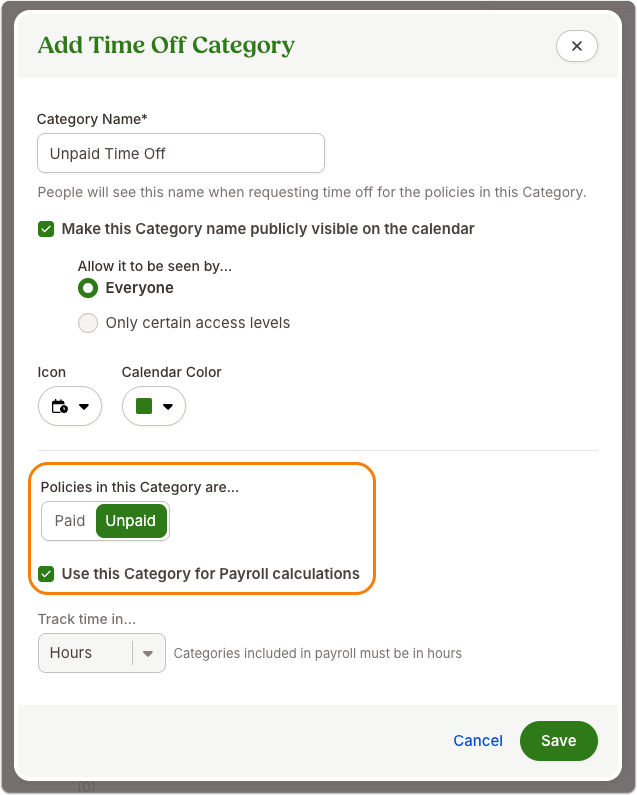
- Built-in guardrails: if time off doesn’t meet proration rules, for example, partial-day entries, Payroll flags the employee for review so you can choose to calculate manually or skip proration.
What you’ll see
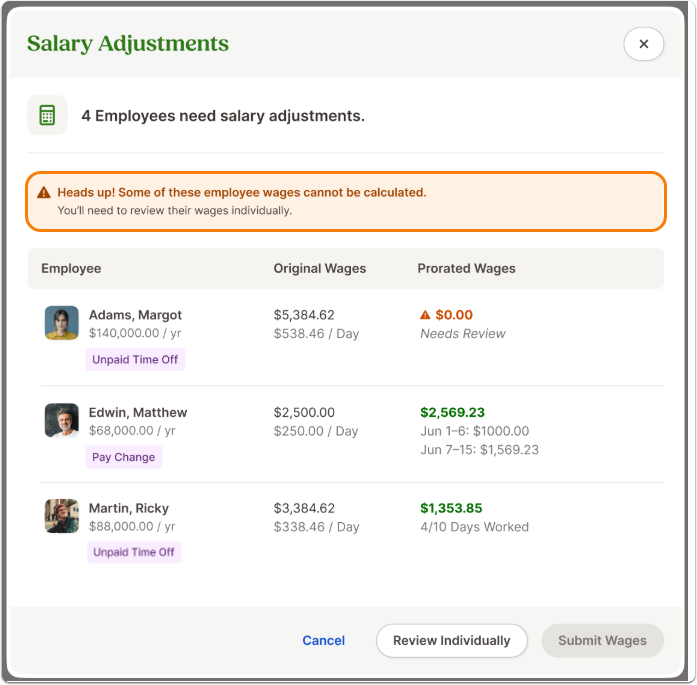
- When you start or reset a payroll, BambooHR checks which salaried employees in the run have unpaid time off that qualifies for proration. A banner on the Edit page prompts you to review any impacted employees until each one is addressed.
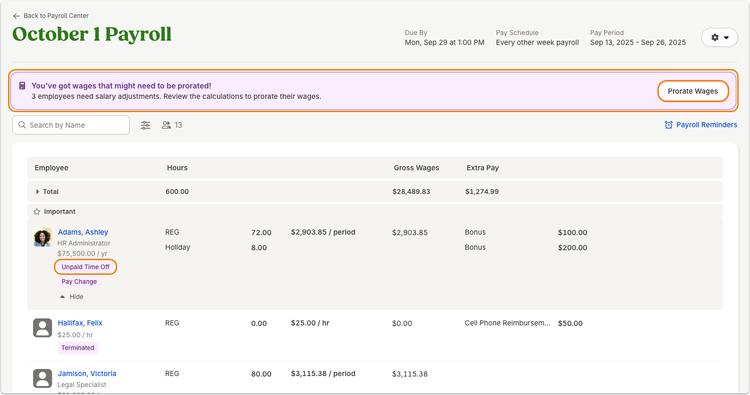
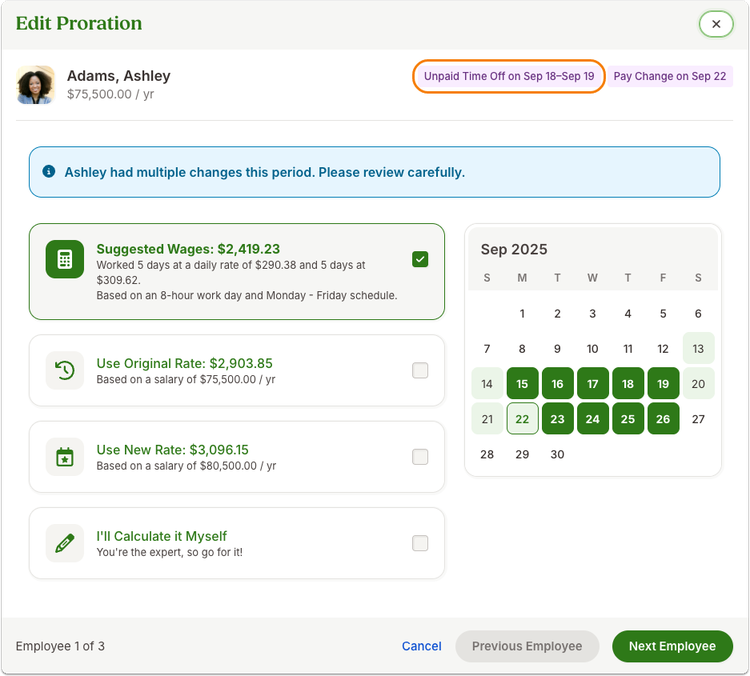
- On affected employees, you’ll see an Unpaid Time Off badge and a link to review their wages. Opening the review shows a suggested prorated amount based on full-day unpaid time off taken during the period.
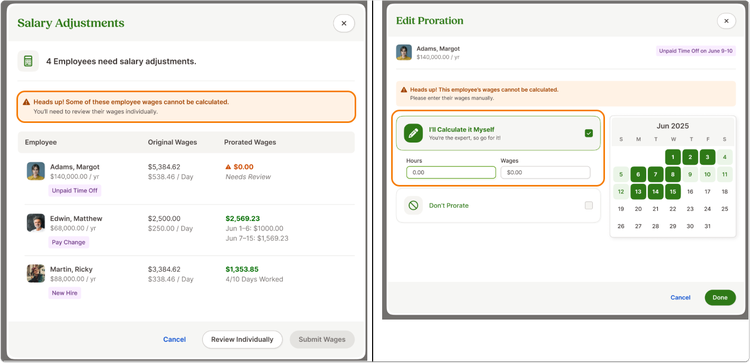
- If details don’t match the proration rules (for example, non-consecutive days or less/more than 8 hours on a day), you’ll see a Needs review state with options to enter a custom amount or leave wages as-is.
What you can do
- Enable categories correctly: In Time Off settings, ensure any unpaid category you want included in payroll is enabled for payroll calculations and tracked in hours.
- Review suggested wages during payroll: From the Edit page, follow the prompt to confirm or adjust prorated wages for affected salaried employees.
- Handle exceptions with confidence: If someone recorded partial-day unpaid time off or non-consecutive entries, use the review flow to enter the correct amount or skip proration as needed.
As always, we love your feedback! To provide product feedback on this feature and more, head over to our product feedback page and let us know how we’re doing.