Shift Scheduling Day View
Busy scheduling days just got easier to manage. Scheduling Day View gives managers more room to work with overlapping and high-volume shifts, making it faster and more precise to build, adjust, and publish a single day's schedule.
What's new
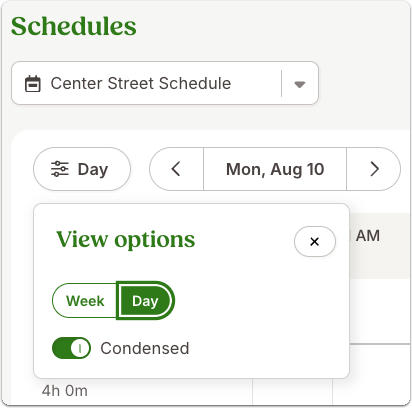
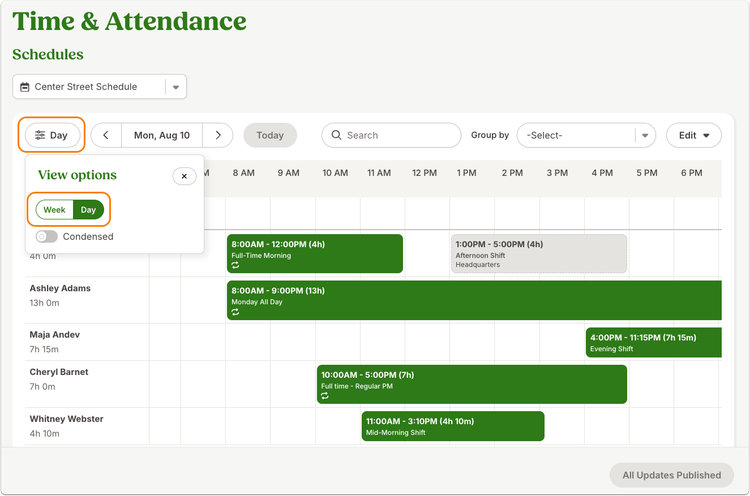
Scheduling managers can now switch from the familiar week view to a detailed, 24-hour view of a single day. The new time grid makes it easier to see concurrent shifts and fine-tune start and end times without losing visibility across the team.
You can move and resize shifts directly on the schedule with 15-minute increments, or click an open spot to quickly start creating a new shift. Shift cards also offer quick access to edit, duplicate, and delete actions.
What you'll see
Day View brings the information you already rely on in the week view into a more detailed daily layout, including shifts, holidays, time off, open shifts, and shifts from other schedules. You can also choose between condensed and expanded shift cards to control how much information appears at once.
The date picker makes it easy to jump straight to the day you need, while publishing from Day View keeps the action focused on the day currently displayed.
As always, we love your feedback! To provide product feedback on this feature and more, head over to our product feedback page and let us know how we’re doing.