SECURE Act 2.0 Enhancements
Staying compliant with new retirement contribution rules just got easier. These updates help ensure contributions are calculated correctly based on employee eligibility and prior earnings, reducing the risk of over-contributions and manual corrections. With built-in validations and guided setup, you can move through payroll confidently while meeting SECURE Act 2.0 requirements.
What's new
Retirement contribution limits now automatically adjust based on employee age, prior year earnings, and plan setup. This helps prevent over-contributions and keeps payroll aligned with federal requirements.
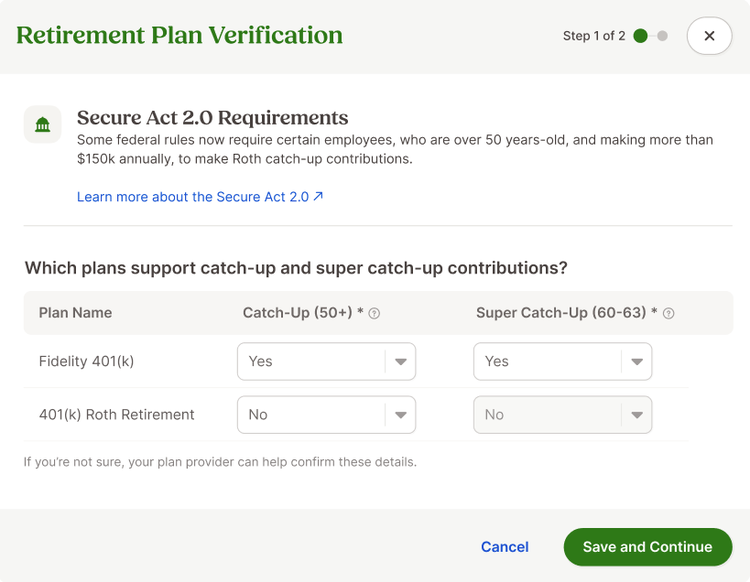
You will see a one-time guided workflow to review your retirement plans and confirm whether they support catch-up or super catch-up contributions. This ensures your plans are configured correctly from the start.
If employee Social Security wages are missing, you will be prompted to enter them so contribution limits can be calculated accurately. This is especially helpful for new customers or newly added employees.
Payroll now includes built-in validations that prevent processing if required information is missing. These checks help catch issues early and avoid costly corrections later.
A new SECURE Act 2.0 report gives you clear visibility into employee eligibility, contribution limits, and year-to-date totals, all in one place.
What you'll see
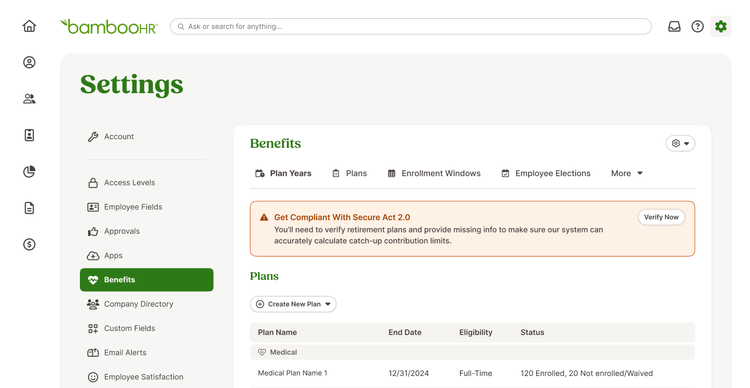
When you go to the Benefits section of Settings, a banner will prompt you to verify your retirement plans for SECURE Act 2.0. From there, a simple modal walks you through confirming catch-up contribution support.
If any employees are missing prior year Social Security wages, you will see a follow-up step to enter that information so contribution limits can be calculated correctly.
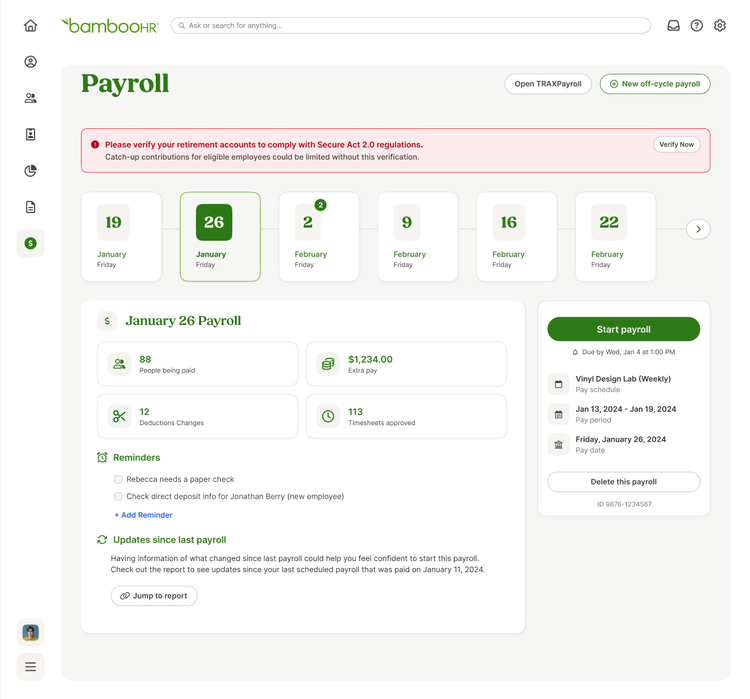
During payroll, helpful alerts appear if required information is missing or if contribution limits are reached. In some cases, payroll may pause until key details are confirmed, helping you avoid compliance issues.
You will also notice clearer indicators when deductions reach their limits, including labels and progress tracking within payroll.
What you can do
- Review your retirement plans and confirm catch-up contribution settings when prompted.
- Add any missing Social Security wages to ensure accurate contribution limits.
- Run payroll with confidence knowing validations are in place to help prevent errors.
- Use the SECURE Act 2.0 report to monitor contributions and stay informed.
As always, we love your feedback! To provide product feedback on this feature and more, head over to our product feedback page and let us know how we’re doing.