Capacity Management in BambooHR Shift Scheduling
Spot staffing gaps before they become day-of surprises. Managers can now set the number of people needed for a shift and quickly compare that target with the employees currently assigned, making it easier to see where schedules need attention.
What's new
When creating or editing a shift, managers can use the new People Needed field to enter the desired staffing level. The field is optional, so shifts without a staffing target can continue to be scheduled as usual.
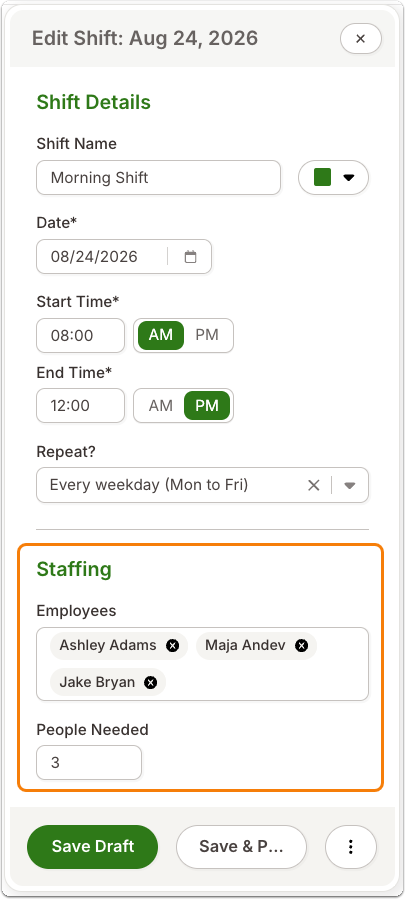
When People Needed is set, the shift card displays the number of assigned employees alongside the staffing target. For example, a shift that needs five people and has two assigned will display 2/5. The assigned count updates as employees are added or removed, giving managers an up-to-date view of coverage directly from the schedule. Managers can still assign more or fewer employees than the number entered, so the staffing target provides visibility without restricting scheduling.
Understaffed shifts with a staffing target also appear in the existing Open Shifts section, along with the same assigned-to-needed ratio. This brings remaining openings into a familiar part of the schedule so managers can more easily identify where additional coverage is needed.
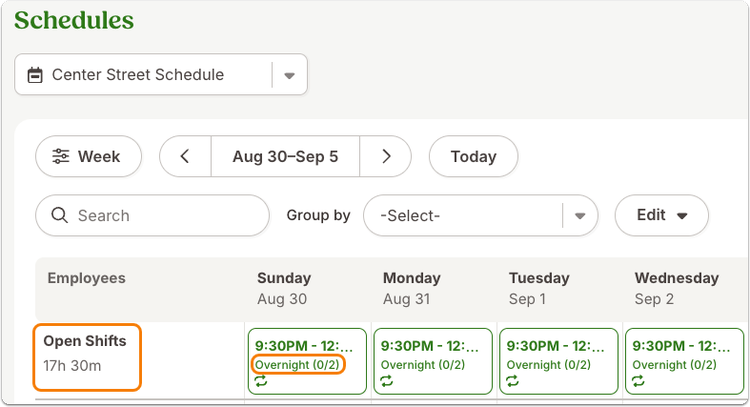
For recurring shifts, managers can set a staffing target for the series or override it for an individual shift. Changes follow the existing scope options for recurring shifts, providing flexibility when staffing needs vary from one occurrence to another.
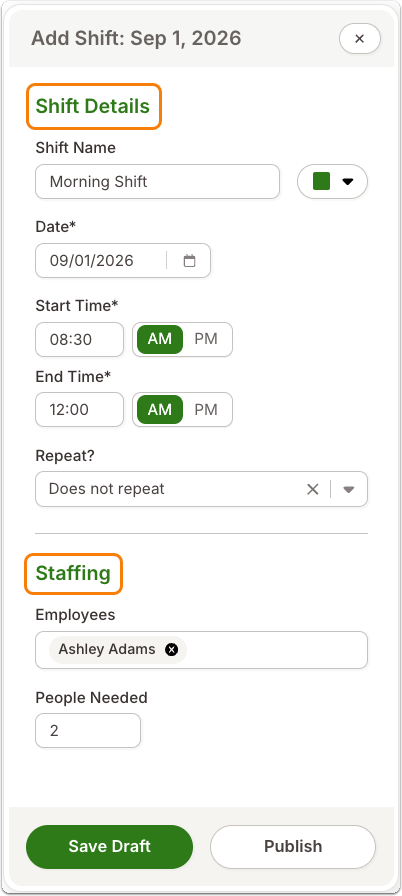
The shift create and edit form also has clearer organization, with Shift Details and Staffing section headers separating key scheduling information.
As always, we love your feedback! To provide product feedback on this feature and more, head over to our product feedback page and let us know how we’re doing.