Streamlined Plan Year Setup
We have updated the plan year setup to guide you through each step in a clear, logical order, bringing more of the process into one place.
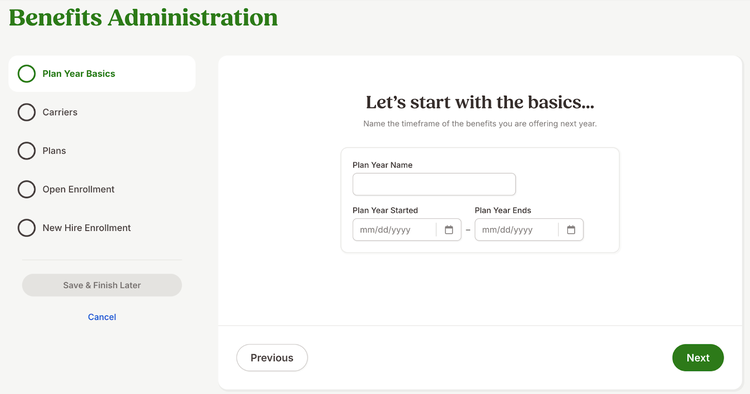
The plan year setup now walks you through five clear steps that match how a plan year works: Plan Year Basics, Carriers, Plans, Open Enrolment, and New Hire Enrollment. This structure helps reduce confusion and makes it easier to note what needs to be completed each year.
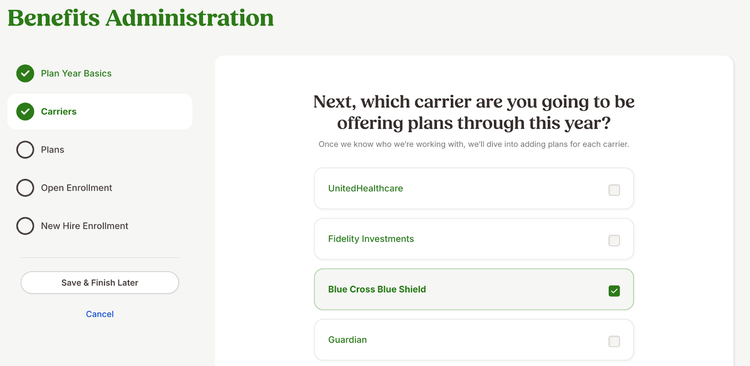
Carriers are now included directly in the plan year setup. You can select from your existing carriers or add new ones during setup. The carriers you choose automatically carry over to the Plan step, where you add at least one plan for each carrier.
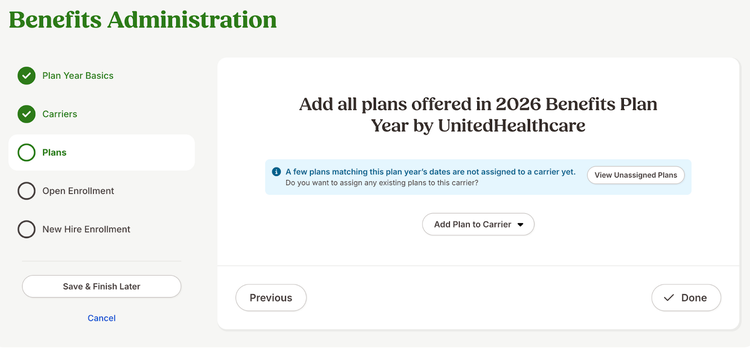
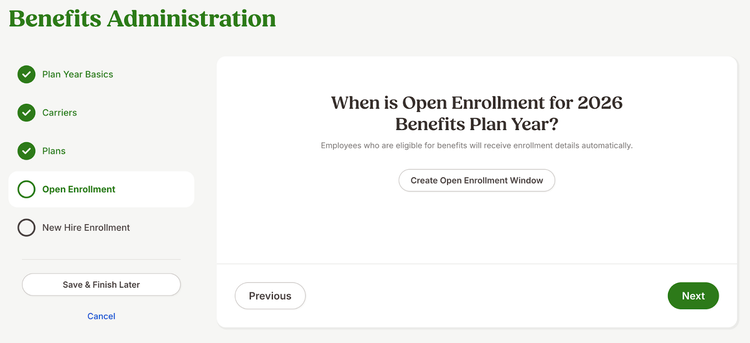
You also have the option to create an open enrollment window during plan year setup. This step is optional, and you can edit the window at any time.
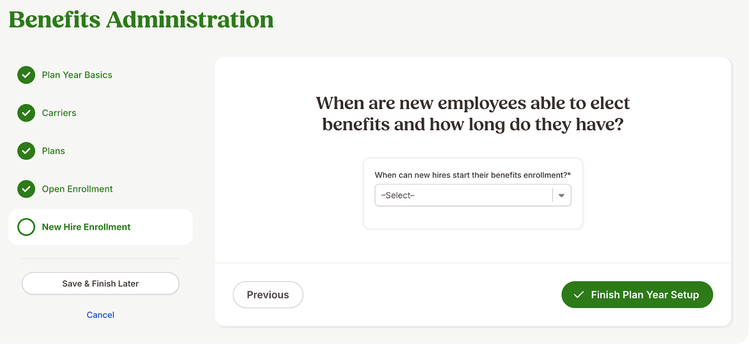
New Hire Enrollment rules remain a required step. Also, a new Save & Finish later option lets you save your progress at any step and return when you are ready. When you reopen the plan year setup, you return to the step where you last saved, making it easier to gather information over time without losing your work.
As always, we love your feedback! To provide product feedback on this feature and more, head over to our product feedback page and let us know how we’re doing.