Time & Attendance Schedules on Mobile & Time Kiosk
Knowing when and where you work should be simple. Employees can now view upcoming shifts directly from their mobile phone or using a BambooHR Time Kiosk, making it easier to stay on schedule, clock in at the right time, and quickly see what's coming next. This update brings scheduling and time tracking closer together, giving employees better visibility into their workday without extra navigation.
What's new
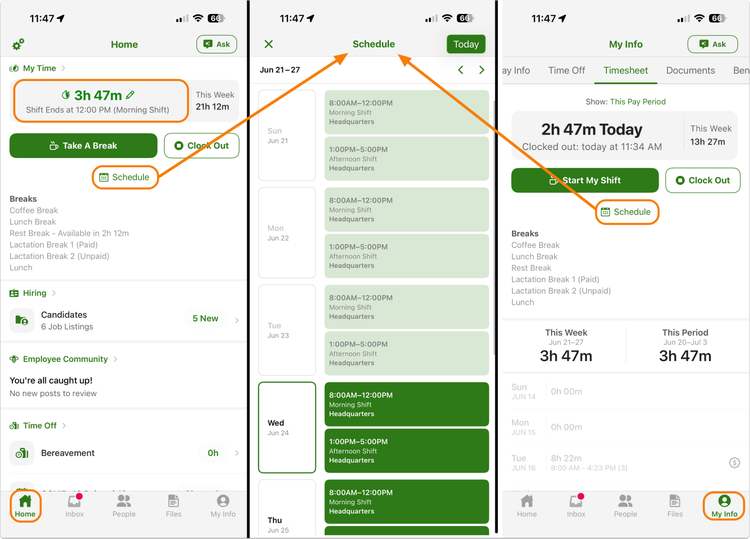
Employees can now access a dedicated Schedule view that displays published past, current, and upcoming shifts. From mobile, a new Schedule button opens a weekly view of assigned shifts, helping employees quickly confirm when and where they are scheduled to work.
The My Time widget is now schedule-aware. Instead of only displaying clock-in actions, it shows upcoming shift information and helps employees understand what comes next in their workday. For organizations that use early clock-in restrictions, clock-in actions will remain unavailable until the allowed window opens.
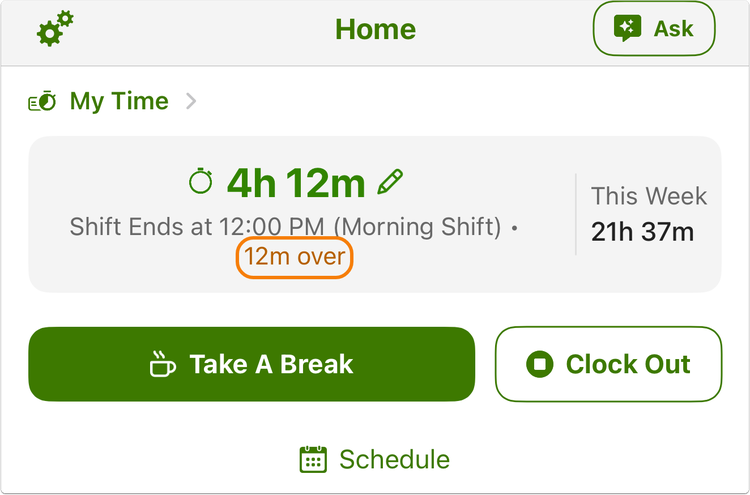
Employees who work beyond their scheduled end time will also see helpful indicators showing how long they're over schedule, making it easier to stay aware of scheduled hours.
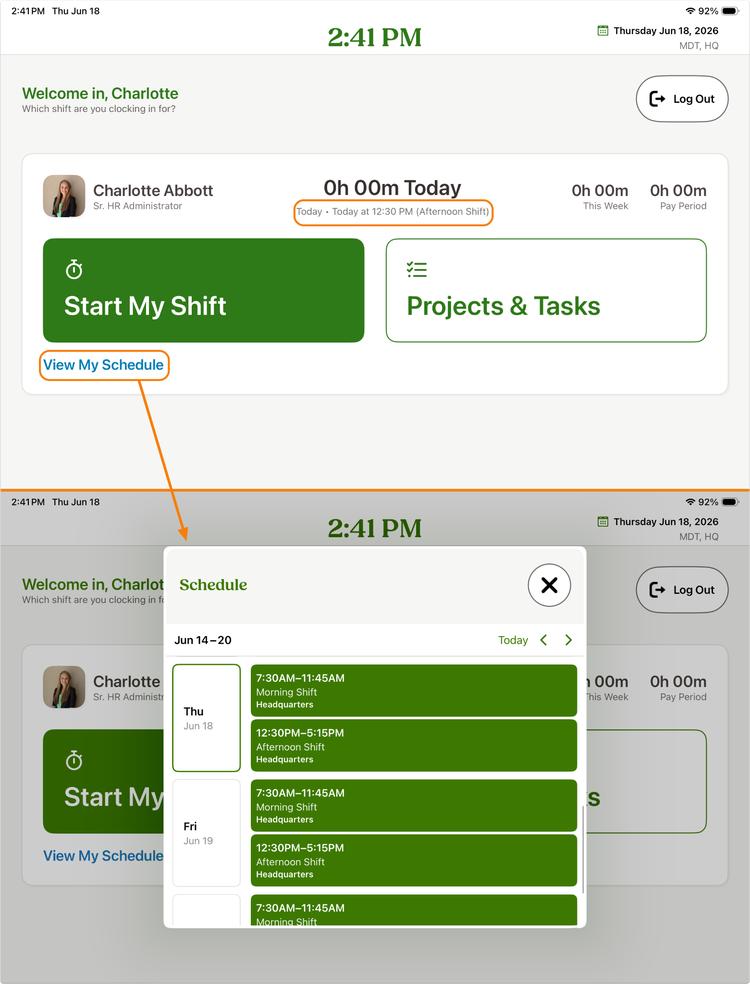
The same schedule visibility is now available through the BambooHR Time Kiosk app. After entering their PIN, employees can view their upcoming schedule directly from the kiosk experience.
What you can do
- If employees are assigned to schedules in BambooHR, they can immediately start viewing upcoming shifts from mobile and the BambooHR Time Kiosk.
- Encourage scheduled employees to use the Schedule view to plan ahead and check shift details before clocking in.
As always, we love your feedback! To provide product feedback on this feature and more, head over to our product feedback page and let us know how we’re doing.