Two Availability Windows for Interview Scheduling
We’ve added more flexibility to interviewer scheduling by introducing the ability to add two availability windows per day. This update helps teams block out breaks, like lunch hours, without losing time for interviews throughout the day.
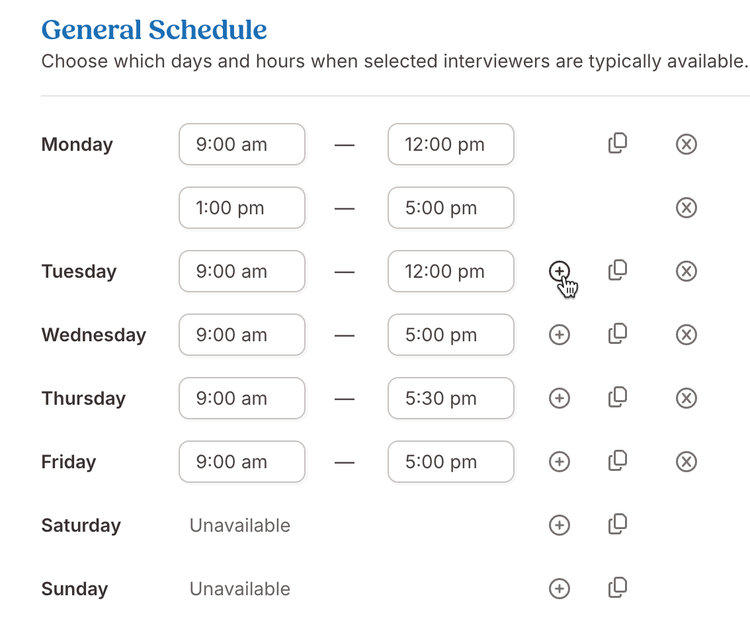
Now, when creating interview invitations or templates, users can add a second availability window to any day. By default, the second window starts one hour after the first ends, but you can easily adjust times to fit your team’s schedule. If overlapping times are entered, BambooHR will show a warning and prevent saving until the issue is resolved.
You can also duplicate a day’s availability, complete with multiple windows, to other days of the week, saving even more setup time.
As always, we love your feedback! To provide product feedback on this feature and more, head over to our product feedback page and let us know how we’re doing.